
Introduction
Have you ever clicked on a link only to land on a page that says "404 Not Found"? It's frustrating, right? You're not alone in that experience. 404 errors are one of the most common website issues businesses face, and they can quietly damage your search engine rankings while driving away potential customers.
A 404 error occurs when someone tries to access a page on your website that no longer exists or has been moved. While these errors might seem like minor technical hiccups, they have a real impact on your SEO performance and user experience. Search engines like Google use these errors as signals about your website's health and quality. Too many broken pages can make your site appear neglected or poorly maintained.
The good news? Managing 404 errors doesn't have to be complicated or overwhelming. With the right approach, you can turn these potential problems into opportunities to improve your website's performance and keep visitors engaged.
In this comprehensive guide, we'll walk through everything you need to know about handling 404 errors from an SEO perspective. You'll learn how to identify broken pages on your site, when to fix them versus when to leave them alone, and how to create an optimized 404 page that keeps users on your site instead of sending them straight to your competitors.
We'll also cover technical strategies for preventing future errors and maintaining a healthy website that both search engines and real people love. Whether you're managing a small business website or overseeing a large enterprise platform, these practical strategies will help you tackle 404 errors with confidence.
By the end of this guide, you'll have a clear action plan for optimizing your website's error handling and protecting your search rankings.
Understanding SEO 404 Errors
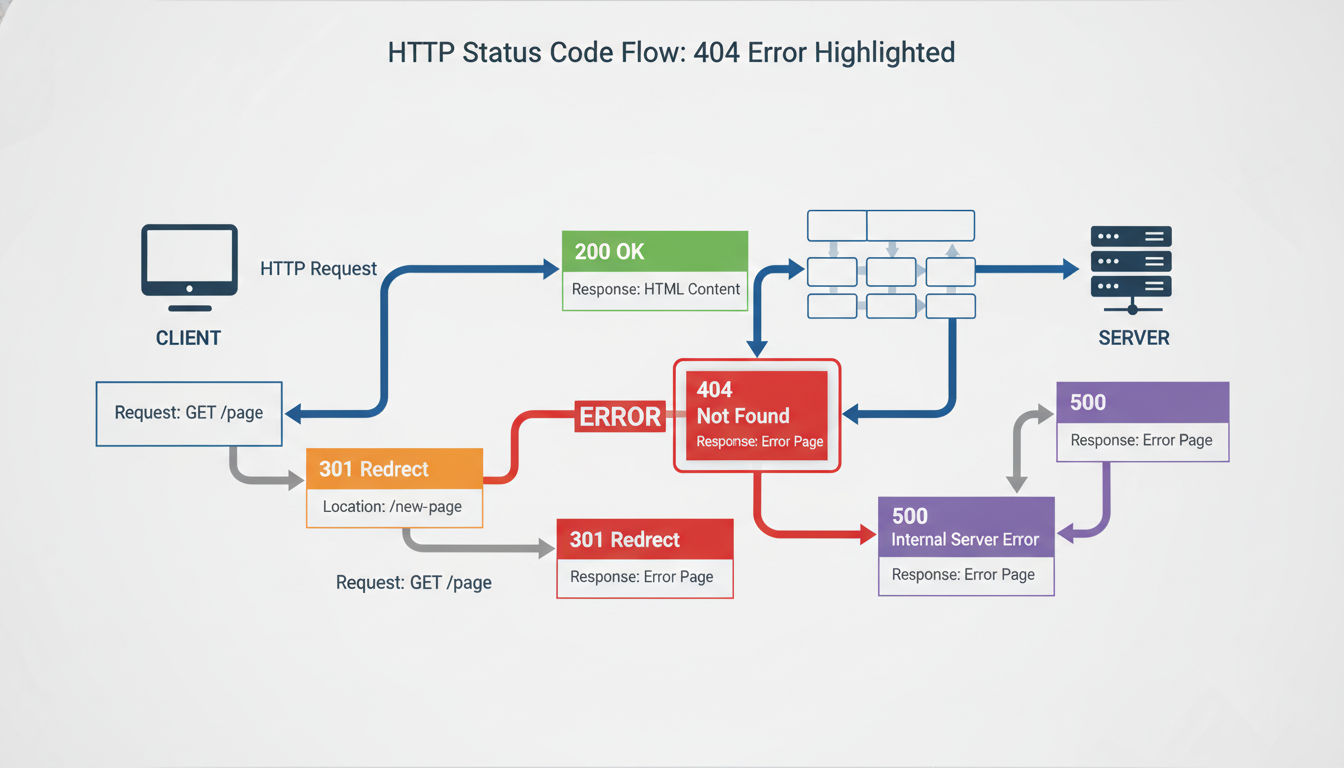
A 404 error page appears when a user or search engine bot tries to access a URL that doesn't exist on your server. The "404" is an HTTP status code that tells browsers and search engines, "I looked for this page, but I couldn't find it." It's like knocking on a door and discovering nobody lives there anymore.
These errors are completely normal and happen on virtually every website at some point. Pages get deleted, URLs change during redesigns, and content gets reorganized. The key isn't eliminating every single 404 error, but rather managing them strategically to minimize negative impacts.
The Difference Between 404 and Other Status Codes
Understanding HTTP status codes helps you diagnose and fix website issues more effectively. A 404 error falls into the 4xx category, which indicates client-side errors. This means the request was made correctly, but the requested resource simply doesn't exist.
Other common status codes include 200 (success), 301 (permanent redirect), 302 (temporary redirect), and 500 (server error). Each tells search engines something different about your page. A 301 redirect, for example, passes most of the original page's SEO value to the new location. A 404, on the other hand, signals that the page is gone and should be removed from search indexes.
Soft 404 errors are particularly problematic. These occur when your server returns a 200 status code for a page that doesn't actually exist. This confuses search engines because you're essentially saying "everything's fine" when it's not.
How Search Engines Handle 404 Errors
When Google's crawlers encounter a 404 error, they don't immediately panic or penalize your site. Search engines understand that websites evolve and pages sometimes disappear. They'll typically keep the URL in their index for a while, checking back periodically to see if the page returns.
If the 404 persists, Google will eventually remove that URL from search results. This is actually the desired outcome for genuinely deleted content. The crawler can then focus its attention on your active, valuable pages instead of wasting time on dead ends.
Common Causes of 404 Errors
404 errors typically emerge from a handful of predictable scenarios. Deleted pages without redirects are the most obvious culprit. Someone removes old content but forgets to set up a redirect to a relevant replacement page.
URL changes during website redesigns create massive 404 problems if not handled properly. A company might switch from "/services.html" to "/services/" and break every external link pointing to the old format. Typos in internal links are surprisingly common too. A misplaced character in your navigation menu can create broken links across your entire site.
Moved content without proper redirects, renamed files, and broken external links also contribute to 404 errors. Sometimes the issue isn't even on your end. Other websites might link to your pages using incorrect URLs, creating 404s that you didn't directly cause but still need to manage.
How 404 Errors SEO Impact Your Rankings

The relationship between 404 errors and SEO is more nuanced than many people realize. Google's John Mueller has explicitly stated that 404 errors themselves don't directly harm your rankings. A few broken pages won't trigger a penalty or tank your search visibility.
However, the indirect effects of 404 errors can absolutely damage your SEO performance. It's not the error code itself that matters, but rather how these errors affect user behavior and search engine efficiency.
User Experience and Behavioral Signals
When visitors land on a 404 page, they often leave your site immediately. This creates a terrible user experience and sends negative signals to search engines. High bounce rates, short session durations, and low pages per session all suggest that your site isn't meeting user needs.
Google increasingly uses these behavioral metrics as ranking factors. If people consistently have bad experiences on your site, search engines will eventually rank you lower. A single 404 error might not matter, but a pattern of broken links suggests poor site maintenance and low content quality.
Crawl Budget Considerations
Every website gets allocated a certain amount of crawl budget, which is essentially how many pages Google will crawl during each visit to your site. Large sites with thousands of pages need to be particularly mindful of this resource.
When search engine bots waste time crawling broken pages, they have less budget available for your actual content. This means new pages might not get indexed quickly, and updates to existing content might go unnoticed for longer periods.
For smaller websites, crawl budget typically isn't a major concern. Google will easily crawl all your pages regardless of a few 404s. But for enterprise sites or content-heavy platforms, excessive 404 errors can genuinely slow down indexing and hurt your ability to rank new content quickly.
Lost Link Equity and Authority
Perhaps the most significant SEO impact comes from broken backlinks. When external websites link to your content, they're passing along valuable link equity that helps your rankings. If that linked page returns a 404 error, you're losing that SEO benefit entirely.
Imagine spending months earning a high-quality backlink from an industry publication, only to delete the target page without setting up a redirect. That link equity evaporates, and your rankings for related keywords may drop as a result.
Internal linking structure also matters for SEO. When your own navigation or content links point to 404 pages, you're creating dead ends in your site architecture. This disrupts the flow of link equity throughout your site and makes it harder for search engines to understand your content hierarchy.
The key takeaway? 404 errors won't directly trigger a Google penalty, but their cumulative effects on user experience, crawl efficiency, and link equity can absolutely harm your rankings over time.
Identifying 404 Errors on Your Website
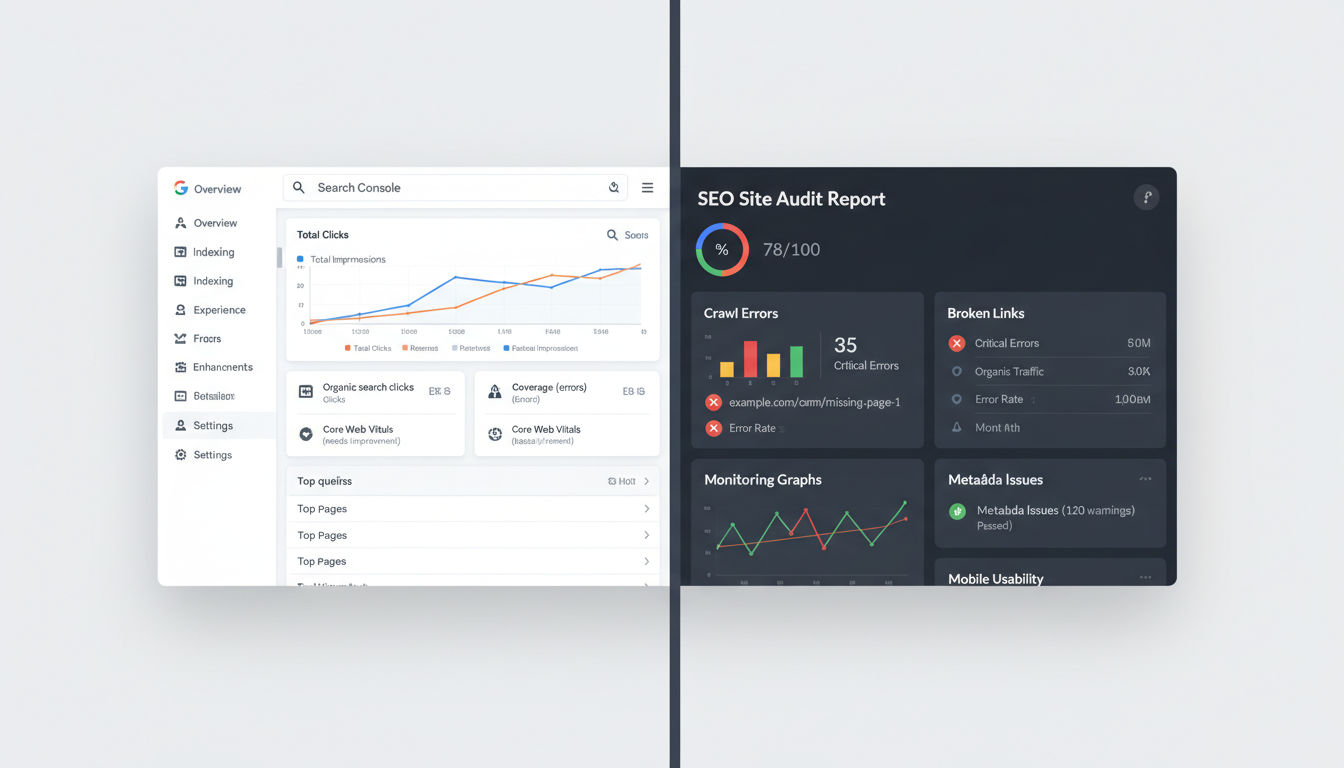
You can't fix problems you don't know exist. The first step in managing 404 errors is establishing a reliable system for detecting them across your website. Fortunately, several powerful tools make this process straightforward, even for non-technical users.
Quick question
Want to turn this into a real plan?
If you want expert help with strategy, design, development, marketing, or automation — we’ll recommend the fastest path forward for your goals.
Using Google Search Console
Google Search Console should be your first stop for identifying 404 errors. This free tool from Google shows you exactly which pages are returning errors when their crawlers visit your site. Navigate to the "Pages" report under "Indexing" to see a list of all URLs that couldn't be crawled.
The report categorizes errors and shows you how many times each broken URL was encountered. You'll also see when Google first discovered each error, which helps you understand whether it's a new problem or a longstanding issue.
One particularly useful feature is the ability to see which pages link to your 404 errors. This information helps you prioritize which broken links to fix first. A 404 page receiving links from multiple high-authority pages should be addressed before an obscure broken URL with no inbound links.
Set up email notifications in Search Console so you're alerted when significant crawl errors appear. This proactive approach helps you catch problems before they accumulate and impact your SEO performance.
Technical SEO Audit Tools
Specialized SEO tools offer more comprehensive error detection than Google Search Console alone. Platforms like Screaming Frog, Ahrefs, SEMrush, and Sitebulb can crawl your entire website and identify every broken link, not just the ones Google has encountered.
Screaming Frog's desktop crawler is particularly popular for technical audits. It follows every internal link on your site and reports all HTTP status codes, making it easy to spot 404 errors, redirect chains, and other technical issues. The free version handles up to 500 URLs, which works well for smaller sites.
Cloud-based tools like Ahrefs Site Audit run regular crawls automatically and track error trends over time. You can see whether your 404 count is increasing or decreasing, helping you measure the effectiveness of your optimization efforts.
These tools also identify broken external links, which is something Google Search Console won't show you. While broken outbound links don't directly hurt SEO, they do create a poor user experience and make your site appear outdated.
Automated Monitoring Systems
Rather than manually checking for errors every month, set up automated monitoring that alerts you immediately when new 404 errors appear. Many website monitoring services can track specific pages and notify you if they start returning error codes.
Server log analysis provides the most complete picture of 404 errors on your site. Your web server records every request it receives, including ones that result in errors. Tools like GoAccess or commercial platforms like Loggly can parse these logs and show you exactly which broken URLs people are trying to access.
This is especially valuable for catching errors from external sources. Someone might have linked to your site using an incorrect URL, creating 404 errors you wouldn't discover through internal crawling alone. Log analysis reveals these external traffic sources and helps you identify opportunities to reach out for link corrections.
For businesses in Montreal and beyond, implementing a comprehensive monitoring system is part of maintaining a professional web presence. If you're not sure how to set up these tools or interpret the data they provide, professional web development services can help establish monitoring systems tailored to your specific needs.
Best Practices for Fixing Website Errors
Not every 404 error requires immediate action. In fact, trying to fix every single broken URL can waste time and potentially create more problems than it solves. The key is understanding when to fix errors versus when to leave them alone.
When to Fix vs. When to Leave 404 Errors
If a page was intentionally deleted because the content is outdated or irrelevant, letting it return a 404 is perfectly appropriate. This tells search engines the page is gone and should be removed from their index. No action needed.
However, you should definitely fix 404 errors in these situations: when the page has valuable backlinks from other sites, when the URL receives significant traffic from search engines or referrals, when internal links on your site point to the broken page, or when the content has simply moved to a new URL.
Check your analytics and Search Console data to identify which 404 pages actually matter. A broken blog post from 2012 with zero traffic and no backlinks? Leave it. A service page with 50 monthly visitors and links from industry websites? Fix it immediately.
Implementing 301 Redirects for Moved Content
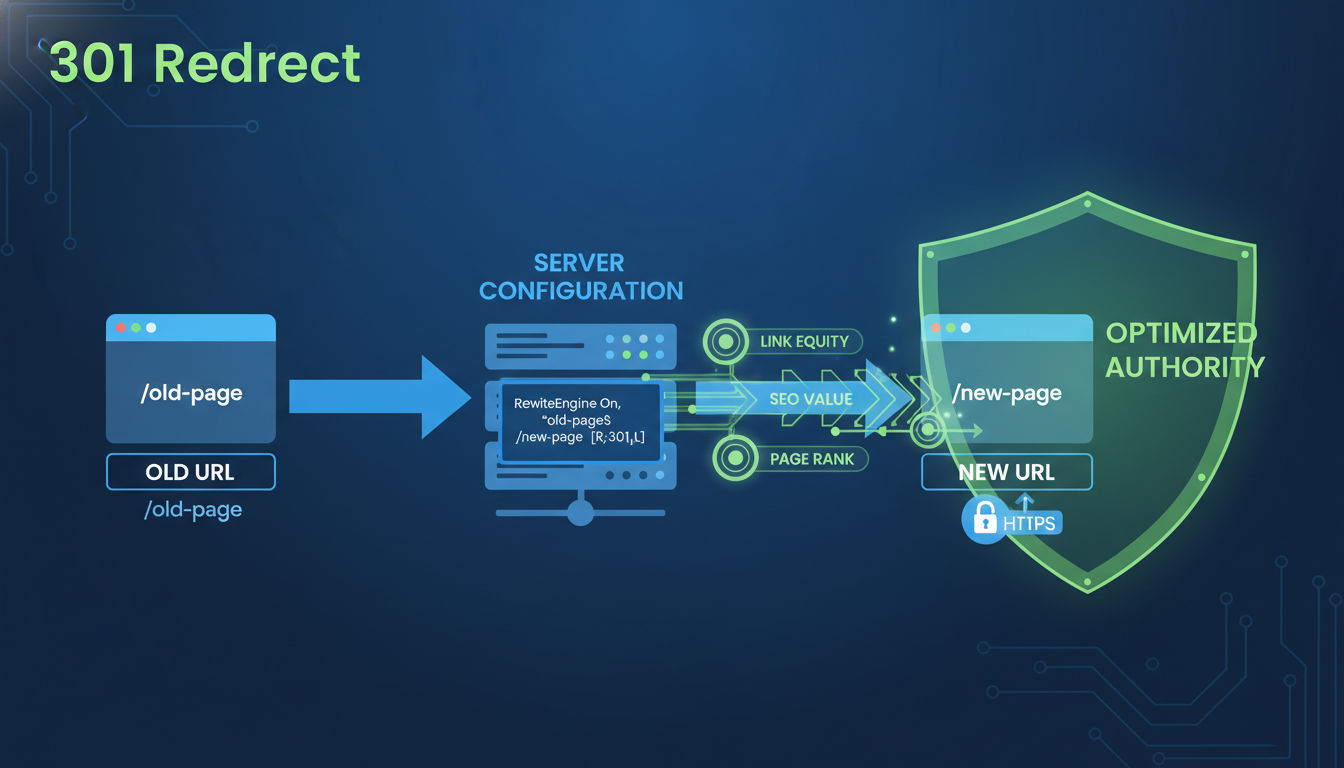
When you've moved content to a new URL, a 301 redirect is your best friend. This permanent redirect tells search engines and browsers, "This page has moved permanently to this new location." It passes approximately 90-99% of the original page's link equity to the new URL.
Setting up 301 redirects varies depending on your server and CMS. WordPress users can install plugins like Redirection or Yoast SEO that make the process simple. For other platforms, you'll typically add redirect rules to your .htaccess file (Apache servers) or server configuration files (Nginx).
The redirect destination should be as relevant as possible to the original content. Don't just redirect everything to your homepage. That's called a soft 404 and doesn't help users or SEO. If you deleted a specific product page, redirect to the category page or a similar product. If you removed an old blog post, redirect to an updated article on the same topic.
Restoring Accidentally Deleted Pages
Sometimes pages get deleted by mistake. Before setting up redirects or accepting the 404, check whether the content should simply be restored. Review your backups or version control system to recover the original page.
This is particularly important for pages with strong SEO performance or valuable backlinks. Restoring the original URL maintains all existing link equity and prevents any disruption to your search rankings.
If you can't restore the exact page but have similar content elsewhere, consider recreating the page at its original URL. This works well when the URL structure is important for SEO or when external sites have linked to that specific path.
Updating Internal Links and Navigation
Internal broken links are entirely within your control and should always be fixed. Use your crawling tool to identify every internal link pointing to 404 pages, then update those links to point to the correct destination.
Pay special attention to navigation menus, footer links, and sidebar widgets. These appear on multiple pages, so a single broken link gets multiplied across your entire site. Fixing one navigation link can eliminate dozens of 404 errors instantly.
Content links within blog posts and articles also need attention. Review your most important pages and update any links that point to broken URLs. This improves user experience and helps search engines crawl your site more efficiently.
Reaching Out for External Backlink Corrections
When high-authority websites link to your 404 pages, it's worth reaching out to request a link update. This is especially valuable for links from industry publications, news sites, or educational institutions.
Draft a polite email explaining that the linked page has moved and providing the correct URL. Most webmasters are happy to update links, especially if you make it easy by providing the exact location of the broken link on their site.
Focus your outreach on the most valuable backlinks first. A link from a major publication is worth the effort to correct. A link from a random directory site probably isn't. Use your backlink analysis tools to prioritize which external 404s deserve attention.
For businesses looking to improve their technical SEO but lacking the time or expertise to manage these details, partnering with experienced professionals can make a significant difference. Exploring previous projects can give you a sense of how proper error management contributes to overall website performance.
Creating an SEO-Optimized 404 Error Page

Your 404 page doesn't have to be a dead end. With thoughtful design and strategic content, it can actually keep visitors engaged and guide them back into your site. A well-crafted error page turns a frustrating experience into an opportunity to showcase your brand personality and help users find what they need.
Essential Elements of an Effective 404 Page
Every great 404 page starts with a clear, honest message. Tell users what happened in plain language: "We couldn't find the page you're looking for." Avoid technical jargon or confusing explanations. Remember, you're talking to regular people, not developers.
An apology goes a long way toward maintaining goodwill. A simple "Sorry about that" acknowledges the inconvenience and shows you care about user experience. This small touch of empathy can prevent visitors from immediately bouncing to a competitor's site.
Include a prominent search box that lets users find what they're looking for without leaving your site. Many people will simply search for the content they wanted instead of giving up entirely. Make sure your site search actually works well and returns relevant results.
Navigation links back to your main sections help orient confused visitors. Include links to your homepage, main service categories, popular content, and contact page. This gives users multiple pathways to continue exploring your site rather than hitting a dead end.
Design and User Experience Considerations
Your 404 page should match your site's overall design and branding. A jarring visual disconnect makes users feel like they've left your site entirely. Maintain consistent colors, fonts, and layout elements to reassure visitors they're still in the right place.
Personality and humor can work well on 404 pages, but know your audience. A playful approach works for creative agencies or casual brands. Professional service firms might want to keep things more straightforward and helpful. The key is staying authentic to your brand voice.
Keep the page lightweight and fast-loading. Users are already frustrated by not finding what they wanted. A slow-loading error page adds insult to injury. Optimize images and minimize scripts to ensure your 404 page appears instantly.
Mobile optimization is critical since a significant portion of 404 errors happen on mobile devices. Test your error page on various screen sizes to ensure all elements are readable and clickable on smartphones and tablets.
Adding Search Functionality and Navigation Options
A robust site search feature is arguably the most valuable element on a 404 page. Position it prominently, ideally near the top of the page where users will see it immediately. Consider pre-filling the search box with keywords from the broken URL to help users find related content.
Breadcrumb navigation, if your site uses it, should still appear on 404 pages. This shows users where they are in your site hierarchy and provides clickable links back to parent categories.
A sitemap link or simplified site structure overview helps users understand what content is available. Some effective 404 pages include a mini-sitemap showing major sections and popular pages. This turns the error page into a discovery tool rather than a frustration.
Including Relevant Internal Links
Strategic internal linking on your 404 page can actually improve your SEO by directing search engine crawlers and users to your most important content. Feature links to your top-performing pages, recent blog posts, or most popular services.
For e-commerce sites, showcase bestselling products or current promotions. For service businesses, highlight your core offerings or recent case studies. For content sites, display your most popular articles or latest posts.
Personalization can make these recommendations even more effective. If possible, analyze the broken URL to suggest related content. Someone looking for "/blue-widgets" might appreciate links to your widget category or similar products.
A well-designed 404 page reflects your commitment to user experience and attention to detail. It's a small element that can make a meaningful difference in how visitors perceive your brand. If you need help creating an optimized error page that converts frustrated visitors into engaged users, professional assistance is available through our contact page.
Technical SEO Strategies for 404 Error Management
Beyond the user-facing aspects of 404 errors, several technical considerations affect how search engines interpret and respond to broken pages on your site. Getting these technical details right ensures you're sending the correct signals to Google and other search engines.
Proper Server Configuration and HTTP Headers
Your web server must return the correct HTTP status code when a page doesn't exist. This sounds obvious, but misconfigured servers sometimes return 200 (success) status codes for pages that should be 404s. This creates soft 404 errors that confuse search engines.
Verify your server configuration by checking HTTP headers for broken URLs. Browser developer tools or online header checkers can show you exactly what status code your server returns. You should see "404 Not Found" for genuinely missing pages.
Custom 404 pages must still return a 404 status code. Some content management systems or server configurations accidentally return 200 codes when serving custom error pages. The page looks like a 404 to users, but search engines think it's a successful response. This is a soft 404, and it prevents broken pages from being properly removed from search indexes.
Avoiding Soft 404 Errors
Soft 404s are one of the most problematic technical SEO issues related to error pages. They occur when your server returns a success code (200) for content that doesn't actually exist, or when you redirect all broken URLs to your homepage without returning a 404 or 410 code.
Google Search Console specifically flags soft 404 errors because they interfere with proper indexing. The search engine can't tell whether the page is real content or an error, leading to confusion about what should be included in search results.
To avoid soft 404s, ensure deleted or non-existent pages return proper 404 status codes. Don't redirect every broken URL to your homepage. If you must redirect, use a 301 to the most relevant existing page, not a generic destination.
Thin content pages can also trigger soft 404 warnings. If your custom 404 page has very little text or looks too similar to a template page, Google might flag it as a soft 404. Include enough unique content on your error page to clearly distinguish it from other pages.
Managing 404 Errors During Site Migrations
Website migrations and redesigns are prime opportunities for 404 errors to multiply. When changing URL structures, moving to a new domain, or reorganizing content, meticulous planning prevents broken links from damaging your SEO.
Create a comprehensive redirect map before launching any major site changes. This document lists every old URL and its corresponding new location. Export your current sitemap, identify which pages are moving or being deleted, and plan appropriate redirects for each one.
Implement all redirects before switching to the new site structure. Testing redirects in a staging environment catches problems before they affect your live site. Use crawling tools to verify that old URLs properly redirect to new destinations and return the correct status codes.
Monitor Search Console closely for several weeks after migration. New 404 errors often appear as search engines discover old URLs that weren't included in your redirect map. Address these quickly to minimize SEO impact.
Handling Parameters and Dynamic URLs
Dynamic URLs with parameters (like "?id=123" or "?page=5") can create unique challenges for 404 management. Infinite parameter combinations might generate countless unique 404 errors that are actually variations of the same underlying problem.
Next step
Ready for a quote and timeline?
Send a quick note with what you’re building, your deadline, and what success looks like — we’ll reply with clear next steps.
Configure your server to handle parameter-based URLs appropriately. For e-commerce sites with product IDs, a missing product should return a 404. For pagination parameters beyond your actual page count, return 404s rather than showing empty pages.
Use URL parameter handling in Google Search Console to tell Google how to treat different parameters. You can specify which parameters don't change page content, helping prevent duplicate content issues and wasted crawl budget on parameter variations.
Canonical tags help manage similar content accessed through different URL parameters. While not directly related to 404 errors, proper canonical implementation prevents parameter variations from diluting your SEO value across multiple URLs.
These technical strategies might seem complex, but they're essential for maintaining a healthy website that search engines can properly crawl and index. For businesses without dedicated technical staff, these details often get overlooked until they cause noticeable problems. Professional web development services can audit your technical SEO setup and implement proper error handling that protects your search rankings.
Preventing Future 404 Errors
The best approach to 404 errors is preventing them from happening in the first place. While you'll never eliminate every error, implementing smart content management practices dramatically reduces how often broken links appear on your site.
Content Management Best Practices
Before deleting any page, ask yourself whether it has SEO value worth preserving. Check analytics for traffic data, Search Console for ranking keywords, and backlink tools for inbound links. If the page has any of these assets, set up a redirect rather than simply deleting it.
When removing outdated content, look for opportunities to update rather than delete. Refreshing an old blog post with current information preserves its URL, accumulated link equity, and search rankings. This approach is almost always better than deleting and starting over.
Establish clear workflows for content deletion that include redirect setup as a mandatory step. Make it impossible for someone to delete a page without either creating a redirect or explicitly documenting why no redirect is needed.
Use consistent URL structures from the start. Frequent URL changes create redirect chains and increase the likelihood of broken links. Plan your site architecture carefully and stick with it unless you have compelling reasons to restructure.
Link Checking Before Publishing
Review all links before publishing new content. A quick manual check catches obvious typos, and browser extensions can automatically highlight broken links as you write. This simple habit prevents broken links from ever reaching your live site.
Automated link checking tools can scan draft content before publication. Many content management systems offer plugins that validate links and flag potential issues. WordPress users can install Broken Link Checker or similar tools that monitor both published and draft content.
When linking to external websites, verify the destination URL actually works. External sites change their URL structures too, and linking to someone else's 404 page creates a poor user experience. A quick click-through before publishing prevents this problem.
For internal links, use relative URLs when possible or link to pages by their ID rather than hardcoded URLs. This approach makes your links more resilient to URL structure changes and reduces the chance of creating broken links during site updates.
Maintaining a Redirect Map During Redesigns
Every website redesign should include a comprehensive redirect strategy. Create a spreadsheet mapping old URLs to new ones, including pages that will be deleted or consolidated. This redirect map becomes your blueprint for implementation.
Export your current sitemap and analytics data to identify which pages actually matter. Focus your redirect efforts on pages with traffic, rankings, or backlinks. Low-value pages with no SEO assets can simply be deleted without redirects.
Test your redirect map in a staging environment before launching the new site. Crawl the staging site to verify redirects work correctly and return proper status codes. Fix any issues before they affect your live site and search rankings.
Keep your redirect map as a permanent reference document. You'll need it for troubleshooting post-launch issues and understanding historical URL changes. This documentation becomes invaluable when questions arise months or years later about why certain redirects exist.
Regular Website Maintenance Schedules
Schedule quarterly technical SEO audits that include comprehensive link checking. Regular monitoring catches problems while they're still small and manageable. Letting 404 errors accumulate for years makes the cleanup process overwhelming.
Review your Google Search Console coverage report monthly. This quick check reveals new 404 errors as they appear, allowing you to address them promptly. Set aside 30 minutes each month for this maintenance task.
Monitor your backlink profile for links pointing to 404 pages. When you discover valuable backlinks to broken URLs, either restore the page, redirect it appropriately, or reach out to the linking site to request an update.
Update internal links whenever you notice them pointing to redirects or 404s. While redirects work, they add slight delays and waste crawl budget. Updating links to point directly to final destinations improves site performance and user experience.
For businesses managing multiple websites or complex platforms, staying on top of these maintenance tasks requires dedicated time and attention. Many Montreal businesses find that partnering with ongoing web development and digital marketing services ensures these critical maintenance tasks never get overlooked in the day-to-day rush of running a business.
Conclusion
Managing 404 errors effectively is an essential component of technical SEO that directly impacts both your search rankings and user experience. While these broken pages won't trigger immediate penalties from Google, their cumulative effects on crawl efficiency, link equity, and visitor satisfaction can significantly harm your online performance over time.
The key takeaways from this guide center on strategic management rather than perfection. Not every 404 error requires fixing, but the ones that matter—pages with traffic, rankings, or valuable backlinks—deserve prompt attention. Implementing proper 301 redirects, creating helpful custom 404 pages, and maintaining correct server configurations ensures search engines properly understand your site structure.
Prevention proves more efficient than cure when it comes to website errors. Establishing clear content management workflows, checking links before publishing, and conducting regular technical audits dramatically reduces how often broken links appear on your site. These proactive measures save time and protect your SEO investments.
Remember that 404 error management isn't a one-time project but an ongoing aspect of website maintenance. Search engines and user expectations constantly evolve, and your site needs regular attention to maintain optimal performance. Monthly monitoring through Google Search Console and quarterly comprehensive audits keep your site healthy and your search rankings protected.
Start by auditing your current 404 situation using the tools and techniques outlined in this guide. Prioritize fixing errors on your most valuable pages first, then work your way through less critical issues. Implement a custom 404 page that keeps visitors engaged rather than sending them away. Finally, establish maintenance routines that prevent future problems from accumulating.
If you're feeling overwhelmed by the technical aspects of 404 management or simply don't have time to implement these strategies yourself, professional help is available. Our team specializes in technical SEO and website optimization for businesses throughout Montreal and beyond. We'd be happy to discuss how we can help improve your site's performance and protect your search rankings. Get in touch to learn more about our approach to comprehensive website management.