Introduction
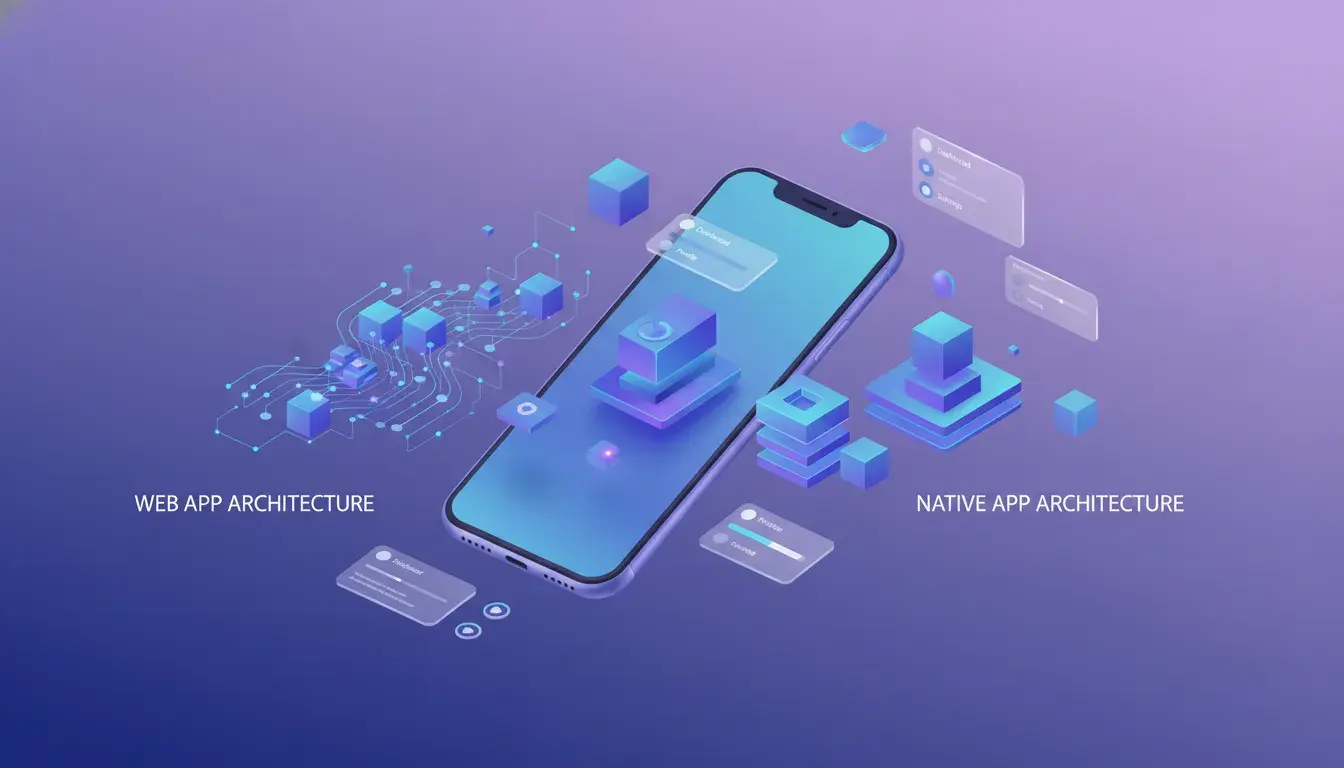
The mobile app landscape has transformed dramatically over the past few years. What once seemed like a clear choice between building a native app or nothing at all has evolved into a nuanced decision that impacts your bottom line, user experience, and long-term growth strategy.
In 2026, the debate between Progressive Web Apps (PWAs) and native apps isn't about which technology is "better" in absolute terms. It's about understanding which approach aligns with your business goals, budget, and target audience. The stakes are high: choosing the wrong path can mean wasted development resources, poor user adoption, and missed revenue opportunities.
This guide cuts through the marketing hype and technical jargon to give you a clear, practical comparison of PWAs versus native apps. We'll explore the real-world performance differences, cost implications, and feature capabilities of each approach. You'll learn when each option makes sense for your business and how to make a decision that supports your growth objectives.
Whether you're a Montreal-based startup planning your first app or an established business considering a mobile strategy refresh, this comprehensive analysis will equip you with the knowledge to move forward confidently. We'll examine actual use cases, performance metrics, and development considerations that matter in 2026's competitive mobile landscape.
By the end of this guide, you'll understand not just the technical differences between PWAs and native apps, but the strategic implications for your specific business context.
Understanding Progressive Web Apps (PWAs)
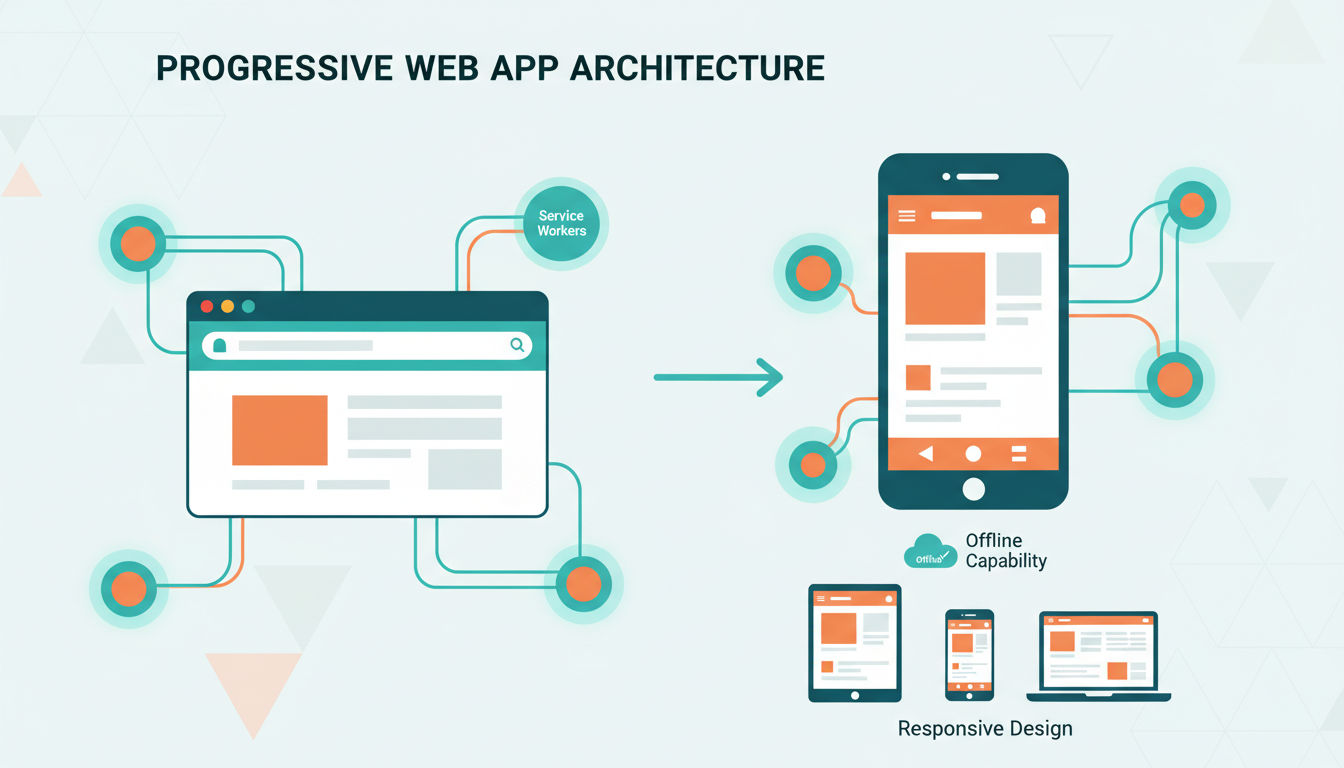
Progressive Web Apps represent a modern approach to mobile application development that bridges the gap between websites and native apps. At their core, PWAs are web applications built using standard web technologies like HTML, CSS, and JavaScript, but they behave and feel like native mobile apps.
Think of PWAs as websites on steroids. They load in your web browser just like any website, but they offer capabilities traditionally reserved for apps you download from app stores. Users can add them to their home screen, receive push notifications, and even use them offline—all without visiting the App Store or Google Play.
Key Characteristics of PWAs
PWAs are built on three fundamental principles that define their capabilities. They're progressive, meaning they work for every user regardless of browser choice. They're responsive, adapting seamlessly to any screen size from desktop to mobile. Most importantly, they're connectivity-independent, functioning even with poor or no internet connection.
The technology behind PWAs relies on service workers—JavaScript files that run in the background, separate from the web page. These service workers enable offline functionality by caching essential resources and data. When your internet connection drops, the PWA continues working by serving cached content, creating a seamless user experience.
Modern PWAs can access many device features that were once exclusive to native apps. They can use your device's camera, send push notifications, access location services, and even work with Bluetooth devices. This expanded capability set has made PWAs viable alternatives to native apps for many business use cases.
Cross-Platform Functionality
One of PWA's most compelling advantages is their inherent cross-platform nature. A single codebase works across iOS, Android, desktop, and any device with a modern web browser. This universality eliminates the need to maintain separate codebases for different platforms, significantly reducing development complexity and cost.
The installation process for PWAs is frictionless compared to native apps. Users simply visit your website, and the browser prompts them to "add to home screen." No app store approval process, no lengthy downloads, and no storage space concerns. Updates happen automatically in the background whenever users access the PWA, ensuring everyone always has the latest version.
Successful PWA Examples
Major companies have embraced PWAs with impressive results. Twitter's PWA, Twitter Lite, reduced data usage by 70% while increasing pages per session by 65%. Starbucks built a PWA that's 99.84% smaller than their iOS app, making it accessible to users with limited storage or slow connections.
Pinterest saw a 60% increase in core engagements and a 44% increase in user-generated ad revenue after launching their PWA. These aren't small experimental projects—they're mission-critical applications serving millions of users daily. The success stories demonstrate that PWAs can deliver real business value when implemented thoughtfully.
For businesses in Montreal and beyond, PWAs offer a cost-effective entry point into mobile experiences. They're particularly valuable when you need to reach users across multiple platforms quickly or when app store restrictions don't align with your business model.
Understanding Native Apps
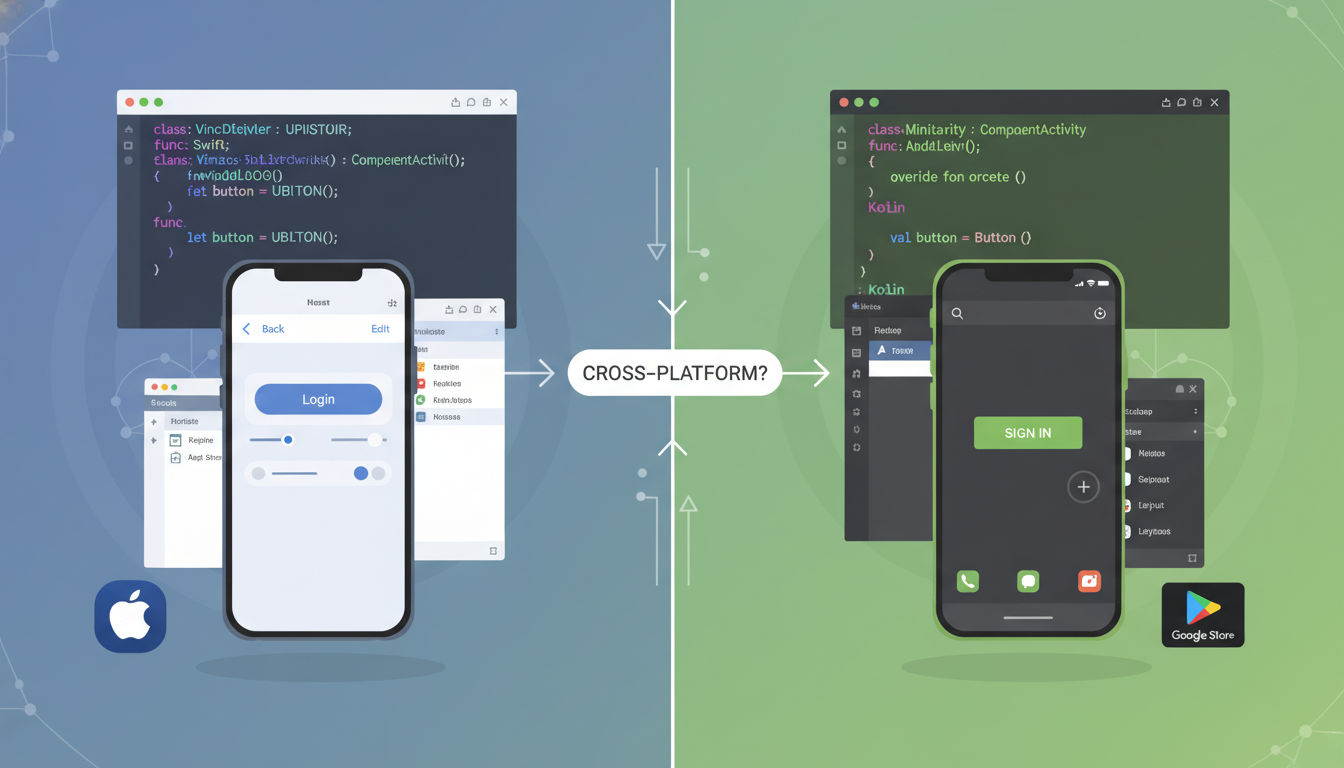
Native applications are software programs developed specifically for a particular mobile operating system using platform-specific programming languages and tools. When you download an app from the Apple App Store or Google Play Store, you're installing a native app designed exclusively for that platform.
These apps are called "native" because they're built using the native programming language and development environment of their target platform. For iOS, developers use Swift or Objective-C with Apple's Xcode development environment. Android developers typically use Kotlin or Java with Android Studio. This platform-specific approach allows developers to leverage every capability the operating system offers.
Platform-Specific Development
The iOS and Android ecosystems operate quite differently, requiring distinct development approaches. iOS apps follow Apple's Human Interface Guidelines, creating consistent experiences across iPhones and iPads. Android apps adhere to Material Design principles, adapting to the diverse range of Android devices from various manufacturers.
Building for both platforms means essentially creating two separate applications. Each requires its own codebase, testing process, and maintenance cycle. While this doubles the development effort, it ensures optimal performance and user experience on each platform. Native apps can take full advantage of platform-specific features and design patterns that users expect.
The development tools provided by Apple and Google are mature and powerful. They include comprehensive debugging tools, performance profilers, and interface builders that streamline the development process. These official tools receive regular updates and support, ensuring developers can build apps that work seamlessly with the latest OS versions.
Core Capabilities
Native apps have unrestricted access to device hardware and operating system features. They can utilize advanced camera capabilities, including depth sensing and augmented reality frameworks. They integrate deeply with device sensors like accelerometers, gyroscopes, and biometric scanners for fingerprint or face recognition.
Performance is a hallmark of native development. Because native apps are compiled into machine code specific to the device's processor, they run faster and more efficiently than web-based alternatives. This performance advantage becomes particularly noticeable in graphics-intensive applications like games, video editing tools, or complex data visualization apps.
Native apps can work completely offline once installed. All necessary code and assets are stored locally on the device, so core functionality remains available without an internet connection. This makes native apps ideal for use cases where reliable connectivity can't be guaranteed, such as travel apps, offline games, or field service applications.
Industry Examples
Gaming represents one of the clearest use cases for native development. Apps like Pokémon GO and Call of Duty Mobile require the performance and hardware access that only native development provides. These apps use advanced graphics, real-time location tracking, and augmented reality—features that demand the full power of native platforms.
Banking and financial apps almost universally choose native development due to performance requirements and security considerations. Apps from major banks like Chase, Bank of America, and TD Bank are native applications that integrate with device security features like biometric authentication and secure enclaves for sensitive data storage.
Productivity apps like Microsoft Office, Adobe Creative Cloud, and Slack maintain native versions despite also offering web alternatives. These native apps provide superior performance, offline capabilities, and deep integration with operating system features like file management, sharing, and notifications. For businesses requiring robust, feature-rich applications, native development remains the gold standard.
PWA vs Native Apps: Core Differences
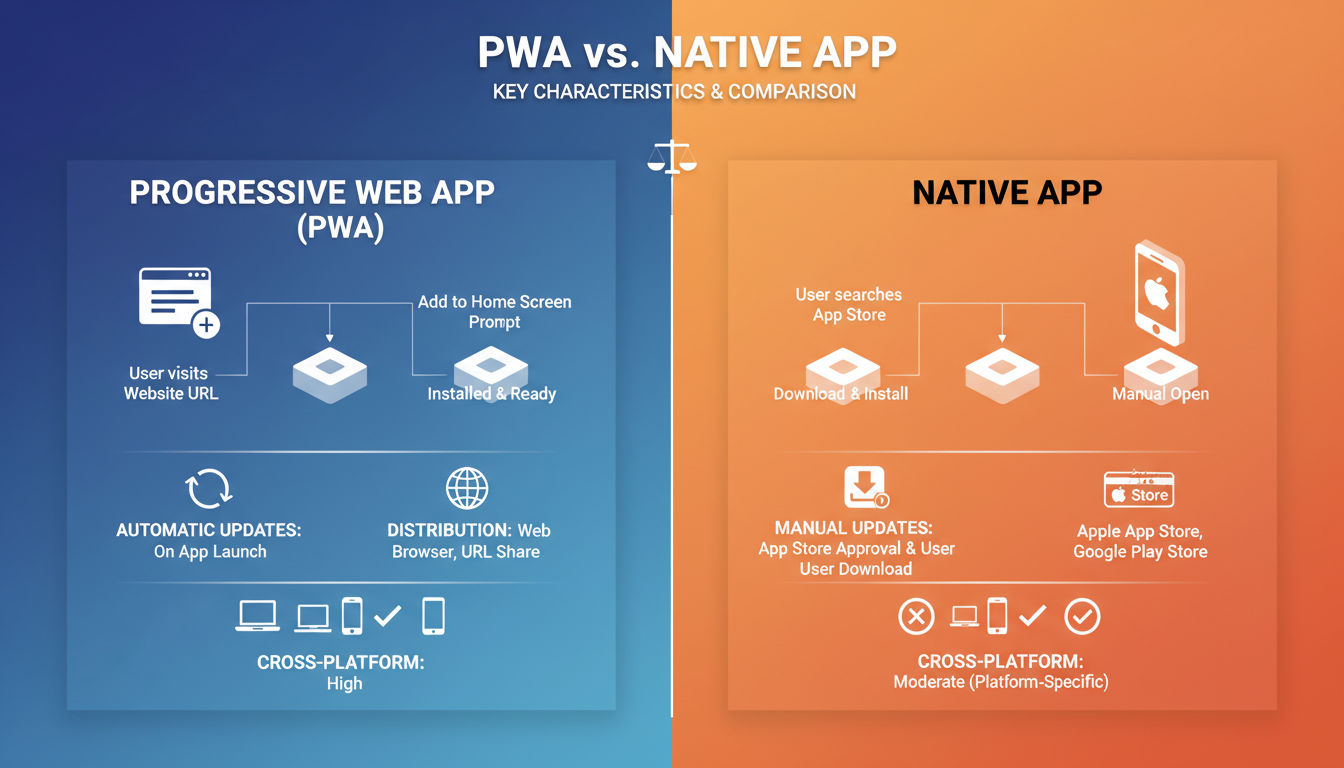
The fundamental distinction between PWAs and native apps lies in their development approach and distribution model. Native apps are platform-specific software built with languages like Swift for iOS or Kotlin for Android. PWAs are web applications built with standard web technologies—HTML, CSS, and JavaScript—that run in a browser but behave like apps.
This architectural difference cascades into every aspect of how these applications are built, distributed, and maintained. Understanding these core differences helps you evaluate which approach aligns with your business needs and technical requirements.
Development Technology Stack
Native app development requires platform-specific expertise. iOS developers need proficiency in Swift or Objective-C, while Android developers work with Kotlin or Java. Each platform has its own development environment, UI frameworks, and best practices. This specialization means you often need separate development teams or developers skilled in multiple platforms.
PWA development uses web technologies that most developers already know. A single codebase written in JavaScript frameworks like React, Vue, or Angular works across all platforms. This unified approach significantly reduces the technical complexity and expertise required. Web developers can build PWAs without learning entirely new programming languages or development paradigms.
The tooling ecosystem differs substantially as well. Native development relies on platform-specific IDEs like Xcode and Android Studio. PWAs use standard web development tools and can be built with any text editor or IDE that supports web technologies. This flexibility makes PWA development more accessible to the broader developer community.
Distribution and Discovery
Native apps follow the traditional app store distribution model. Developers submit their apps to Apple's App Store and Google Play Store, where they undergo review processes that can take days or weeks. Once approved, users discover apps through store search, browse categories, or follow direct links to store listings.
PWAs bypass app stores entirely. Users access them through standard web URLs, just like visiting any website. They can be discovered through search engines, social media links, or direct marketing. Some PWAs can also be listed in app stores, but this isn't required for distribution. This direct distribution model eliminates gatekeepers and approval delays.
The discoverability implications are significant. Native apps benefit from app store visibility and ranking algorithms, but they compete with millions of other apps. PWAs benefit from traditional web SEO and can be indexed by search engines, making them discoverable through Google searches. For businesses with existing web traffic, PWAs provide a natural progression from website visitor to app user.
Installation and Updates
Installing a native app requires users to find it in an app store, download potentially hundreds of megabytes of data, and allocate storage space on their device. This friction creates abandonment opportunities at every step. Research shows that 20% of users abandon app downloads if they take too long.
Quick question
Want to turn this into a real plan?
If you want expert help with strategy, design, development, marketing, or automation — we’ll recommend the fastest path forward for your goals.
PWA installation is remarkably simple. Users visit the web URL, and if they choose, they can add the PWA to their home screen with a single tap. The initial "download" is minimal—just the essential resources needed to run the app. Additional resources load progressively as needed. This low-friction installation significantly improves conversion rates from visitor to user.
Updates present another stark contrast. Native apps require users to download and install updates, either manually or automatically. This process can consume significant bandwidth and storage. Users on older app versions may experience compatibility issues or miss new features until they update.
PWAs update automatically and transparently. When users launch a PWA, it checks for updates and downloads new versions in the background. Users always access the latest version without any action required. This automatic update mechanism ensures consistent user experiences and eliminates the fragmentation problem that plagues native apps.
Cross-Platform Compatibility
Native apps require separate development efforts for each platform. An iOS app won't run on Android, and vice versa. Supporting both platforms means maintaining two distinct codebases, doubling development time, testing efforts, and ongoing maintenance. Any new feature must be implemented twice, and bug fixes must be applied to both versions.
PWAs are inherently cross-platform. The same codebase runs on iOS, Android, Windows, macOS, and Linux—anywhere with a modern web browser. This universality dramatically reduces development costs and time-to-market. Changes and updates apply across all platforms simultaneously, ensuring feature parity and consistent user experiences.
However, cross-platform compatibility comes with caveats. While PWAs work everywhere, some features may behave differently or have limited support on certain platforms. iOS has historically lagged behind Android in PWA support, though Apple has made significant improvements in recent years. Businesses must test PWAs across target platforms to ensure acceptable functionality and performance.
Performance Comparison
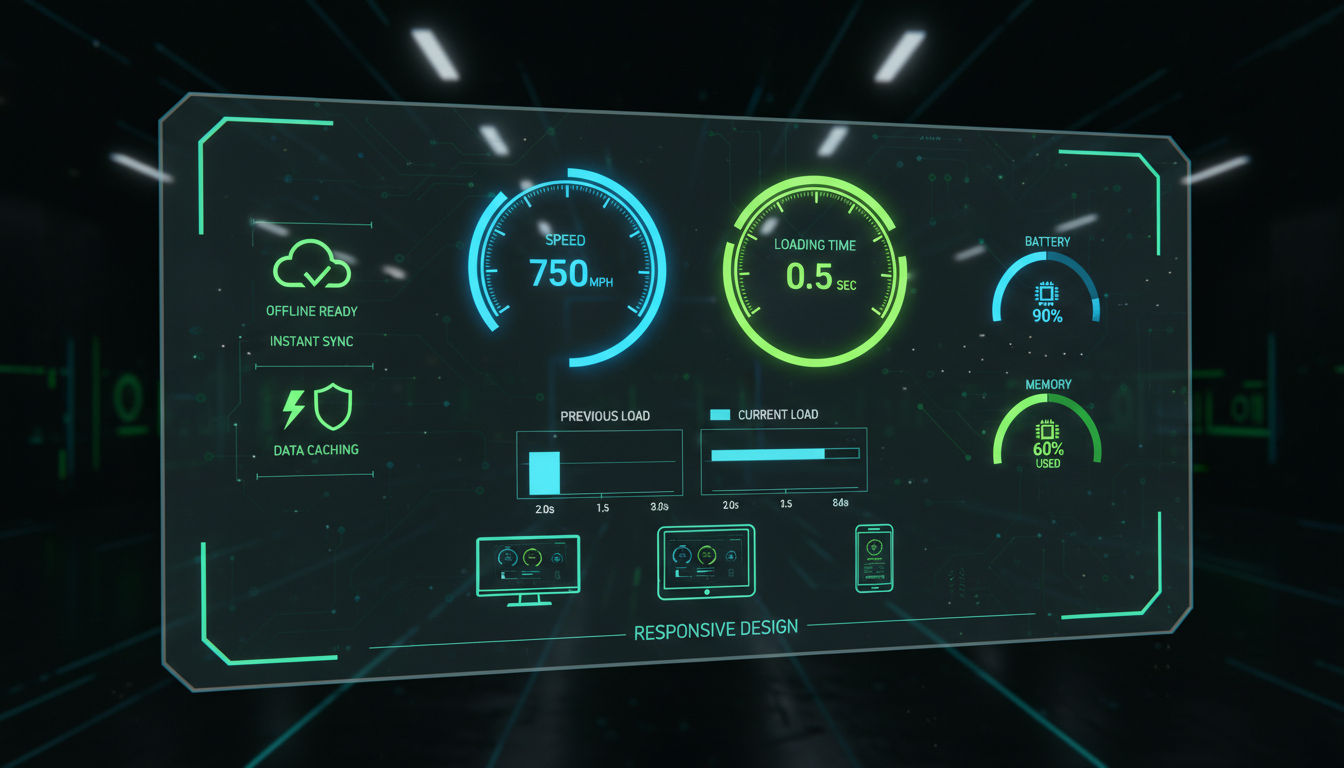
Performance differences between PWAs and native apps have narrowed considerably, but meaningful distinctions remain that impact user experience and business outcomes. Understanding these performance characteristics helps you set realistic expectations and choose the right approach for your use case.
Speed and Responsiveness
Native apps generally offer superior raw performance because they're compiled to machine code that runs directly on the device's processor. This direct execution path results in faster computation, smoother animations, and more responsive interfaces. For computationally intensive tasks like image processing, complex calculations, or 3D rendering, native apps maintain a clear advantage.
PWAs run in the browser environment, which adds a layer of abstraction between your code and the device hardware. JavaScript execution, while fast in modern browsers, can't quite match the performance of compiled native code. However, for most business applications—content delivery, forms, basic interactions—this performance difference is imperceptible to users.
Modern web technologies have dramatically improved PWA performance. Features like Web Assembly allow computationally intensive code to run at near-native speeds. Service workers enable instant loading by serving cached resources, making well-built PWAs feel as fast as native apps for many common tasks.
The perceived performance often matters more than raw speed. PWAs can implement skeleton screens and progressive loading strategies that make apps feel responsive even while content loads. Native apps can do this too, but PWAs benefit from web optimization techniques refined over decades of web development.
Offline Functionality
Both PWAs and native apps can work offline, but they achieve this capability differently. Native apps store all their code and resources locally during installation. Once installed, core functionality works without any internet connection. This makes native apps reliable in areas with poor connectivity or when users deliberately disconnect.
PWAs use service workers to cache resources and enable offline functionality. The first time you visit a PWA, it downloads and caches essential files. Subsequent visits load instantly from the cache, even without internet. However, PWAs typically cache selectively—only the resources needed for core functionality—rather than downloading everything upfront.
The offline experience quality depends heavily on implementation. A well-built PWA can provide offline functionality nearly indistinguishable from a native app. Users can view previously loaded content, interact with cached data, and queue actions that sync when connectivity returns. Poorly implemented PWAs may fail ungracefully when offline, frustrating users.
For businesses in Montreal serving users who commute through areas with spotty connectivity, offline capability is crucial. Both approaches can meet this need, but native apps provide more predictable offline behavior out of the box, while PWAs require careful planning and implementation.
Resource Consumption
Native apps typically consume more device storage than PWAs. A native app might require 50-200 MB of storage at installation, with that footprint growing as cached data accumulates. For users with older devices or limited storage, this can be a significant barrier to installation and retention.
PWAs have a much smaller storage footprint. The initial cache might be only 1-5 MB, with additional resources cached as needed. This minimal storage requirement makes PWAs accessible to users who can't or won't install large native apps. It also means users are more likely to try your PWA since the commitment is minimal.
Memory usage during execution also differs. Native apps can be highly optimized for memory efficiency, but many consume significant RAM, especially feature-rich applications. PWAs run within the browser's memory space, which browsers manage efficiently. However, keeping multiple browser tabs open alongside a PWA can strain device resources.
Battery consumption is another consideration. Native apps can be optimized to minimize battery drain, but poorly coded native apps can devastate battery life. PWAs generally have less direct control over power management but benefit from browser optimizations. Modern browsers aggressively manage power consumption, putting background tabs to sleep and throttling JavaScript execution.
Development Costs and Timeline
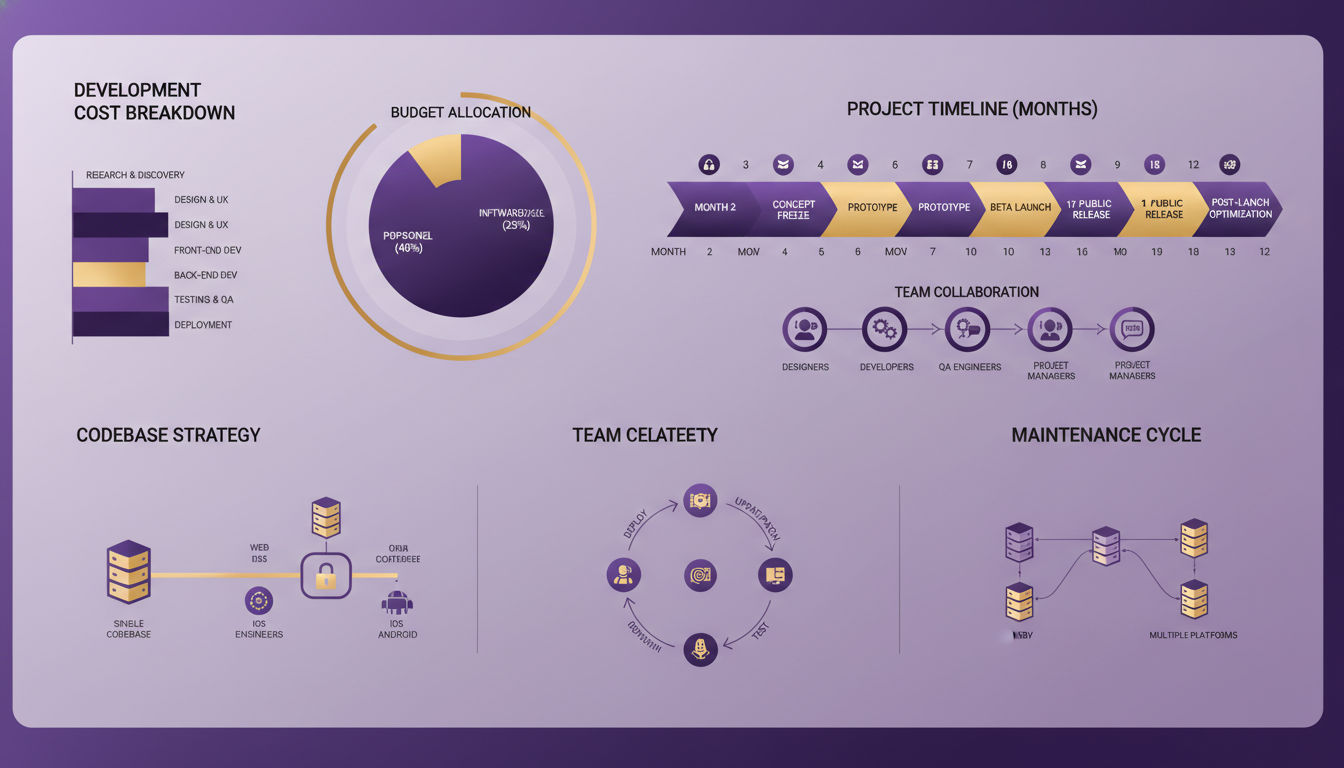
Budget and timeline constraints often drive the decision between PWA and native app development. Understanding the true cost implications across the entire application lifecycle helps you make informed decisions that align with your financial resources and business objectives.
Initial Development Investment
Building a native app for both iOS and Android essentially means building two separate applications. This doubles your development costs compared to a single-platform approach. A moderately complex native app might cost $50,000-$150,000 per platform, meaning $100,000-$300,000 to support both major mobile operating systems.
PWA development costs typically range from $30,000-$100,000 for a comparable feature set. The single codebase that works across all platforms significantly reduces development time and cost. You're building one application instead of two, with one team instead of separate iOS and Android specialists.
These figures vary based on complexity, features, design requirements, and developer rates. Montreal-based development agencies like Vohrtech can provide more accurate estimates based on your specific requirements. The key point is that PWAs generally cost 40-60% less than developing native apps for multiple platforms.
However, cost shouldn't be the only consideration. If your app requires features only available in native development, choosing PWA to save money could result in a compromised product that doesn't meet user needs. The cheapest option that doesn't achieve your business goals isn't really a savings.
Maintenance and Updates
Ongoing maintenance represents a significant portion of total ownership cost. Native apps require separate maintenance for each platform. Bug fixes, security updates, and feature enhancements must be implemented twice. If you discover an issue affecting both platforms, you need to fix it in two separate codebases.
PWAs require maintaining only one codebase. Updates apply universally across all platforms simultaneously. This unified maintenance approach can reduce ongoing costs by 50% or more compared to maintaining multiple native apps. For small teams or businesses with limited technical resources, this efficiency advantage is substantial.
The update deployment process also impacts costs. Native app updates require submission to app stores, review periods, and user downloads. If you need to fix a critical bug quickly, you're at the mercy of app store review times. Emergency fixes might take days to reach users.
PWA updates deploy instantly. Push your changes to your web server, and all users get the update the next time they launch the app. This immediate deployment capability reduces the cost and stress of managing releases. It also enables more frequent updates and faster response to user feedback.
Team Requirements
Native development requires specialized expertise. You need developers proficient in Swift or Objective-C for iOS and Kotlin or Java for Android. Finding developers with both skill sets is challenging and expensive. Many businesses end up hiring separate specialists or contracting with agencies that maintain teams with diverse platform expertise.
PWA development leverages standard web development skills. If you already have web developers on your team, they can likely build your PWA with minimal additional training. The talent pool for web developers is larger and more accessible than platform-specific mobile developers, which can reduce hiring costs and timelines.
Quality assurance and testing requirements differ significantly. Native apps need testing on both iOS and Android across various device models, screen sizes, and OS versions. This comprehensive testing matrix is time-consuming and requires access to multiple physical devices or device farms.
PWAs need testing across different browsers and devices, but the testing matrix is generally simpler. While you should test on various devices, browser engines (WebKit, Blink, Gecko) are more consistent than the fragmented Android ecosystem. This streamlined testing process reduces QA costs and accelerates release cycles.
Time-to-Market
Speed matters in competitive markets. Native app development for both platforms might take 6-12 months for a moderately complex application. This timeline includes development, testing, app store submissions, and review processes. If you need to make changes after submission, the review process restarts.
PWA development typically takes 3-6 months for comparable functionality. The single codebase and simplified deployment process significantly accelerate time-to-market. For businesses that need to launch quickly or test market demand before committing to full native development, PWAs offer a faster path to users.
Iterative development and rapid prototyping are easier with PWAs. You can deploy updates daily if needed, gathering user feedback and making improvements continuously. This agile approach helps you refine your product based on real user behavior rather than assumptions. Native apps' slower update cycle makes this iterative approach more challenging and expensive.
Features and Functionality Analysis
The feature capabilities of PWAs versus native apps directly impact what experiences you can deliver to users. While the gap has narrowed significantly, understanding current limitations helps you set realistic expectations and choose the appropriate technology for your requirements.
Device Hardware Access
Native apps have unrestricted access to device hardware and operating system features. They can use advanced camera capabilities including multiple lenses, depth sensing, and RAW image capture. They can access the full range of device sensors—accelerometer, gyroscope, magnetometer, barometer—with high precision and low latency.
PWAs have gained substantial hardware access through modern web APIs, but limitations remain. They can access the camera and microphone for basic photo capture and video calls. Location services work well through the Geolocation API. However, some advanced features like NFC, Bluetooth Low Energy, and biometric authentication have limited or inconsistent support across browsers.
The hardware access gap matters most for specialized applications. If you're building an augmented reality experience, advanced photo editing tool, or IoT device controller, native development provides more reliable access to necessary hardware. For business applications focused on content, commerce, or communication, PWA capabilities are usually sufficient.
Browser vendors continue expanding web API capabilities. Features that required native apps just two years ago are now available to PWAs. The Web Bluetooth API enables PWA communication with Bluetooth devices. The Web Share API allows PWAs to integrate with native sharing mechanisms. This trend suggests the capability gap will continue narrowing.
Push Notifications
Both PWAs and native apps support push notifications, but implementation and reliability differ. Native apps have mature, reliable push notification systems. Apple's Push Notification Service (APNs) for iOS and Firebase Cloud Messaging (FCM) for Android deliver notifications consistently and efficiently.
PWAs support push notifications through the Push API and service workers. On Android, PWA notifications work reliably and appear identical to native app notifications. Users can't distinguish between a notification from a PWA versus a native app based on appearance or behavior.
iOS support for PWA push notifications improved significantly in 2023, but some limitations remain. PWAs added to the home screen on iOS can now receive push notifications, a capability that was previously unavailable. However, the implementation is newer and less mature than native iOS notifications.
For businesses relying heavily on push notifications for user engagement and retention, these platform differences matter. If your target audience is predominantly iOS users and notifications are critical to your business model, native iOS development might be necessary. For Android-focused audiences or scenarios where notifications are helpful but not essential, PWAs work well.
Payment Processing
Payment processing capabilities are crucial for e-commerce and transaction-based businesses. Native apps integrate with platform-specific payment systems like Apple Pay and Google Pay, providing streamlined, secure checkout experiences. These integrations feel native to the platform and benefit from user trust in established payment systems.
PWAs can implement payment processing through the Payment Request API, which provides a standardized interface for collecting payment information. This API integrates with platform payment systems including Apple Pay and Google Pay when available. Users get a familiar, secure payment experience without leaving the PWA.
The Payment Request API simplifies payment form implementation and reduces checkout friction. Instead of building custom payment forms, PWAs can use the browser's standardized payment interface. This approach reduces development time and improves conversion rates by streamlining the checkout process.
Third-party payment processors like Stripe, PayPal, and Square support both native apps and PWAs. Their JavaScript SDKs enable PWAs to implement sophisticated payment flows including saved payment methods, subscription billing, and multi-currency support. For most e-commerce use cases, PWAs can deliver payment experiences comparable to native apps.
Advanced Features
Certain advanced features remain exclusive to or significantly better in native apps. Background processing allows native apps to perform tasks while not actively in use—syncing data, processing files, or updating content. PWAs have limited background processing capabilities, primarily restricted to handling push notifications and background sync for queued actions.
Widgets and app extensions are native-exclusive features. iOS widgets that appear on the home screen or in the Today View must be built natively. Android widgets similarly require native development. If your app strategy includes widgets as a key engagement mechanism, native development is necessary.
Deep integration with operating system features favors native apps. Native apps can register as default handlers for specific file types or URL schemes. They can integrate with system-wide search, add quick actions to the home screen icon, and participate in OS-level features like Handoff on iOS or Android's sharing menu.
Machine learning and AI capabilities are increasingly important for modern apps. Native apps can leverage platform-specific ML frameworks like Core ML on iOS and ML Kit on Android. These frameworks provide optimized, on-device machine learning for features like image recognition, natural language processing, and predictive text. PWAs can use web-based ML libraries, but performance may not match native implementations.
User Experience and Engagement
User experience encompasses more than just features and performance. It includes how users discover your app, the installation process, interface familiarity, and long-term engagement patterns. These factors significantly impact adoption rates, retention, and ultimately, business success.
Interface and Interaction Patterns
Native apps follow platform-specific design guidelines that users expect. iOS apps use navigation patterns, gestures, and visual elements that feel consistent with other iOS apps. Android apps follow Material Design principles that create familiar experiences for Android users. This adherence to platform conventions reduces the learning curve and increases user comfort.
PWAs can implement platform-specific design patterns, but they require deliberate effort. Developers must detect the user's platform and adjust interface elements accordingly. Well-designed PWAs can feel nearly indistinguishable from native apps, but achieving this requires careful attention to design details and platform-specific behaviors.
Gesture support has improved dramatically for PWAs. Modern web browsers support touch gestures, swipe actions, and complex interactions that were once exclusive to native apps. However, subtle differences in gesture responsiveness and animation smoothness may still be perceptible to users, particularly on iOS devices.
The uncanny valley effect can impact PWA user experience. If a PWA looks almost like a native app but behaves slightly differently, users notice. These small discrepancies can create subtle dissatisfaction. Sometimes, embracing web-like design patterns rather than attempting to perfectly mimic native apps results in better user experiences.
Discoverability and Accessibility
Native apps benefit from app store discoverability mechanisms. Users browse categories, view curated collections, and discover apps through store search. App stores provide ratings, reviews, and rankings that help users evaluate apps before downloading. This ecosystem creates multiple discovery paths beyond direct marketing.
PWAs leverage traditional web discovery mechanisms. Search engine optimization makes PWAs discoverable through Google searches. Social media sharing, email marketing, and direct links drive traffic. For businesses with existing web presence and traffic, PWAs provide a natural progression from website visitor to app user without requiring app store navigation.
The installation barrier differs significantly. Native apps require users to leave their current context, navigate to an app store, download potentially hundreds of megabytes, and allocate storage space. This multi-step process creates abandonment opportunities. Research shows that each additional step in a conversion funnel reduces completion rates by 20% or more.
PWAs reduce installation friction dramatically. Users can add a PWA to their home screen with a single tap while browsing your website. This streamlined process improves conversion rates from visitor to installed user. For time-sensitive use cases like event apps or temporary campaigns, this low-friction installation is particularly valuable.
Retention Metrics
User retention patterns differ between PWAs and native apps. Native apps typically see higher retention rates among users who complete the installation process. The investment required to download and install a native app creates a commitment effect—users who invest that effort are more likely to return.
PWAs may see lower initial retention because the installation barrier is so low. Users can add a PWA to their home screen impulsively with minimal commitment. However, this accessibility means PWAs can reach users who would never have downloaded a native app. The total engaged user base might be larger even if retention percentages are lower.
Push notifications significantly impact retention for both app types. The ability to re-engage users with timely, relevant notifications drives return visits and sustained usage. Given that PWA push notifications now work on both Android and iOS, this retention mechanism is available to both approaches.
Home screen presence matters for long-term engagement. Apps visible on the home screen receive more frequent use than those buried in app drawers or browser bookmarks. Both PWAs and native apps can achieve home screen placement, putting them on equal footing for this crucial visibility factor.
Security and Data Protection
Security considerations are paramount for any application handling user data, financial transactions, or sensitive business information. Understanding the security models, capabilities, and limitations of PWAs versus native apps helps you make informed decisions about protecting your users and your business.
Security Protocols
Native apps can implement comprehensive security measures including code obfuscation, certificate pinning, and secure enclave storage for sensitive data. They have direct access to platform security features like biometric authentication (Face ID, Touch ID, fingerprint sensors) and hardware-backed key storage. These capabilities make native apps suitable for high-security applications like banking and healthcare.
PWAs operate within the browser security sandbox, which provides strong isolation from other applications and the operating system. This sandboxing prevents malicious PWAs from accessing system resources or data from other apps. However, it also limits what legitimate PWAs can do with sensitive data and security features.
HTTPS is mandatory for PWAs, ensuring all communication between the app and server is encrypted. This requirement provides a baseline security level that protects against man-in-the-middle attacks and data interception. Native apps should also use HTTPS, but it's not technically enforced by the platform in the same way.
Authentication methods differ in capability. Native apps can integrate deeply with platform authentication systems, using biometric sensors directly and storing authentication tokens in secure hardware. PWAs can use biometric authentication through the Web Authentication API (WebAuthn), but support varies by browser and platform. For many business applications, PWA authentication capabilities are sufficient, but high-security scenarios may require native development.
Next step
Ready for a quote and timeline?
Send a quick note with what you’re building, your deadline, and what success looks like — we’ll reply with clear next steps.
Data Storage and Privacy
Native apps store data locally using platform-specific mechanisms like CoreData on iOS or SQLite on Android. They can encrypt local data and store sensitive information in secure enclaves that are hardware-protected. This local storage is persistent and survives app updates, providing reliable data retention.
PWAs store data using web storage APIs including localStorage, IndexedDB, and Cache Storage. These storage mechanisms are generally reliable but subject to browser storage limits and cleanup policies. Browsers may clear PWA data if device storage is low, though this is increasingly rare for PWAs added to the home screen.
Privacy regulations like GDPR and CCPA apply equally to PWAs and native apps. Both must implement proper consent mechanisms, data access controls, and deletion capabilities. The technology choice doesn't exempt you from compliance requirements, but implementation approaches differ based on the platform.
Data transmission security is strong for both approaches when properly implemented. HTTPS encrypts data in transit for PWAs by default. Native apps should implement certificate pinning and use secure protocols, but these aren't automatically enforced. Poorly developed native apps may have security vulnerabilities that PWAs avoid through browser security policies.
Compliance Requirements
Regulated industries like healthcare, finance, and government face strict compliance requirements. HIPAA compliance for healthcare apps requires specific security controls including data encryption, access logging, and secure authentication. Native apps can implement these controls with full platform access, making compliance documentation straightforward.
PWAs can meet many compliance requirements, but documentation and audit processes may be more complex. The browser-mediated security model means you're relying on browser security implementations rather than direct control. For some compliance frameworks, this indirect control is acceptable. For others, particularly in highly regulated industries, native apps may be required.
Payment Card Industry Data Security Standard (PCI DSS) compliance is necessary for apps handling payment card data. Both PWAs and native apps can achieve PCI compliance by using tokenization and avoiding direct storage of card data. Payment processors like Stripe provide SDKs for both platforms that help maintain compliance.
For businesses in Montreal serving Canadian customers, PIPEDA (Personal Information Protection and Electronic Documents Act) compliance is mandatory. Both PWAs and native apps must implement appropriate privacy controls, consent mechanisms, and data protection measures. The platform choice doesn't significantly impact compliance requirements, though implementation details differ.
When to Choose PWA vs Native Apps for Your Business
Choosing between PWA and native app development requires evaluating your specific business context, user needs, and strategic objectives. There's no universally correct answer—the right choice depends on your unique situation. This framework helps you make an informed decision aligned with your goals.
Ideal Scenarios for Progressive Web Apps
PWAs excel when cross-platform reach is a priority. If you need to serve users across iOS, Android, and desktop with limited development resources, a PWA delivers maximum reach with minimum investment. This is particularly valuable for small to medium-sized businesses that can't afford to build and maintain multiple native apps.
Content-focused applications are perfect PWA candidates. News sites, blogs, magazines, and content platforms benefit from PWA capabilities without requiring advanced native features. The Washington Post, Forbes, and The Guardian all use PWAs to deliver fast, engaging content experiences that work across all devices.
E-commerce businesses often find PWAs compelling. The combination of app-like experiences, streamlined checkout through the Payment Request API, and SEO benefits make PWAs attractive for online retail. Companies like Alibaba and Flipkart have seen significant conversion rate improvements after launching PWAs.
Time-sensitive projects with tight deadlines favor PWAs. If you need to launch quickly to capitalize on a market opportunity or seasonal demand, PWA development timelines are shorter. The ability to deploy updates instantly without app store review processes enables rapid iteration based on user feedback.
Budget-constrained projects benefit from PWA cost efficiency. Startups testing product-market fit, nonprofits with limited funding, or businesses exploring new markets can use PWAs to validate concepts before committing to more expensive native development.
When Native Development Makes Sense
Performance-critical applications require native development. Games, video editing tools, augmented reality experiences, and applications with complex animations need the raw performance that only native apps provide. If your app's core value proposition depends on smooth, responsive performance, native development is worth the investment.
Hardware-intensive applications that rely on advanced device capabilities need native development. Apps requiring extensive camera control, Bluetooth connectivity, NFC communication, or other specialized hardware access work better as native apps. The more your app depends on device hardware, the stronger the case for native development.
Platform-specific features that define your user experience favor native apps. If widgets, app extensions, or deep OS integration are central to your value proposition, native development is necessary. Apps that need to feel like integral parts of the operating system rather than standalone experiences should be built natively.
Enterprise applications with complex security requirements often need native development. Banking apps, healthcare applications handling protected health information, and government apps with strict security mandates benefit from native apps' comprehensive security capabilities and compliance track records.
Offline-first applications that must function reliably without internet connectivity are better suited to native development. While PWAs can work offline, native apps provide more predictable and robust offline experiences. Field service apps, aviation tools, and remote work applications often require native development.
Hybrid Approaches
You don't have to choose exclusively between PWA and native apps. Many successful businesses use hybrid approaches that leverage the strengths of each platform. Starting with a PWA to validate your concept and build an initial user base, then developing native apps for platforms where usage justifies the investment, is a common strategy.
Some businesses maintain both PWAs and native apps simultaneously. The PWA serves as a lightweight entry point and works across all platforms. Native apps provide enhanced experiences for your most engaged users on major platforms. This tiered approach maximizes reach while delivering premium experiences where they matter most.
Another hybrid approach uses native app shells that wrap web content. Technologies like Capacitor and Ionic allow you to build primarily with web technologies while packaging your app for app stores. This approach provides some native capabilities while maintaining a single codebase. It's a middle ground that may suit businesses wanting app store presence without full native development costs.
Decision Framework
Start by clearly defining your business objectives. Are you prioritizing time-to-market, cost efficiency, maximum reach, or premium user experience? Your primary objective should heavily influence your platform choice. A startup validating product-market fit has different priorities than an established brand launching a flagship app.
Analyze your target audience and their platform preferences. If your users are predominantly on one platform, developing natively for that platform might make sense. If your audience is evenly split between iOS and Android, or includes significant desktop users, a PWA's cross-platform nature becomes more valuable.
Evaluate your required features against platform capabilities. List the features essential to your app's value proposition and verify that your chosen platform supports them adequately. If critical features aren't available or are poorly supported in PWAs, native development may be necessary.
Consider your team's existing expertise and available resources. If you have experienced web developers but no mobile development expertise, starting with a PWA leverages your existing skills. If you have native mobile developers or budget to hire them, native development becomes more feasible.
Think long-term about maintenance and evolution. The platform you choose today will impact your costs and capabilities for years. Consider how your app might evolve and whether your chosen platform will support that evolution. Sometimes paying more upfront for native development saves money over a five-year timeline.
At Vohrtech, we help Montreal businesses navigate these decisions through our comprehensive discovery process. We analyze your specific requirements, audience, and objectives to recommend the approach that best serves your business goals. Whether you need a PWA, native apps, or a hybrid approach, we provide the expertise to execute successfully.
Conclusion
The PWA versus native app decision isn't about choosing the objectively "better" technology—it's about selecting the right tool for your specific business context. Both approaches have evolved significantly, and the gap between them has narrowed in many areas that matter for business applications.
PWAs offer compelling advantages for businesses prioritizing cost efficiency, rapid deployment, and broad cross-platform reach. They're particularly valuable for content-driven applications, e-commerce platforms, and businesses testing new markets or concepts. The development cost savings and maintenance efficiency make PWAs accessible to small and medium-sized businesses that might not afford native app development.
Native apps remain the gold standard for performance-critical applications, hardware-intensive use cases, and scenarios requiring deep platform integration. If your app's core value depends on advanced device capabilities, premium user experience, or platform-specific features, native development justifies the additional investment.
The mobile landscape continues evolving rapidly. Browser capabilities expand yearly, bringing more native-like features to PWAs. Meanwhile, native development tools improve, and cross-platform frameworks reduce the cost of supporting multiple platforms. By 2027, the distinctions between PWAs and native apps will likely blur further.
For your business, the decision should start with clear objectives and honest assessment of your requirements, resources, and constraints. Consider your target audience, essential features, budget, timeline, and long-term maintenance capabilities. Sometimes the answer is clear—other times, a hybrid approach combining both technologies serves your needs best.
If you're ready to explore mobile app development for your business, Vohrtech can help you navigate these decisions and execute successfully. Our team brings expertise in both PWA and native app development, along with deep understanding of business strategy and user experience. We'll help you choose the right approach and deliver an application that achieves your business objectives.
Whether you're a Montreal-based business looking to expand your digital presence or an established company considering a mobile strategy refresh, the right technology choice sets the foundation for success. Take time to evaluate your options carefully, and don't hesitate to reach out to experienced developers who can guide you through the decision process. Your mobile app investment deserves thoughtful planning and expert execution.
Visit our projects page to see examples of successful mobile applications we've developed for businesses like yours. Your next mobile success story could start with a conversation about whether PWA or native development best serves your vision.