
Introduction
Meta advertising has become one of the most powerful tools for businesses looking to reach their target audience online. With over 3 billion active users across Facebook, Instagram, Messenger, and the Audience Network, Meta's platforms offer unmatched opportunities to connect with potential customers where they spend their time.
But here's the challenge: many businesses struggle to see a positive return on investment from their Meta ads. They pour money into campaigns that don't convert, target the wrong audiences, or create ads that simply don't resonate. According to recent industry data, the average cost per click on Facebook ads has increased by 90% over the past five years, making it more important than ever to get your strategy right.
The good news? When executed properly, Meta ads can deliver exceptional ROI. Businesses that follow proven best practices consistently see lower costs per conversion, higher engagement rates, and better overall campaign performance. The difference between a profitable campaign and wasted ad spend often comes down to understanding the platform's tools and implementing the right strategies.
This comprehensive guide will walk you through everything you need to know about Meta ads best practices. We'll cover the essential foundation elements like setting up your Business Manager and Meta Pixel correctly. You'll learn how to structure campaigns for success, target the right audiences, create compelling ad creative, and optimize your landing pages for conversions.
Whether you're new to Meta advertising or looking to improve your existing campaigns, this guide provides actionable strategies you can implement immediately. By the end, you'll have a clear roadmap for creating Meta ad campaigns that deliver measurable results and maximize your return on investment.
Understanding Meta Ads: Platform Overview
The Meta advertising ecosystem encompasses four primary platforms: Facebook, Instagram, Messenger, and the Audience Network. Each platform offers unique opportunities to reach your target audience in different contexts and with different ad formats.
Facebook remains the largest social media platform globally, with users spanning all age groups and demographics. Instagram attracts a younger, more visually-oriented audience, making it ideal for brands with strong visual content. Messenger ads allow you to connect with users in a more personal, conversational setting. The Audience Network extends your reach beyond Meta's owned properties to thousands of third-party apps and websites.
What makes Meta advertising essential for business growth is its unparalleled targeting capabilities. Unlike traditional advertising channels, Meta allows you to reach people based on their interests, behaviors, demographics, and even their past interactions with your business. This precision targeting means your ad budget goes toward reaching people who are most likely to become customers.
The platform's sophisticated algorithm learns from user behavior and optimizes your campaigns automatically. As your ads run, Meta's system identifies which audiences respond best and adjusts delivery accordingly. This machine learning capability means your campaigns become more efficient over time.
Meta advertising differs from other platforms in several key ways. First, the visual nature of Facebook and Instagram requires stronger creative assets than text-based platforms like Google Ads. Second, Meta ads interrupt users while they're browsing social content, rather than responding to active search intent. This means your messaging needs to capture attention and create desire, not just fulfill existing demand.
The platform also offers more detailed audience insights than most competitors. You can see exactly who's engaging with your ads, what content resonates, and how different segments perform. This data becomes invaluable for refining your overall marketing strategy beyond just paid advertising.
Setting Up Your Meta Ads Foundation

Before launching any campaigns, you need to establish a solid technical foundation. This groundwork determines whether you'll be able to track conversions accurately, optimize effectively, and scale successfully.
Creating Your Meta Business Manager Account
Meta Business Manager serves as the central hub for managing your advertising activities. This free tool separates your personal Facebook profile from your business advertising assets, providing better security and organization.
Start by visiting business.facebook.com and creating your Business Manager account. You'll need to provide your business name, your name, and your business email address. Use your official business email rather than a personal one, as this account will manage significant advertising spend and business data.
Once created, add your Facebook Page and Instagram account to Business Manager. Navigate to Business Settings, click on Accounts, then Pages, and add your page. Repeat this process for your Instagram account. This connection allows you to run ads from these assets while maintaining proper permissions and access controls.
Next, set up proper user permissions for team members. Add people with appropriate access levels based on their roles. For example, your marketing manager might need full access, while a freelance designer only needs creative access. Proper permission management prevents accidental changes and maintains account security.
Installing and Configuring Meta Pixel
The Meta Pixel is a piece of code that tracks visitor actions on your website. This tracking enables conversion measurement, audience building, and campaign optimization. Without proper Pixel installation, you're essentially flying blind.
To create your Pixel, go to Events Manager in Business Manager and click "Connect Data Sources." Select "Web" and choose "Meta Pixel." Name your Pixel and enter your website URL. Meta will generate a base code that needs to be installed on every page of your website.
If you're using platforms like WordPress, Shopify, or Wix, you can install the Pixel using built-in integrations or plugins. For custom websites, place the Pixel code in the header section of your site before the closing head tag. If you're not comfortable with code, our web development team can handle this installation for you.
After installing the base code, set up event tracking for important actions like purchases, form submissions, and page views. These events tell Meta when conversions happen, allowing the platform to optimize your campaigns toward your business goals.
Defining Campaign Objectives and KPIs
Clear objectives separate successful campaigns from wasteful spending. Before creating any ads, determine exactly what you want to achieve and how you'll measure success.
Meta offers various campaign objectives aligned with different business goals: awareness, consideration, and conversion. Choose the objective that matches your specific goal. If you want website purchases, select the Conversions objective. If you're building brand awareness, choose the Awareness objective.
Establish key performance indicators (KPIs) that matter for your business. Common KPIs include cost per acquisition, return on ad spend, click-through rate, and conversion rate. Set realistic benchmarks based on industry standards and your business economics.
For example, if your average customer value is $500 and your profit margin is 30%, you can afford to spend up to $150 to acquire a customer while remaining profitable. This calculation guides your acceptable cost per acquisition and helps you evaluate campaign performance objectively.
Budget Allocation Strategies
How you allocate your budget significantly impacts your ROI. Start with a testing budget that allows you to gather data without risking too much capital. A good rule of thumb is to allocate at least 50 times your target cost per conversion to each ad set during testing.
Use campaign budget optimization (CBO) to let Meta's algorithm distribute your budget across ad sets automatically. CBO identifies which ad sets perform best and allocates more budget to them, improving overall efficiency.
Consider your sales cycle when setting budgets. Products with longer consideration periods may require more touches before conversion, meaning you'll need sustained budget allocation over time. Quick-decision purchases can work with shorter, more aggressive campaigns.
Facebook Ads Best Practices for Campaign Success
Creating effective Meta ad campaigns requires understanding how to structure your advertising for optimal performance. The right campaign architecture makes the difference between scattered efforts and systematic success.
Choosing the Right Campaign Objectives
Meta offers eleven campaign objectives, each optimized for different outcomes. Selecting the wrong objective is like using a hammer when you need a screwdriver. The tool works, but not for your specific task.
For e-commerce businesses focused on sales, the Conversions objective (now called Sales in newer interfaces) tells Meta to find people likely to purchase. The platform's algorithm prioritizes showing your ads to users with a history of buying online.
Lead generation businesses should use the Lead Generation objective, which optimizes for form submissions. This objective works particularly well for service businesses, B2B companies, and high-ticket items requiring consultation.
If you're building awareness for a new brand or product, start with the Awareness objective. This focuses on reaching as many people as possible within your target audience, maximizing impressions and reach rather than immediate actions.
The Traffic objective works well when you want to drive visitors to your website or landing page but aren't yet ready to optimize for conversions. This can be useful early in your advertising journey when you don't have enough conversion data for the algorithm to optimize effectively.
Engagement objectives help boost post interactions, page likes, or event responses. While these don't directly drive revenue, they can build social proof and community around your brand.
Quick question
Want to turn this into a real plan?
If you want expert help with strategy, design, development, marketing, or automation — we’ll recommend the fastest path forward for your goals.
Ad Set Structure and Organization
Proper ad set structure keeps your campaigns organized and provides clear performance data. Each ad set should test one variable while keeping others constant.
Create separate ad sets for different audience segments. For example, one ad set might target past website visitors, another targets a lookalike audience, and a third targets interest-based cold traffic. This separation shows which audiences perform best and allows budget allocation accordingly.
Within each ad set, maintain consistent targeting, placement, and scheduling parameters. When you change multiple variables simultaneously, you can't determine which change drove performance improvements or declines.
Organize your campaigns by marketing funnel stage. Top-of-funnel campaigns focus on awareness and reach, middle-of-funnel campaigns target consideration and engagement, and bottom-of-funnel campaigns drive conversions from warm audiences. This structure mirrors the customer journey and allows appropriate messaging for each stage.
Placement Optimization
Meta offers numerous placement options across its family of apps and services. While automatic placements often work well, understanding your options allows for strategic optimization.
Automatic placements let Meta's algorithm distribute your ads across all available placements based on where they're likely to perform best. This approach typically delivers the lowest cost per result because the algorithm has maximum flexibility.
However, certain placements may not align with your creative assets or business goals. For example, if your creative isn't optimized for vertical video, you might want to exclude Stories and Reels placements initially.
Review placement performance regularly in your Ads Manager reporting. If specific placements consistently underperform, consider excluding them and reallocating budget to better-performing options. Facebook News Feed and Instagram Feed typically drive the highest quality traffic for most businesses.
Bidding Strategies That Maximize Returns
Your bidding strategy determines how Meta spends your budget and which users see your ads. The right approach balances cost control with campaign performance.
For new campaigns, start with the Lowest Cost bidding strategy. This tells Meta to get you the most results possible within your budget without a specific cost constraint. It's ideal when you're still learning your target cost per result.
Once you understand your acceptable cost per acquisition, switch to Cost Cap bidding. This strategy tells Meta to maximize conversions while keeping your average cost per result at or below your specified amount. It provides cost control while allowing the algorithm optimization flexibility.
Bid Cap gives you maximum cost control by setting a maximum bid for each auction. However, this strategy requires more management and can limit delivery if your cap is too low relative to competition.
A/B Testing Fundamentals
Systematic testing improves campaign performance over time. Meta's built-in A/B testing tool allows you to compare different variables scientifically.
Test one variable at a time for clear results. Common testing variables include audience segments, creative variations, ad copy, placement strategies, and landing pages. When you test multiple changes simultaneously, you can't identify which change drove performance differences.
Run tests for at least four to seven days to account for daily performance fluctuations. Ensure each variation receives enough impressions for statistical significance. Meta's testing tool will indicate when results are statistically significant.
Start by testing the elements with the biggest potential impact: audience and creative. These typically drive the largest performance differences. Once you've identified winning combinations, test smaller elements like headlines, calls-to-action, and button colors.
Audience Targeting Strategies
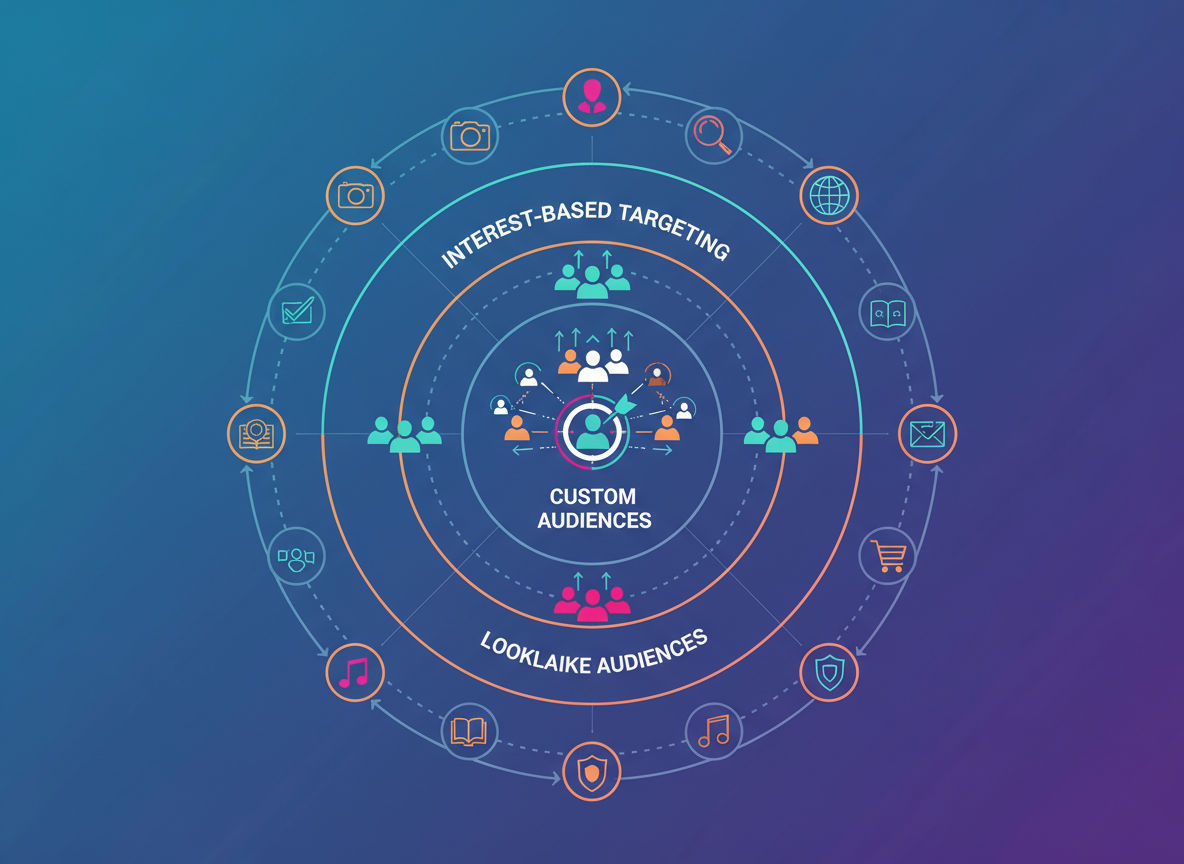
Reaching the right people is the foundation of profitable Meta advertising. Even the best ad creative won't deliver ROI if shown to the wrong audience. Meta's targeting capabilities allow unprecedented precision, but only when used strategically.
Custom Audiences: Leveraging Your Existing Data
Custom Audiences let you target people who already know your business. These warm audiences typically convert at higher rates and lower costs than cold traffic because they have existing familiarity with your brand.
The most valuable Custom Audience is your customer list. Upload email addresses, phone numbers, or other customer identifiers to create an audience of past buyers. Target these people with retention campaigns, upsell offers, or new product announcements. Since they've already purchased from you, they're more likely to buy again.
Website Custom Audiences target people who visited your site. Create audiences based on specific behaviors, like viewing particular product pages, adding items to cart, or spending significant time on your site. These visitors have demonstrated interest and are prime candidates for retargeting campaigns.
Set up engagement-based Custom Audiences to reach people who interacted with your Facebook Page, Instagram account, or previous ads. Someone who watched 75% of your video ad or engaged with your Instagram posts has shown interest and deserves targeted follow-up.
For Montreal-based businesses, combining geographic targeting with Custom Audiences creates highly relevant segments. Target past customers in specific neighborhoods with location-specific offers or events.
Lookalike Audiences for Expansion
Lookalike Audiences help you find new customers who resemble your best existing customers. Meta analyzes your source audience and identifies users with similar characteristics, behaviors, and interests.
Create your Lookalike Audience from your highest-value customers rather than all customers. Upload a customer list sorted by lifetime value or purchase frequency. Meta will find people who match your best customers' profiles, not just any buyer.
Start with a 1% Lookalike Audience, which represents the closest match to your source audience. This tight targeting typically delivers the best quality traffic. As you scale, test 2-3% and 3-5% Lookalikes, which expand reach but may have slightly lower conversion rates.
For businesses serving specific geographic areas, create location-specific Lookalikes. A 1% Lookalike Audience of Canadian customers will find similar people across Canada, ideal for businesses ready to expand beyond Montreal.
Layer Lookalike Audiences with interest or behavior targeting to further refine your reach. For example, target a Lookalike Audience of past customers who also show interest in related topics. This combination often outperforms either targeting method alone.
Interest and Behavior-Based Targeting
Interest targeting reaches cold audiences based on their Facebook and Instagram activity. People's liked pages, engaged content, and stated interests inform Meta's interest categories.
Start with broad interests related to your product or service. If you sell fitness equipment, target interests like "fitness and wellness," "physical exercise," or specific workout methodologies. Meta's Audience Insights tool helps identify relevant interests your customers share.
Combine multiple interests using "AND" logic to narrow your audience. Targeting people interested in both "yoga" AND "meditation" creates a more specific segment than either interest alone. This precision often improves relevance and performance.
Behavior targeting focuses on purchase behaviors, device usage, travel patterns, and other actions. Target people who recently moved, have upcoming birthdays, or frequently purchase in your product category. These behaviors indicate readiness to buy.
Avoid over-narrowing your audience with too many targeting layers. Meta's algorithm needs sufficient audience size to optimize effectively. Generally, aim for audience sizes of at least 50,000 people for cold traffic campaigns.
Retargeting Tactics for Higher Conversions
Retargeting campaigns target people who showed interest but haven't converted yet. These campaigns typically deliver the highest ROI because you're reaching warm prospects at lower costs than cold acquisition.
Create a retargeting funnel with different messages for different engagement levels. People who viewed products but didn't add to cart need different messaging than those who abandoned checkout. Segment your audiences accordingly.
Use dynamic product ads to show people the exact products they viewed on your website. These personalized ads remind prospects of their interest and make it easy to complete their purchase. Dynamic ads work exceptionally well for e-commerce businesses with large product catalogs.
Implement frequency capping to avoid ad fatigue. Seeing the same ad too many times annoys users and wastes budget. Limit impressions to 3-5 per person per week, adjusting based on your sales cycle length.
Offer incentives to convert hesitant prospects. A limited-time discount or free shipping offer can overcome final objections for people who visited your site but haven't purchased. Just ensure your margins support these promotions.
Avoiding Audience Overlap
Audience overlap occurs when multiple ad sets target the same people, causing your campaigns to compete against each other in the ad auction. This drives up costs and reduces efficiency.
Use Meta's Audience Overlap tool to identify problematic overlaps. Navigate to Audiences in Business Manager, select multiple audiences, and click "Show Audience Overlap." Overlaps above 20-30% warrant attention.
Consolidate overlapping audiences into single ad sets when possible. Rather than running separate campaigns to past customers and website visitors, create one comprehensive retargeting campaign with multiple ad variations.
Use audience exclusions to prevent overlap. When targeting cold traffic, exclude your customer list and website visitors. This ensures your acquisition budget reaches only new prospects, not people already in your funnel.
Creative Best Practices for Meta Advertising

Your ad creative makes the critical first impression that determines whether someone stops scrolling or keeps moving. Even perfect targeting fails without compelling creative that captures attention and communicates value.
Image and Video Specifications for Optimal Performance
Technical specifications matter more than many advertisers realize. Incorrect dimensions lead to cropped images, poor quality, or rejected ads. Meta recommends specific formats for each placement.
For single image ads, use 1080 x 1080 pixels for square format or 1200 x 628 pixels for landscape. Square format works across more placements, making it the safer choice for automatic placements. Maintain a file size under 30MB and use JPG or PNG format.
Video ads should be at least 1080 x 1080 pixels for square format or 1920 x 1080 for landscape. Keep videos under 4GB and use MP4 or MOV format. Video length can range from 1 second to 241 minutes, but shorter videos typically perform better. Aim for 15-30 seconds for most campaigns.
Avoid text-heavy images. While Meta removed the strict 20% text rule, images with minimal text still perform better. The platform's algorithm favors visual-first creative that fits naturally into users' feeds.
Design for mobile viewing, where most users consume Meta content. Test how your creative looks on a smartphone screen. Text should be readable without zooming, and key elements should remain visible even in small thumbnail sizes.
Crafting Compelling Ad Copy
Your ad copy must quickly communicate value and motivate action. Users scroll quickly, giving you only seconds to capture interest.
Lead with your strongest benefit, not your product features. Instead of "Our software has 50 features," try "Save 10 hours per week on administrative tasks." Benefits answer the crucial question: "What's in it for me?"
Keep primary text concise. The first 125 characters appear before the "See More" link on mobile, so front-load your most important message. Make those opening words count.
Use clear, specific calls-to-action that tell people exactly what to do next. "Shop Now," "Learn More," "Get Your Free Quote," and "Download the Guide" work better than vague prompts like "Click Here."
Address objections preemptively in your copy. If price is a concern, mention payment plans or emphasize value. If trust is an issue, reference guarantees, testimonials, or years in business.
Write in your audience's language. Formal corporate speak works for B2B audiences, while casual, conversational tone resonates with consumer audiences. Match your copy style to your target customer's communication preferences.
Mobile-First Creative Design Principles
Over 90% of Meta users access the platforms via mobile devices. Designing for mobile isn't optional; it's essential.
Use bold, simple visuals that remain clear on small screens. Intricate details get lost on mobile, so prioritize strong focal points and clear visual hierarchy. High contrast between elements improves visibility.
Place key elements in the center of your creative. Different placements crop images differently, and center-weighted designs ensure important elements remain visible across all formats.
Test your creative on an actual mobile device before launching. What looks great on your desktop monitor might be illegible or awkward on a smartphone. View your ads in the context where your audience will see them.
Consider vertical video for Stories and Reels placements. These full-screen formats demand vertical orientation (9:16 aspect ratio). Repurposing horizontal videos for vertical placements results in poor user experience and wasted screen space.
Using Dynamic Creative Optimization
Dynamic Creative Optimization (DCO) automatically tests different combinations of your creative elements to find the best-performing variations. Instead of manually creating every ad variation, you provide multiple options and let Meta's algorithm identify winning combinations.
Upload multiple images or videos, headlines, primary text options, and descriptions. Meta will mix and match these elements, showing different combinations to different users. The system learns which combinations drive the best results and allocates more delivery to winning variations.
Provide diverse creative options for meaningful testing. Upload 3-5 different images that represent different angles or benefits. Write 3-5 headlines emphasizing different value propositions. This diversity gives the algorithm room to identify what resonates best.
DCO works particularly well for e-commerce businesses with multiple products or benefits to highlight. Let the system determine whether your audience responds better to price messaging, quality emphasis, or convenience benefits.
Monitor DCO results to inform future creative strategy. The Asset Reporting section shows which specific images, headlines, and text options performed best. Use these insights when creating new campaigns.
Ad Format Selection
Meta offers numerous ad formats, each suited for different goals and content types. Choosing the right format amplifies your message's impact.
Single image ads work well for simple, clear messages. They're easy to create, load quickly, and perform consistently across placements. Use them when you have one strong visual and straightforward value proposition.
Carousel ads showcase multiple products or features within one ad unit. Users swipe through up to ten images or videos, each with its own headline and link. E-commerce businesses use carousels to display product collections, while service businesses highlight different benefits or case studies.
Video ads capture attention and explain complex concepts effectively. Use video when your product benefits from demonstration or when you want to tell a story. Even simple videos—like product demonstrations or customer testimonials—outperform static images for many businesses.
Collection ads combine video or image with a product catalog, creating an immersive shopping experience. When users tap the ad, they see a full-screen instant experience showcasing multiple products. This format works exceptionally well for e-commerce brands with visual products.
Stories and Reels ads appear in full-screen vertical format within Instagram and Facebook Stories or Reels. These placements feel native to the user experience and work well for behind-the-scenes content, quick tips, or time-sensitive offers.
Landing Page Optimization for Social Media Advertising
Driving traffic to your website is only half the battle. Your landing page determines whether that traffic converts into leads or sales. A disconnect between your ad and landing page destroys ROI regardless of how well your campaign targets or creative performs.
Aligning Landing Pages with Ad Messaging
Message match between your ad and landing page builds trust and reduces bounce rates. When someone clicks your ad promising "50% Off Running Shoes," they expect to see running shoes at 50% off, not a general homepage.
Maintain consistent visual branding from ad to landing page. Use similar colors, fonts, and imagery so visitors immediately recognize they're in the right place. This visual continuity reassures users they've reached the destination promised in your ad.
Echo your ad headline in your landing page headline. If your ad says "Get Your Free Marketing Audit," your landing page headline should reinforce this offer, not introduce a completely different message. Consistency reduces confusion and cognitive load.
Match the tone and style between ad copy and landing page content. If your ad uses casual, friendly language, your landing page should too. Jarring shifts in tone create doubt and reduce conversion rates.
Mobile Responsiveness Requirements
Most of your Meta ad traffic arrives on mobile devices, making mobile optimization non-negotiable. A landing page that works beautifully on desktop but poorly on mobile wastes your entire ad budget.
Test your landing pages on actual mobile devices, not just browser simulators. Real-world testing reveals issues that desktop tools miss. Check loading speed, form usability, button sizes, and overall user experience.
Use large, thumb-friendly buttons for mobile users. Buttons should be at least 44x44 pixels (Apple's recommended minimum) and have adequate spacing to prevent mis-taps. Place primary calls-to-action where thumbs naturally reach.
Simplify forms for mobile completion. Long forms with many fields frustrate mobile users. Request only essential information initially. You can always collect additional details later in your customer journey.
Ensure text remains readable without zooming. Use font sizes of at least 16 pixels for body text. Larger fonts improve readability and reduce the friction of consuming your content on small screens.
Page Load Speed Optimization
Every second of load time costs conversions. Studies consistently show that even one-second delays in page load time significantly reduce conversion rates. Mobile users, in particular, have little patience for slow-loading pages.
Compress images before uploading them to your website. Large image files are the most common cause of slow load times. Tools like TinyPNG or ImageOptim reduce file sizes without visible quality loss.
Minimize code bloat by removing unnecessary plugins, scripts, and CSS. Every element on your page requires loading time. Audit your site regularly and remove anything that doesn't directly contribute to conversions.
Use browser caching to store static resources on visitors' devices. This speeds up load times for returning visitors since their browsers don't need to download everything again.
Consider using a content delivery network (CDN) to serve your pages from servers geographically close to your visitors. This reduces latency and improves load times, especially for visitors far from your primary server location.
If technical optimization isn't your strength, professional web development services can audit and optimize your landing pages for speed and performance.
Conversion-Focused Design Elements
Your landing page design should guide visitors toward one primary action. Every element should support this conversion goal or be removed.
Use a clear visual hierarchy that draws eyes to your most important elements. Larger headings, contrasting colors, and strategic whitespace direct attention where you want it. Your call-to-action button should be the most visually prominent element.
Next step
Ready for a quote and timeline?
Send a quick note with what you’re building, your deadline, and what success looks like — we’ll reply with clear next steps.
Include trust signals like testimonials, reviews, security badges, and client logos. These elements reduce perceived risk and build confidence in your offer. Place them near your call-to-action where they'll influence the conversion decision.
Remove navigation menus from dedicated landing pages. When you're driving paid traffic to a specific offer, you want visitors to convert or leave, not explore your entire website. Every additional link is a potential exit point that reduces conversion rates.
Use compelling imagery that shows your product or service in action. Generic stock photos add little value. Show real results, real customers, or real product applications that help visitors visualize the benefits.
Create urgency with limited-time offers, countdown timers, or scarcity messaging. Urgency motivates action by giving people a reason to convert now rather than "thinking about it" and never returning.
Tracking, Analytics, and Performance Optimization
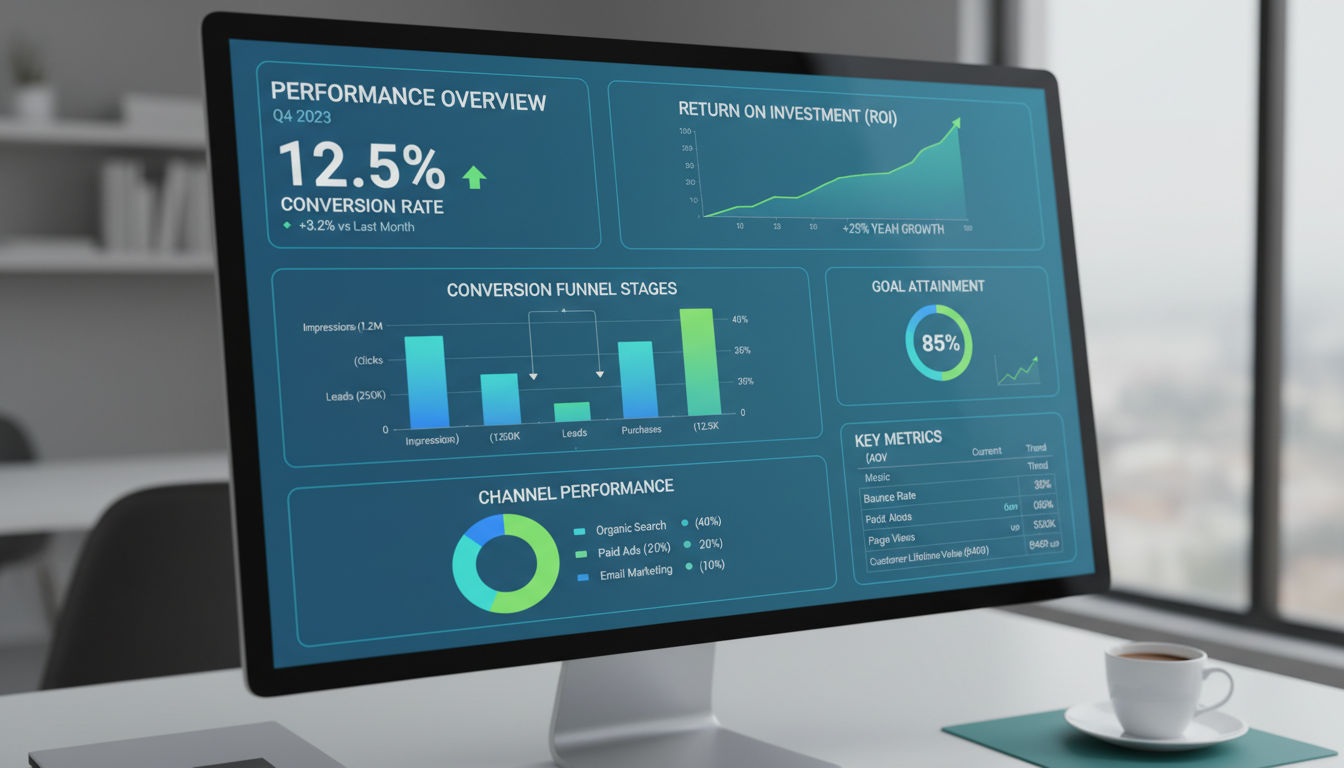
Data-driven optimization separates profitable campaigns from money pits. Without proper tracking and regular analysis, you're guessing rather than making informed decisions about your advertising strategy.
Essential Metrics to Monitor for ROI
Not all metrics matter equally. Vanity metrics like reach and impressions feel good but don't necessarily correlate with business results. Focus on metrics that directly impact your bottom line.
Return on ad spend (ROAS) measures revenue generated per dollar spent. Calculate it by dividing revenue from ads by ad spend. A ROAS of 3.0 means you generate $3 in revenue for every $1 spent. Your target ROAS depends on your profit margins and business model.
Cost per acquisition (CPA) tracks how much you spend to acquire one customer. Compare your CPA to your customer lifetime value to ensure profitability. If your CPA exceeds what you can afford based on your margins, your campaigns aren't sustainable.
Click-through rate (CTR) indicates how compelling your ads are. Higher CTRs typically correlate with lower costs and better performance because Meta's algorithm rewards engaging ads. Industry average CTRs hover around 1-2%, but this varies significantly by industry.
Conversion rate measures the percentage of landing page visitors who complete your desired action. This metric reveals landing page effectiveness separate from ad performance. Low conversion rates indicate landing page problems even when your ads drive traffic.
Cost per click (CPC) shows how much you pay for each click to your website. While not a direct business outcome, CPC helps you understand your ad efficiency and competitive position in your target market.
Using Meta Ads Manager Reporting Tools
Ads Manager provides robust reporting capabilities, but the default view doesn't show everything you need. Customize your columns to display the metrics that matter for your business.
Create custom reports by clicking "Columns" and selecting "Customize Columns." Add metrics relevant to your goals and remove irrelevant ones. Save these custom views for quick access to your most important data.
Use the breakdown feature to analyze performance across different dimensions. Break down results by age, gender, placement, device, or time of day. These breakdowns reveal insights that aggregate data obscures.
For example, you might discover that your ads perform exceptionally well with women aged 35-44 on Instagram Feed but poorly with men aged 18-24 on Facebook. This insight allows you to adjust targeting or create audience-specific creative.
Compare time periods to identify trends. Look at week-over-week or month-over-month changes in key metrics. Declining performance over time indicates ad fatigue or increased competition requiring creative refreshes or strategy adjustments.
Export data for deeper analysis in spreadsheet software. While Ads Manager provides good reporting, sometimes you need to manipulate data differently or create custom calculations. Regular exports create historical records for long-term trend analysis.
Conversion Tracking Setup
Accurate conversion tracking is foundational to campaign optimization. Without it, Meta's algorithm can't identify which users are most likely to convert, and you can't measure true ROI.
Set up the Meta Pixel as discussed earlier, but go beyond basic installation. Configure custom conversions for specific actions that matter to your business. Track not just purchases, but also lead form submissions, phone calls, account creations, or other valuable actions.
Use the Events Manager to verify that your Pixel fires correctly. The Test Events tool shows real-time data as you navigate your website, confirming that events trigger as expected. Fix any tracking issues before launching campaigns.
Implement value tracking for e-commerce businesses. Pass the actual purchase value to Meta so the platform knows which conversions are more valuable. This allows optimization toward higher-value purchases rather than just any purchase.
For businesses with offline conversions, set up offline event tracking. Upload purchase data from your CRM or point-of-sale system to connect online ads with offline sales. This complete picture reveals true campaign impact for businesses with multi-channel sales processes.
Attribution Models and Their Impact
Attribution models determine how Meta credits conversions to your ads. Different models can show vastly different results for the same campaigns, so understanding attribution is crucial for accurate performance assessment.
The default 7-day click and 1-day view attribution window credits conversions that happen within 7 days of clicking an ad or 1 day of viewing an ad. This model works well for products with short consideration periods.
Longer attribution windows (28-day click, 7-day view) better capture conversions for products with longer sales cycles. If your customers typically research for weeks before buying, shorter windows underreport your ads' true impact.
iOS 14.5+ privacy changes have complicated attribution significantly. Many iPhone users opt out of tracking, creating blind spots in your data. Meta's Aggregated Event Measurement attempts to address this, but some conversion data loss is inevitable.
Consider implementing first-party tracking solutions to supplement Meta's tracking. Tools like server-side tracking or customer data platforms provide more complete data in the privacy-focused landscape.
Use incrementality testing to understand your ads' true impact. Run controlled experiments where you show ads to one group and not another, then compare conversion rates. This reveals whether your ads drive incremental sales or just reach people who would have converted anyway.
When and How to Scale Winning Campaigns
Scaling successful campaigns multiplies your results, but premature or aggressive scaling often destroys performance. Scale strategically to maintain efficiency while increasing volume.
Wait for statistical significance before scaling. A campaign that performs well for two days might just be lucky. Run campaigns for at least one week and ensure you have at least 50 conversions before making scaling decisions.
Increase budgets gradually, typically by no more than 20-30% every few days. Dramatic budget increases reset Meta's learning phase and can destabilize performance. Patience during scaling preserves efficiency.
Duplicate winning ad sets to new audiences rather than just increasing budgets. If an ad set performs well with one audience, create similar ad sets targeting lookalike audiences or related interest groups. This expands reach while maintaining the proven creative and offer.
Refresh creative regularly to prevent ad fatigue. Even winning ads eventually decline in performance as your audience sees them repeatedly. Introduce new creative variations every few weeks to maintain engagement and results.
Test new placements and formats with proven creative. If your ad performs well in Facebook Feed, test it in Instagram Feed, Stories, or Reels. Different placements reach different users and can unlock additional scale.
Monitor frequency metrics during scaling. Frequency above 3-4 often indicates diminishing returns as you show ads to the same people too often. When frequency climbs, expand your audience or refresh creative to reach new users.
Conclusion
Implementing these meta ads best practices transforms your social media advertising from a cost center into a profitable growth engine. Success comes from combining strong technical foundations, strategic audience targeting, compelling creative, optimized landing pages, and data-driven optimization.
Start by ensuring your Meta Business Manager and Pixel are properly configured. Build campaigns with clear objectives and appropriate audience targeting. Create mobile-first ad creative that captures attention and communicates value. Direct traffic to conversion-optimized landing pages that deliver on your ad's promise. Then track, analyze, and continuously improve based on real performance data.
Remember that Meta advertising is not "set it and forget it." The platform, your competition, and your audience constantly evolve. Commit to ongoing testing, learning, and optimization. The businesses that win with Meta ads are those that treat advertising as a systematic process of continuous improvement.
If you're ready to implement these strategies but need expert guidance, our digital marketing team helps Montreal businesses and beyond create profitable Meta advertising campaigns. We handle everything from initial setup through ongoing optimization, allowing you to focus on running your business while we drive qualified traffic and conversions.
The opportunity in Meta advertising remains substantial for businesses willing to invest in doing it right. Take action on these best practices today, and you'll see measurable improvements in your campaign performance and ROI. Contact us to discuss how we can help you achieve your advertising goals, or explore our portfolio to see the results we've delivered for other businesses.