
Introduction
Modern businesses need every competitive edge they can get in the digital advertising space. The Meta Ads API offers developers and marketers a powerful way to automate, scale, and optimize advertising campaigns across Facebook and Instagram. Instead of manually clicking through the Ads Manager interface, you can build custom solutions that save time and unlock advanced capabilities.
This guide is designed for developers who want to integrate the Meta Ads API into their applications or workflows. Whether you're building an internal tool for your marketing team, creating a SaaS product for clients, or automating campaign management for multiple accounts, you'll find practical information here.
You'll learn everything from initial setup to advanced implementation strategies. We'll cover the prerequisites you need, walk through creating your first API calls, and explore best practices for scaling your integration. By the end, you'll have a solid foundation for working with the Meta Ads API and understand how to leverage it for real business results.
The Meta Ads API opens doors that manual management simply can't match. You can process bulk operations in seconds, integrate with your existing data systems, and create sophisticated automation that responds to real-time performance metrics. For businesses managing multiple campaigns or clients, this technology transforms what's possible.
Understanding the Meta Ads API
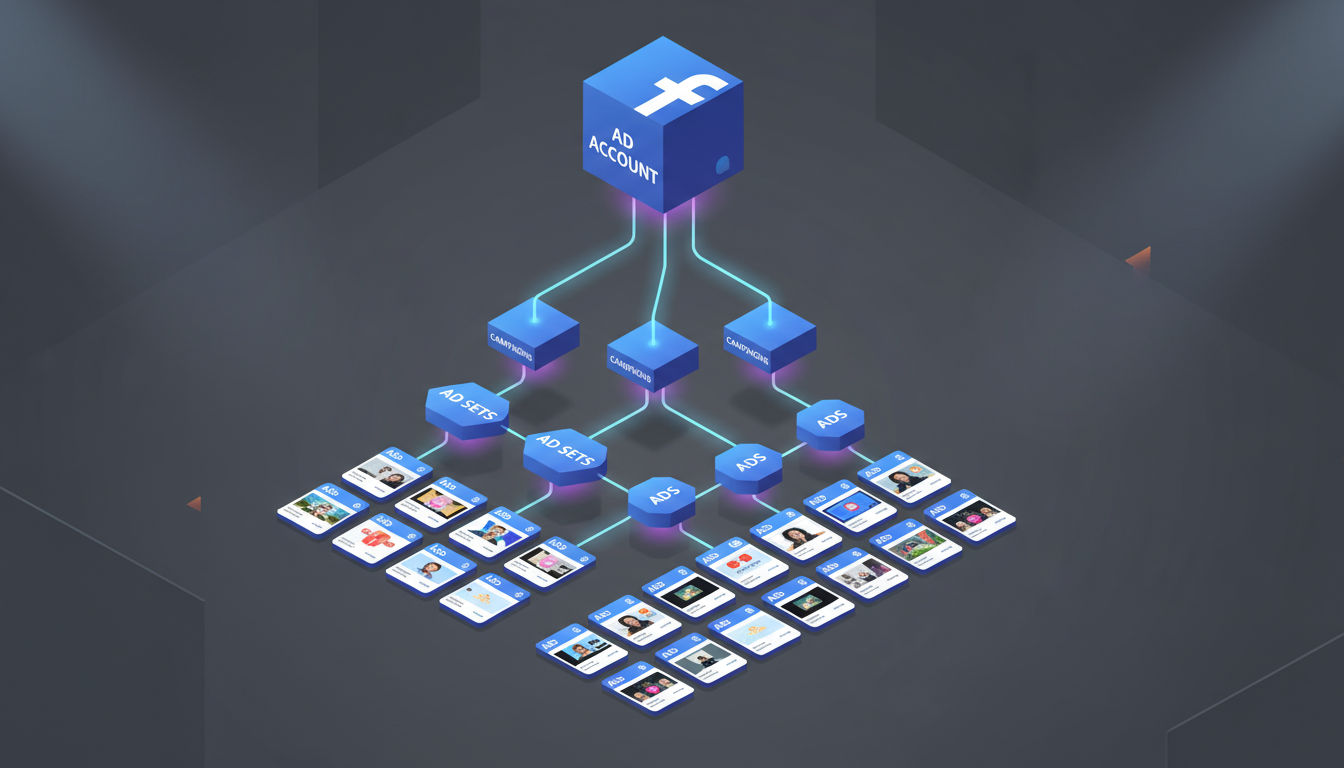
The Meta Ads API is a programmatic interface that lets developers interact with Facebook's advertising platform through code. Instead of using the Ads Manager web interface, you send HTTP requests to Meta's servers to create campaigns, update budgets, fetch performance data, and manage every aspect of your advertising efforts.
Think of it as the difference between manually sending individual emails versus using an email marketing platform with automation. Both accomplish the same goal, but one scales infinitely better and integrates with your other business systems.
Key Differences Between Manual and API Management
Manual campaign management works fine for small-scale operations. You log into Ads Manager, create campaigns through forms, adjust settings with dropdown menus, and check performance dashboards. This approach becomes limiting when you manage dozens or hundreds of campaigns.
API integration transforms this workflow entirely. You can create 50 campaigns in the time it takes to manually create one. You can pull performance data into your own analytics dashboards, automatically pause underperforming ads, and sync campaign data with your CRM or business intelligence tools.
The API also enables conditional logic and real-time responses. For example, you might automatically increase budgets for campaigns that hit certain conversion thresholds, or create new ad variations based on inventory levels in your e-commerce system.
Benefits of Using the Facebook Ads API
Automation stands as the primary benefit. You can schedule campaign launches, automatically generate ad creative variations, and implement complex rules that would be impossible to manage manually. This saves countless hours for marketing teams.
Data integration represents another major advantage. Pull advertising performance data directly into your business intelligence tools, combine it with data from other platforms, and create unified reporting dashboards. This holistic view helps you make better strategic decisions.
Customization and control reach new levels with API access. Build custom interfaces tailored to your team's specific workflow, create specialized reporting for different stakeholders, and implement business logic unique to your organization.
Common Use Cases for Meta Ads Development
Marketing agencies frequently use the Meta Ads API to manage multiple client accounts from a single platform. They build custom dashboards showing all clients' performance, automate reporting, and streamline campaign creation across accounts.
E-commerce businesses leverage the API to create dynamic product ads at scale. When new products arrive or inventory changes, the system automatically generates appropriate ad campaigns without manual intervention.
SaaS companies integrate Meta Ads with their product analytics to create closed-loop attribution. They track which campaigns drive not just clicks, but actual product usage and revenue, then automatically optimize spend toward the highest-value sources.
Prerequisites and Requirements
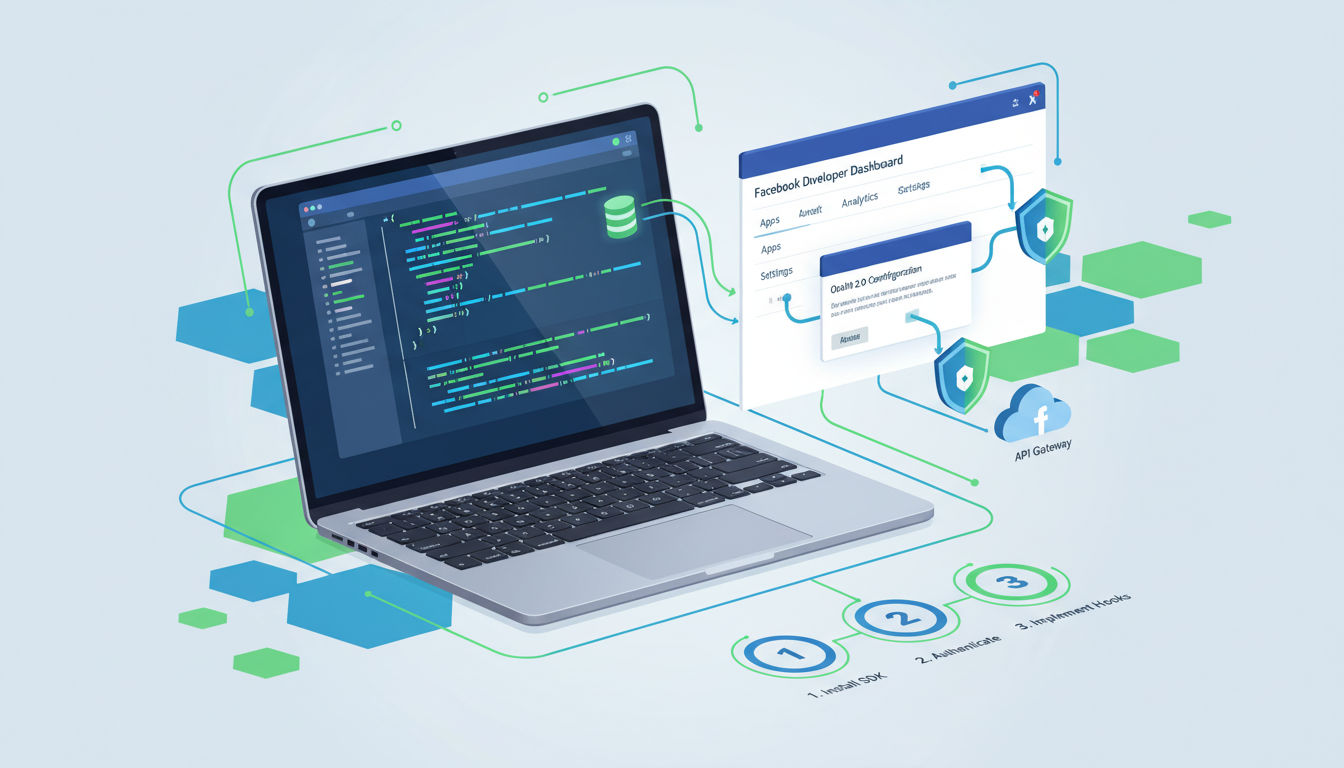
Before diving into Meta Ads API development, you need certain technical skills and business assets in place. Understanding these requirements upfront saves frustration later and helps you plan your integration timeline.
Technical Skills Needed
You should be comfortable with at least one programming language. Python, JavaScript, and PHP are popular choices for Meta Ads API work, but any language that can make HTTP requests works fine. The examples in Meta's documentation primarily use cURL, Python, and JavaScript.
Understanding RESTful APIs is essential. You need to know how HTTP methods work, how to structure API requests, and how to parse JSON responses. If you've worked with any modern web API, these concepts will feel familiar.
Basic knowledge of OAuth authentication helps, though Meta's documentation covers this thoroughly. You'll also benefit from understanding asynchronous programming concepts, especially when dealing with batch requests or webhook integrations.
Database knowledge becomes important if you're building a full application. You'll likely want to store campaign data, track API responses, and maintain logs. Familiarity with SQL or NoSQL databases helps here.
Required Facebook Business Assets
You need a Facebook Business Manager account before accessing the Meta Ads API. This serves as the central hub for managing your business assets, ad accounts, and team permissions. Creating one is free and straightforward through business.facebook.com.
At least one Ad Account must exist within your Business Manager. This is where your campaigns, ad sets, and ads live. You'll need admin or developer access to this ad account to perform API operations.
A Facebook Page is required for most advertising operations. Your ads need to be associated with a Page, which represents your business identity on Facebook and Instagram. Make sure you have appropriate permissions on this Page.
If you're building an application for others to use, you'll also need to go through Meta's App Review process. This verifies your app meets Meta's policies and grants the permissions necessary to manage other users' ad accounts.
Developer Account Setup
Start by visiting developers.facebook.com and logging in with your Facebook account. This gives you access to the Meta for Developers platform where you'll create and manage your apps.
Your Facebook account needs to be associated with your Business Manager. Navigate to Business Settings in your Business Manager and ensure your personal account has the appropriate role, typically Admin or Developer.
Two-factor authentication is mandatory for accessing sensitive features. Enable it on your Facebook account through security settings if you haven't already. Meta takes security seriously and requires this extra layer of protection.
Access Tokens and Permissions Overview
Access tokens are credentials that authenticate your API requests. Think of them as temporary passwords that grant specific permissions. Meta uses several token types, each with different lifespans and capabilities.
User Access Tokens represent an individual user and inherit that user's permissions. These typically last 60 days but can be extended. They're useful for testing and development.
System User Tokens are designed for server-to-server applications. They don't expire and aren't tied to a specific person's Facebook account, making them ideal for production applications that need to run continuously.
Permissions determine what actions your token can perform. The ads_management permission is essential for creating and managing campaigns. Other permissions like ads_read or business_management may be needed depending on your use case.
Getting Started: Initial Setup
Setting up your development environment correctly from the start prevents headaches later. This section walks you through creating your first Facebook App and configuring it for Meta Ads API access.
Creating a Facebook App
Log into developers.facebook.com and click "Create App" from your dashboard. Meta will ask you to choose an app type. For Meta Ads API work, select "Business" as your app type. This gives you access to the Marketing API and other business-focused features.
Provide a name for your app that clearly identifies its purpose. If you're building an internal tool, something like "Company Name Campaign Manager" works well. For client-facing applications, choose a name that reflects your product.
Enter your contact email and select the Business Manager account that will own this app. This determines which business assets the app can access and who can manage its settings.
After creation, you'll land on your app dashboard. This is your control center for managing settings, generating tokens, and monitoring API usage. Take a moment to familiarize yourself with the layout.
Quick question
Want to turn this into a real plan?
If you want expert help with strategy, design, development, marketing, or automation — we’ll recommend the fastest path forward for your goals.
Configuring App Settings for Meta Ads API
Navigate to "Settings" then "Basic" in your app dashboard. Fill out the required information including privacy policy URL, terms of service URL, and app icon. Even for internal tools, Meta requires these fields for apps accessing the Marketing API.
Add your platform under "Add Platform." If you're building a web application, select "Website" and enter your URL. For server-side applications, you might choose "Other" and provide relevant details.
Under "App Domains," add the domains where your application will run. This security measure ensures your app only works from approved locations. For local development, you can add "localhost" here.
Go to "Add Product" and select "Marketing API." This adds the necessary SDK and permissions to your app. You'll see new menu options appear for configuring Marketing API-specific settings.
Generating Access Tokens
The Graph API Explorer is the easiest way to generate your first access token. Find it in the Tools menu of your app dashboard. This interactive tool lets you test API calls and generate tokens with specific permissions.
Select your app from the dropdown menu, then click "Generate Access Token." A permissions dialog appears. Check the boxes for ads_management, ads_read, and business_management. These grant the basic permissions needed for campaign management.
Your token appears in the Access Token field. This is a User Access Token valid for about an hour by default. Copy it for testing, but don't use short-lived tokens in production applications.
To create longer-lived tokens, use the Access Token Debugger tool. Paste your short-lived token, and you'll see an option to extend it. Extended User Access Tokens last 60 days and are suitable for testing and development.
For production applications, set up System Users in your Business Manager. Navigate to Business Settings, then Users, then System Users. Create a new system user, assign it appropriate permissions, and generate a token. These tokens don't expire and aren't tied to any individual's account.
Understanding API Versioning
Meta releases new API versions regularly, typically every few months. Each version is supported for at least two years, giving you time to upgrade. Version numbers follow the format v15.0, v16.0, and so on.
Your API calls should always specify a version number in the URL. For example: https://graph.facebook.com/v18.0/act_123456789/campaigns. This ensures your code continues working even as Meta introduces changes.
Check Meta's changelog regularly to understand what's new and what's being deprecated. Some changes are additive (new features), while others might break existing code. Plan your upgrade path accordingly.
Using the latest stable version is generally recommended, but test thoroughly before upgrading production systems. Meta provides a version upgrade tool that shows how your API calls will behave in newer versions.
Setting Up Your Development Environment
Install the official Meta Business SDK for your programming language. Meta provides SDKs for Python, PHP, Node.js, Ruby, and Java. These libraries handle authentication, request formatting, and error handling, making development much easier.
For Python developers, install the SDK with: pip install facebook-business. For Node.js: npm install facebook-nodejs-business-sdk. Check Meta's documentation for your specific language.
Create a configuration file to store your credentials securely. Never hardcode access tokens or app secrets directly in your code. Use environment variables or a secure configuration management system.
Set up a testing ad account if possible. Meta allows you to create test ad accounts that don't spend real money. This lets you experiment freely without worrying about costs or affecting live campaigns.
Consider using a tool like Postman or Insomnia for testing API calls before writing code. These applications let you craft requests, inspect responses, and debug issues in a user-friendly interface.
Core Meta Ads API Concepts
Understanding the fundamental structure of the Meta Ads API helps you build more effective integrations. The API follows consistent patterns that, once learned, make working with it much more intuitive.
The Marketing API Structure
The Marketing API organizes everything in a hierarchical tree structure. At the top sits your Ad Account, which contains Campaigns, which contain Ad Sets, which contain individual Ads. Each level has specific responsibilities and settings.
This hierarchy mirrors how you think about advertising strategy. Campaigns represent your high-level objectives. Ad Sets define your targeting, placement, and budget. Ads contain the creative elements people actually see.
Each object in this hierarchy has a unique ID and can be accessed through API endpoints. You'll use these IDs to read data, make updates, and navigate relationships between objects. For example, to get all ad sets in a campaign, you query that campaign's ad sets endpoint.
Understanding the Graph API Relationship
The Meta Ads API is actually part of Meta's larger Graph API. The Graph API represents all of Facebook's data as a social graph with nodes and edges. Nodes are objects like users, pages, or campaigns. Edges are connections between them.
When you make an API call to /act_123456789/campaigns, you're accessing the "campaigns" edge of the ad account node. This consistent structure means once you understand how to navigate one part of the Graph API, you can apply that knowledge everywhere.
Fields and parameters control what data you receive. By default, API responses include only basic information. You specify additional fields to get more detailed data. This keeps responses lightweight and fast.
Key Objects: Campaigns, Ad Sets, and Ads
Campaigns are the top-level organizational unit. Each campaign has an objective like "Traffic," "Conversions," or "Brand Awareness." This objective determines what optimization options are available at lower levels.
Campaign-level settings include the overall budget (if using campaign budget optimization), buying type, and special ad categories. You can't mix objectives within a single campaign, so plan your campaign structure accordingly.
Ad Sets sit in the middle of the hierarchy. This is where you define who sees your ads, where they appear, and how much you're willing to spend. Each ad set has its own budget, schedule, and targeting parameters.
Targeting options at the ad set level include demographics, interests, behaviors, and custom audiences. You also choose placements here, whether that's Facebook Feed, Instagram Stories, or other available positions.
Ads are the creative elements. Each ad contains images or videos, headline text, body copy, and a call-to-action button. Multiple ads can exist within a single ad set, allowing you to test different creative approaches with the same targeting.
Targeting Options and Parameters
Demographic targeting includes age ranges, gender, education level, job titles, and relationship status. You specify these as parameters when creating or updating an ad set through the API.
Interest targeting reaches people based on their activities, liked pages, and related topics. Meta's API provides thousands of interest categories, each with a unique ID. You can search for interests using the Targeting Search endpoint.
Behavior targeting focuses on purchase behaviors, device usage, and other activities. Geographic targeting can be as broad as entire countries or as specific as a radius around a particular address.
Custom Audiences let you target people from your own data sources. Upload customer lists, website visitors, or app users through the API. You can also create Lookalike Audiences to reach new people similar to your best customers.
Budget and Bidding Strategies via API
Budget can be set at the campaign level (Campaign Budget Optimization) or ad set level. Campaign Budget Optimization automatically distributes budget across ad sets to get the best results. Ad set budgets give you more manual control.
Daily budgets specify how much to spend per day on average. Lifetime budgets set a total amount to spend over the campaign's entire duration. Both types can be set and modified through API calls.
Bidding strategies determine how Meta spends your budget. Automatic bidding (lowest cost) lets Meta optimize for the most results within your budget. Manual bidding gives you more control but requires more expertise.
Bid caps, cost caps, and minimum ROAS bidding provide additional control over costs. These advanced strategies require careful monitoring and adjustment, which the API makes much easier to implement at scale.
Making Your First API Call
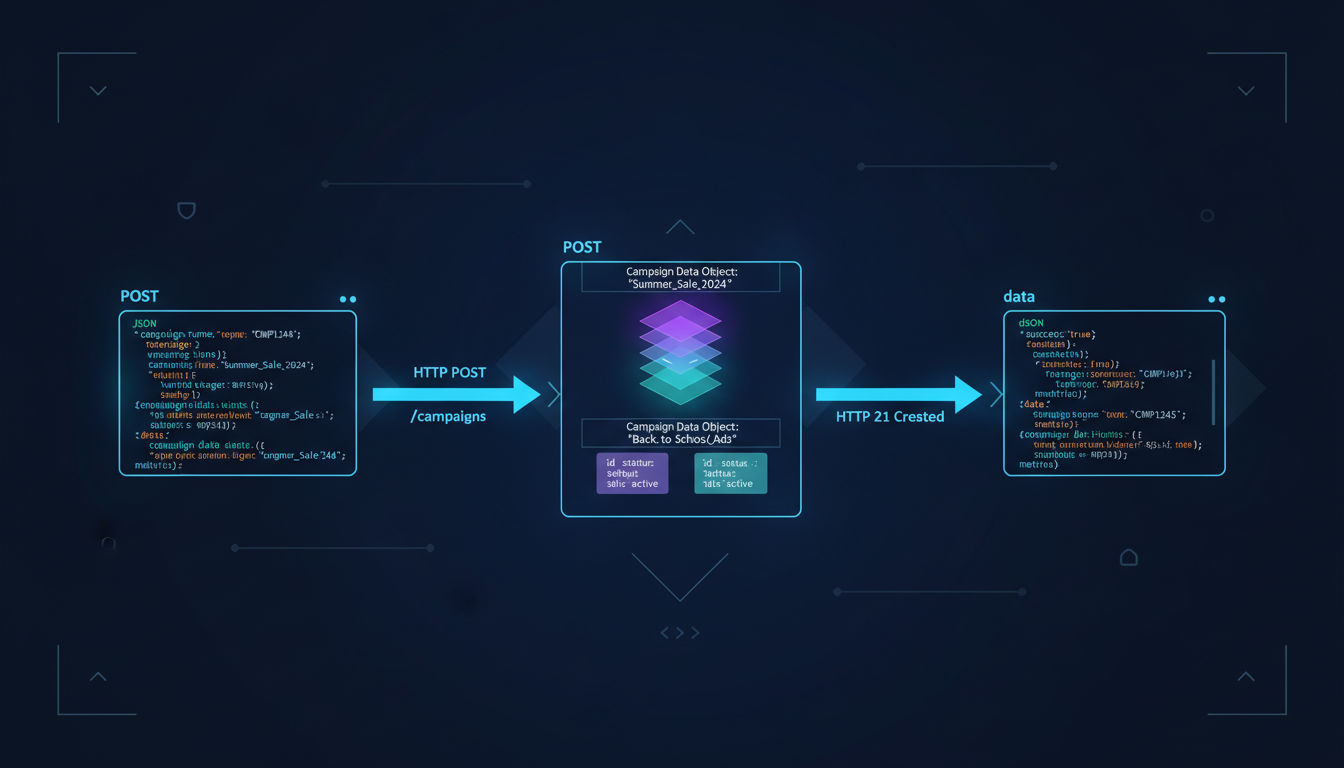
Theory only goes so far. Let's walk through actually making API calls to read and manipulate campaign data. These examples will help you understand the practical aspects of working with the Meta Ads API.
Authentication Best Practices
Always use HTTPS for API requests. Never send access tokens over unencrypted connections. Meta's API endpoints only accept HTTPS anyway, but it's worth emphasizing for security.
Include your access token in the request as a parameter or header. The parameter method looks like: ?access_token=YOUR_TOKEN. The header method uses: Authorization: Bearer YOUR_TOKEN. Both work, but headers are generally more secure.
Rotate tokens regularly in production environments. Even though System User tokens don't expire, refreshing them periodically limits exposure if a token is compromised. Store tokens in secure vaults or secret management systems, never in code repositories.
Implement token validation before making API calls. Check that your token has the necessary permissions and hasn't been invalidated. Meta provides a debug endpoint specifically for this purpose.
Basic API Request Structure
All Meta Ads API calls follow a consistent pattern. You make HTTP requests to graph.facebook.com with the appropriate version number, object ID, and endpoint path. The response comes back as JSON.
A simple GET request to read campaign data looks like this: GET https://graph.facebook.com/v18.0/act_123456789/campaigns?access_token=YOUR_TOKEN. This returns all campaigns in the specified ad account.
POST requests create new objects. You include parameters in the request body as JSON or form-encoded data. For example, creating a campaign requires parameters like name, objective, and status.
Edge cases and nested resources use similar patterns. To get ad sets for a specific campaign, you'd call: GET /campaign_id/adsets. To get ads for a specific ad set: GET /adset_id/ads.
Reading Campaign Data
Start with a simple read operation to fetch your campaigns. This helps verify your authentication and familiarize yourself with response structures. The campaigns endpoint returns an array of campaign objects.
Specify fields to get more detailed information. By default, you only receive the campaign ID and name. Add fields like ?fields=id,name,status,objective,created_time,budget_remaining to get more useful data.
The response includes a data array containing your campaigns and a paging object for navigating through results. If you have many campaigns, Meta returns them in pages. Use the paging URLs to fetch additional results.
Filter results using parameters. For example, ?filtering=[{field:"status",operator:"EQUAL",value:"ACTIVE"}] returns only active campaigns. This reduces data transfer and speeds up your application.
Error Handling and Troubleshooting
The Meta Ads API returns detailed error messages when something goes wrong. Each error includes a code, message, and type. Common error codes include authentication failures, permission issues, and invalid parameters.
Implement proper error handling in your code. Don't just assume API calls will succeed. Check response status codes and parse error messages to provide meaningful feedback or retry logic.
Rate limit errors return a specific error code and include information about when you can retry. Implement exponential backoff when you hit rate limits. Wait a bit, then retry with increasing delays between attempts.
Use Meta's API Error Reference documentation to understand what each error code means. This helps you diagnose issues quickly and implement appropriate fixes. Some errors require code changes, while others might just need retry logic.
Rate Limits and Throttling
Meta implements rate limits to protect system stability. These limits apply at multiple levels: per app, per user, per ad account, and per IP address. Understanding these limits helps you design efficient integrations.
The standard rate limit is 200 calls per hour per user per app. This might sound restrictive, but batch requests let you accomplish much more within these limits. One batch request can contain up to 50 individual operations.
Monitor your rate limit status through response headers. Meta includes headers showing your current usage and when limits reset. Build monitoring into your application to avoid hitting limits unexpectedly.
For high-volume operations, consider applying for higher rate limits. Meta reviews applications that demonstrate legitimate need and proper implementation. Document your use case and explain why standard limits are insufficient.
Advanced Implementation Strategies
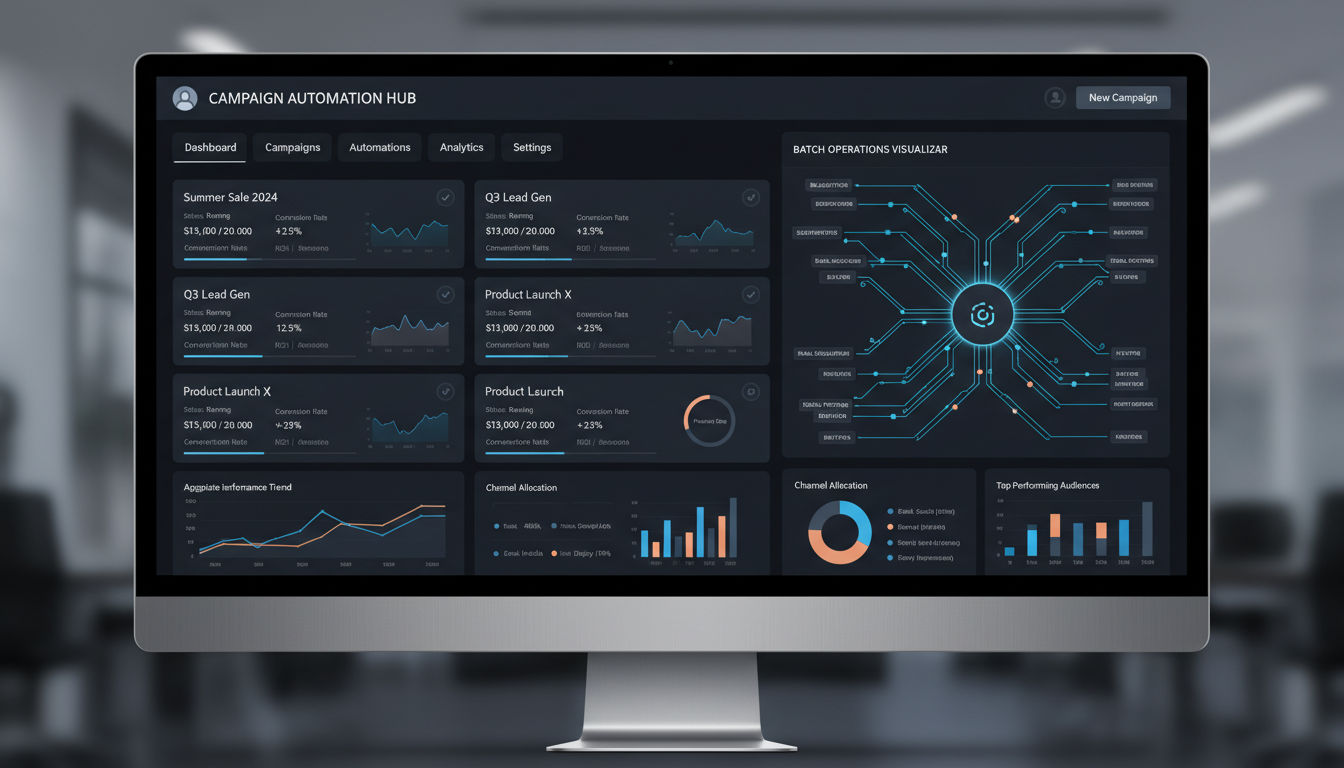
Once you're comfortable with basic API operations, these advanced techniques help you build more sophisticated and efficient integrations. These strategies are what separate simple scripts from production-grade applications.
Automating Campaign Creation
Campaign automation starts with templates. Define standard campaign structures for common scenarios, then use the API to instantiate them with specific parameters. This ensures consistency while saving time.
Dynamic parameter substitution lets you customize campaigns based on external data. Pull product information from your database, customer segments from your CRM, or seasonal promotions from your content calendar. The API creates campaigns incorporating this data automatically.
Scheduling campaign creation for optimal timing improves results. Instead of launching everything at once, stagger campaigns based on time zones, audience availability, or business logic. Build this scheduling into your automation system.
Validation before creation prevents errors. Check that required assets exist, budgets are within limits, and targeting parameters are valid. This upfront validation saves time compared to handling errors after API calls fail.
Error recovery mechanisms make automation robust. If campaign creation fails partway through, your system should clean up partial creations, log the issue, and either retry or alert someone. Don't leave orphaned campaigns or ad sets.
Bulk Operations and Batch Requests
Batch requests combine multiple API calls into a single HTTP request. Instead of making 50 separate calls to create 50 ads, you make one batch request containing all 50 operations. This dramatically improves efficiency and reduces rate limit consumption.
Structure batch requests as JSON arrays. Each element specifies a method, relative URL, and any parameters. Meta processes these in parallel and returns an array of responses matching your request order.
Dependencies between batch operations let you reference earlier results. For example, create a campaign in the first operation, then use its ID in subsequent operations that create ad sets. Meta handles these dependencies automatically.
Error handling in batch requests requires extra attention. One failed operation doesn't stop the others. Check each response in the batch result array and handle successes and failures appropriately.
Batch requests have their own limits. Maximum 50 operations per batch, and the entire request must complete within 600 seconds. For very large operations, split them across multiple batches and implement queuing logic.
Custom Audience Integration
Custom Audiences let you target specific groups of people. The API provides several ways to create and manage these audiences, each suited to different data sources and use cases.
Customer list audiences upload hashed customer data like emails or phone numbers. Hash the data using SHA256 before uploading for privacy. The API accepts these hashes and matches them to Facebook users.
Website Custom Audiences track people who visit your site. Install the Meta Pixel, then use the API to create audiences based on specific URLs, events, or time periods. These audiences automatically update as people visit your site.
Engagement audiences target people who interacted with your content. Create audiences of people who watched your videos, engaged with your ads, or interacted with your Facebook Page. The API provides endpoints for each engagement type.
Lookalike Audiences expand your reach to people similar to your existing customers. Create them through the API by specifying a source audience and target country. Meta analyzes the source and finds similar users.
Conversion Tracking Setup
Conversion tracking measures what happens after people click your ads. The Meta Pixel and Conversions API work together to track these events accurately, even with browser privacy restrictions.
Install the Meta Pixel on your website first. This JavaScript code tracks page views and standard events like purchases, registrations, and add-to-carts. Configure it through Business Manager or directly in your website code.
The Conversions API sends conversion data server-to-server. This complements the Pixel by capturing events that browser-based tracking might miss. Implement it in your backend code to send events directly to Meta.
Event matching improves attribution accuracy. Send the same events through both Pixel and Conversions API when possible. Meta deduplicates them using event IDs while getting more complete data.
Next step
Ready for a quote and timeline?
Send a quick note with what you’re building, your deadline, and what success looks like — we’ll reply with clear next steps.
Custom conversions let you track specific actions unique to your business. Define them through the API by specifying URL rules or event parameters. These become available as optimization goals in your campaigns.
Integrating with Other Social Media APIs
Multi-platform management becomes powerful when you integrate Meta Ads with other social media APIs. Many businesses run campaigns across Facebook, Google, LinkedIn, and Twitter simultaneously.
Unified reporting combines data from multiple platforms. Pull performance data from each API into a central database or analytics system. This gives you true cross-platform insights and helps optimize your overall marketing mix.
Budget allocation across platforms can be automated. Monitor performance on each platform and shift budget toward the best performers. The Meta Ads API makes it easy to adjust budgets programmatically based on your logic.
Creative asset management benefits from integration. Store your images, videos, and copy in a central system, then deploy them across platforms through their respective APIs. This ensures consistency while reducing manual work.
At Vohrtech, we help businesses build these integrated marketing systems. Our development team has experience with multiple advertising APIs and can create custom solutions that work across your entire marketing technology stack.
Best Practices and Optimization
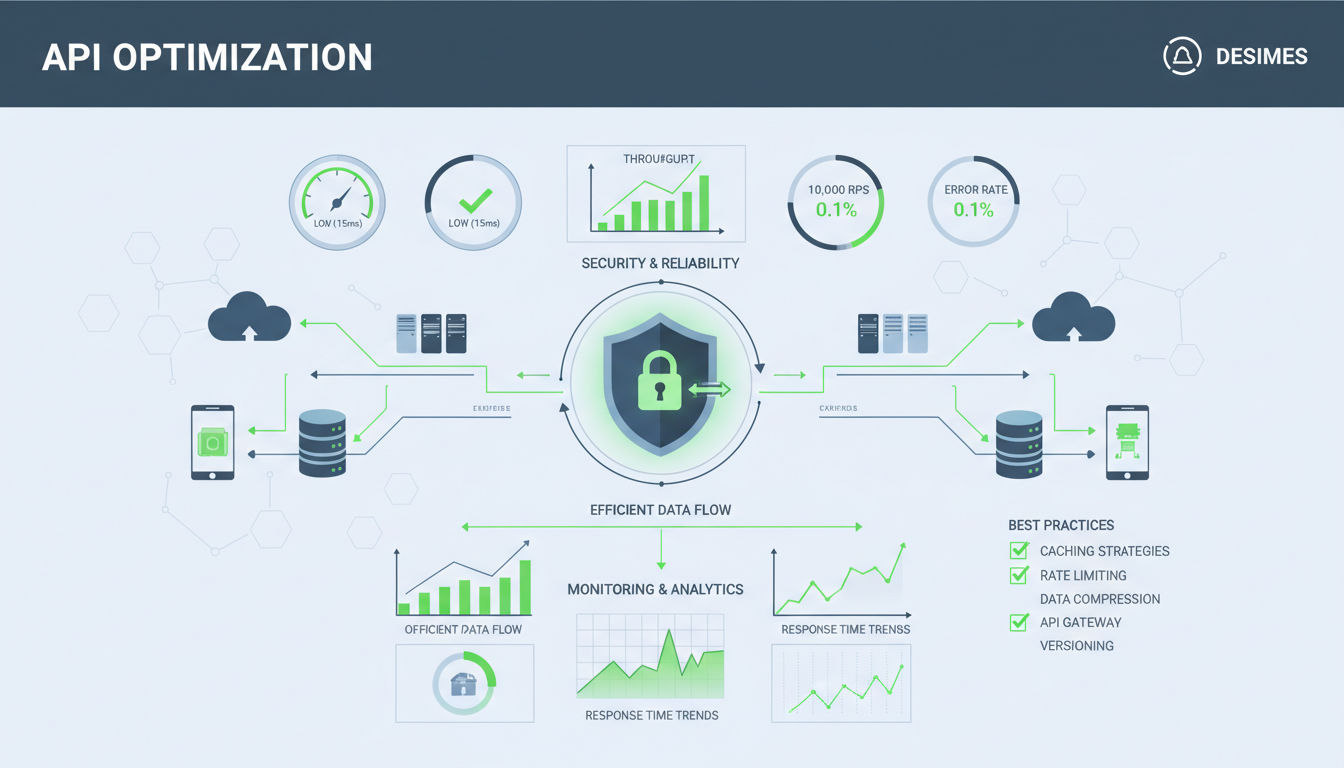
Building a working integration is just the beginning. These best practices help you create reliable, efficient, and maintainable Meta Ads API implementations that scale with your business.
Security and Data Protection
Never expose access tokens in client-side code. Tokens should only exist on your servers where they can be properly secured. If you need to authenticate users, implement a backend proxy that handles API calls on their behalf.
Encrypt tokens at rest. Whether you store them in databases, configuration files, or secret management systems, encryption adds an essential security layer. Use strong encryption algorithms and manage keys properly.
Implement proper access controls. Not everyone in your organization needs API access. Use role-based permissions to limit who can generate tokens, make API calls, or access sensitive campaign data.
Audit API usage regularly. Log all API calls, including who made them, what they accessed, and when. This audit trail helps you detect suspicious activity and troubleshoot issues. Store logs securely and retain them according to your compliance requirements.
API Call Efficiency
Minimize unnecessary API calls. Cache data that doesn't change frequently, like campaign structures or targeting options. Only fetch new data when you actually need it or at reasonable intervals.
Request only the fields you need. Don't fetch all available data if you only use a few fields. Smaller responses transfer faster and reduce processing time. Use the fields parameter to specify exactly what you want.
Combine related operations. Instead of making separate calls to create a campaign, then ad sets, then ads, use batch requests to do it all at once. This reduces network overhead and rate limit consumption.
Implement pagination properly. Don't try to fetch thousands of records in a single call. Use Meta's paging mechanism to retrieve data in manageable chunks. This prevents timeouts and makes your application more responsive.
Monitoring and Logging
Track API response times. Slow responses might indicate network issues, rate limiting, or problems with Meta's infrastructure. Monitoring helps you identify and address performance issues quickly.
Log all errors with full context. Include the request that failed, the error response, relevant parameters, and timestamps. This information is invaluable when troubleshooting issues or working with Meta's support team.
Set up alerts for critical failures. If campaign creation fails, budgets can't be updated, or authentication stops working, you need to know immediately. Implement alerting through email, Slack, or your preferred notification system.
Monitor rate limit consumption. Track how close you are to your limits and trend usage over time. This helps you plan capacity and identify opportunities to optimize your API usage patterns.
Scaling Your Integration
Design for growth from the start. Even if you're managing a few campaigns now, build your system to handle hundreds or thousands. Use proper database design, implement queuing for bulk operations, and structure your code for scalability.
Implement retry logic with exponential backoff. Temporary failures happen with any API. Your system should automatically retry failed operations with increasing delays between attempts. This handles transient issues without manual intervention.
Consider asynchronous processing for long-running operations. Creating hundreds of campaigns or updating thousands of ads takes time. Queue these operations and process them in the background rather than making users wait for synchronous responses.
Document your integration thoroughly. Future developers (including yourself) will need to understand how everything works. Document your architecture, API usage patterns, error handling strategies, and any quirks or workarounds you've implemented.
Conclusion
The Meta Ads API transforms how businesses manage their Facebook and Instagram advertising. What used to require hours of manual work in Ads Manager can now be automated, scaled, and integrated with your other business systems. This guide covered the fundamentals you need to start building your own integrations.
You've learned how to set up your development environment, make your first API calls, and implement advanced strategies like batch requests and custom audience integration. These skills open doors to powerful automation and optimization that simply isn't possible with manual campaign management.
Remember that successful API integration is an ongoing process. Start small with basic operations, test thoroughly, and gradually add more sophisticated features. Monitor your implementation, optimize based on real usage patterns, and stay current with Meta's API updates and new features.
Key Takeaways
The Meta Ads API provides programmatic access to all Facebook advertising features. You can create, read, update, and delete campaigns, ad sets, and ads through simple HTTP requests. This enables automation at a scale impossible with manual management.
Proper setup and authentication are crucial. Take time to configure your Facebook App correctly, understand access tokens and permissions, and implement security best practices from the beginning. These foundations prevent problems later.
Batch requests and efficient API usage help you stay within rate limits while accomplishing more. Think about optimization from the start rather than trying to fix performance issues after building your integration.
Next Steps for Your Meta Ads Development Journey
Start with a specific, manageable project. Don't try to automate everything at once. Pick one workflow that would benefit from automation, build it properly, and expand from there. This focused approach leads to better results than trying to do everything simultaneously.
Join Meta's developer community. The forums, documentation, and support channels provide valuable resources when you encounter challenges. Other developers have likely faced similar issues and can offer insights.
Keep learning about new API features. Meta regularly adds capabilities and improves existing ones. Stay informed about updates that could benefit your integration. Subscribe to Meta's developer newsletter and check the changelog periodically.
How Vohrtech Can Help
Building robust Meta Ads API integrations requires both technical expertise and marketing knowledge. At Vohrtech, we combine deep development skills with practical digital marketing experience. Our team has built custom advertising automation systems for businesses across Montreal and beyond.
We understand the challenges businesses face when trying to scale their advertising efforts. Whether you need a custom dashboard for managing multiple ad accounts, automated campaign creation based on your product catalog, or sophisticated integration with your existing marketing technology, we can help.
Our approach focuses on delivering practical solutions that solve real business problems. We don't just write code, we partner with you to understand your goals and build systems that drive measurable results. From initial consultation through deployment and ongoing support, we're with you every step of the way.
Ready to take your Meta advertising to the next level? Contact us to discuss your project. We'll help you understand what's possible, plan your integration, and build a solution that grows with your business. Check out our previous projects to see examples of our work, or explore our full range of development and marketing services.