
Introduction
Your website loads. A visitor waits. Three seconds pass, then five. They click away before your content even appears. This scenario plays out millions of times daily across the web, costing businesses valuable opportunities and revenue.
Core Web Vitals represent Google's answer to measuring what actually matters in website performance. These metrics focus on real user experiences rather than abstract technical measurements. They track how quickly your content loads, how fast your site responds to clicks, and whether elements jump around unexpectedly while loading.
For businesses, Core Web Vitals aren't just another technical checkbox. They directly influence where your website appears in search results. Google uses these metrics as ranking factors, meaning poor scores can push your site down in search rankings, making it harder for potential customers to find you.
The impact extends beyond search visibility. When your website performs well according to Core Web Vitals standards, visitors stay longer, engage more deeply, and convert at higher rates. A fast, stable website builds trust immediately. A slow, unstable one destroys it just as quickly.
Small and medium-sized businesses often face unique challenges here. You're competing against larger companies with bigger budgets and dedicated technical teams. However, understanding and optimizing Core Web Vitals levels the playing field. A well-optimized small business website can outperform a poorly optimized enterprise site in both search rankings and user satisfaction.
The connection between Core Web Vitals and business success is straightforward. Better scores lead to higher search rankings. Higher rankings bring more visitors. More visitors, combined with better user experiences, generate more conversions. Whether you're selling products, booking appointments, or generating leads, your Core Web Vitals scores affect your bottom line.
This guide breaks down everything you need to know about Core Web Vitals and their impact on your website's performance. You'll learn what each metric measures, why it matters, and how to improve your scores effectively.
Understanding Core Web Vitals: The Essential Page Speed Metrics
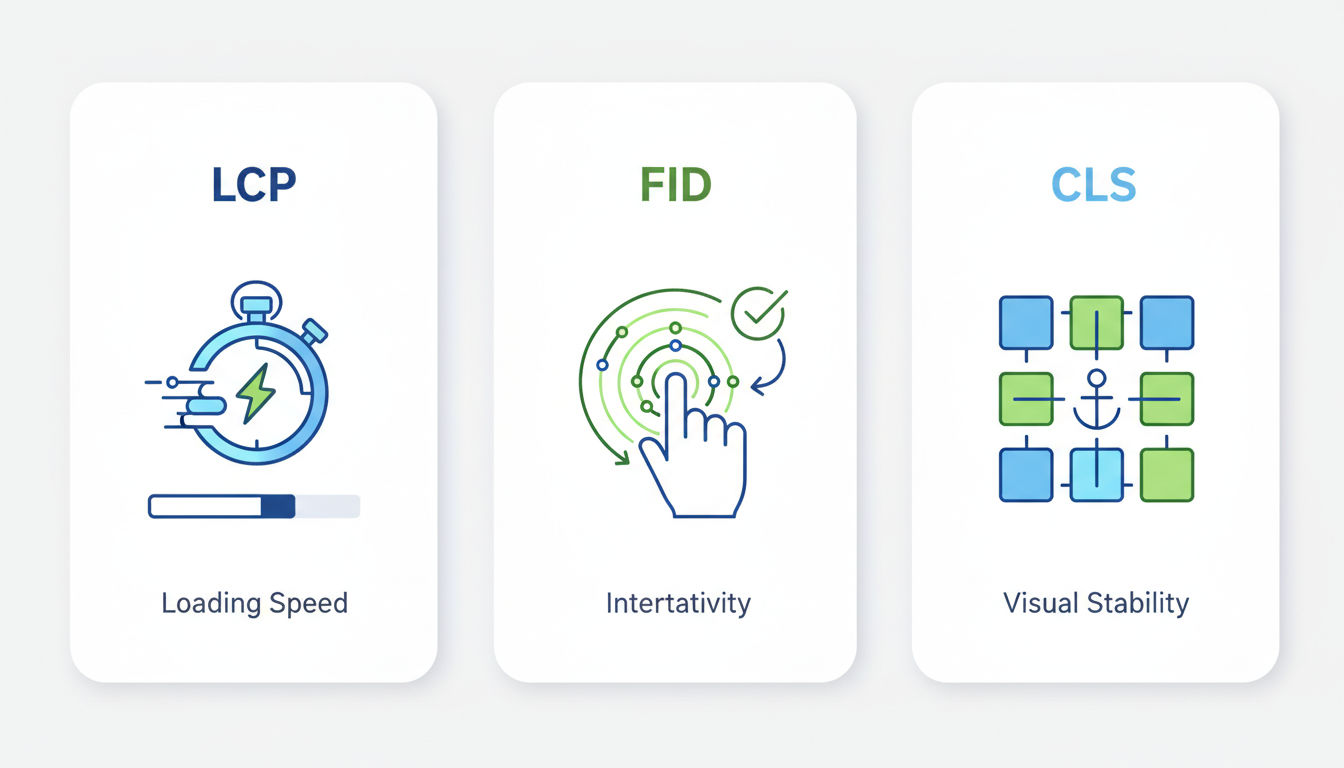
Google identified three specific metrics that best represent user experience on the web. These Core Web Vitals measure different aspects of how people interact with your website. Each metric addresses a distinct question users unconsciously ask when visiting a page.
Largest Contentful Paint (LCP): Measuring Loading Performance
Largest Contentful Paint measures how long it takes for the main content of your page to load. Specifically, it tracks when the largest visible element appears on screen. This might be a hero image, a video thumbnail, or a large block of text.
Think of LCP as the moment when your visitor sees something meaningful. It's not about when the entire page finishes loading. It's about when enough content appears that someone can start consuming information.
Google considers an LCP of 2.5 seconds or less as good performance. Scores between 2.5 and 4 seconds need improvement. Anything over 4 seconds is considered poor. These thresholds reflect real user behavior patterns and expectations.
The largest element varies by page type. On a blog post, it's usually the featured image or the first paragraph. On a product page, it's typically the main product image. On a homepage, it might be your hero banner or primary heading.
Several factors influence LCP. Server response time plays a crucial role since your server must send the content before browsers can display it. Large file sizes, especially images and videos, slow down LCP significantly. Render-blocking resources like CSS and JavaScript files can delay when the largest element appears.
First Input Delay (FID): Assessing Interactivity
First Input Delay measures responsiveness. It tracks the time between when a user first interacts with your page and when the browser can actually respond to that interaction. Common interactions include clicking a button, tapping a link, or selecting a menu option.
FID captures a frustrating experience we've all encountered. You click something, but nothing happens. You click again. Still nothing. Finally, after what feels like forever, the page responds, often triggering multiple actions because you clicked multiple times.
A good FID score is 100 milliseconds or less. Scores between 100 and 300 milliseconds need improvement. Anything over 300 milliseconds is poor. These tiny fractions of a second make enormous differences in perceived responsiveness.
JavaScript execution typically causes FID problems. When your browser is busy running JavaScript code, it can't respond to user inputs. Heavy scripts, especially those that run immediately when the page loads, block the main thread and prevent interaction.
Third-party scripts often contribute significantly to FID issues. Analytics tools, advertising networks, social media widgets, and chat plugins all add JavaScript that can delay interactivity. Each script competes for processing time, potentially blocking user interactions.
Cumulative Layout Shift (CLS): Evaluating Visual Stability
Cumulative Layout Shift measures visual stability. It quantifies how much content moves around unexpectedly while a page loads. Have you ever started reading an article, only to have the text jump down because an image loaded above it? That's layout shift.
CLS doesn't use time-based measurements. Instead, it calculates a score based on how much content moves and how far it moves. A score of 0.1 or less is good. Scores between 0.1 and 0.25 need improvement. Anything over 0.25 is poor.
Layout shifts frustrate users and can cause actual problems. Imagine clicking a "Subscribe" button, but an advertisement loads at the last moment, shifting the button down. You accidentally click the ad instead. This scenario happens constantly across the web.
Common causes include images without defined dimensions, ads and embeds that load dynamically, and web fonts that load after text appears. Each of these elements can push existing content around as they appear on the page.
How Google Uses These User Experience Metrics
Google incorporated Core Web Vitals into its ranking algorithm in 2021. These metrics now influence where websites appear in search results. Sites with better Core Web Vitals scores receive a ranking advantage over those with poor scores, all other factors being equal.
The search engine collects real user data through Chrome browsers to measure these metrics. This means your scores reflect actual visitor experiences, not just lab testing. Google evaluates the 75th percentile of user experiences, meaning 75% of visits to your site must meet the good thresholds.
Core Web Vitals form part of Google's "page experience" signals. These signals also include mobile-friendliness, safe browsing, HTTPS security, and non-intrusive interstitials. However, Core Web Vitals represent the most technical and measurable components of page experience.
The Direct Impact of Core Web Vitals on Website Performance

Core Web Vitals scores ripple through every aspect of your website's performance. These metrics don't exist in isolation. They directly affect measurable business outcomes that matter to your bottom line.
Search Engine Rankings and Visibility
Google explicitly uses Core Web Vitals as ranking factors. When two websites offer similar content quality and relevance, the one with better Core Web Vitals scores typically ranks higher. This advantage becomes particularly important in competitive industries where many sites target the same keywords.
The ranking impact varies by query and competition level. For highly competitive terms, Core Web Vitals can make the difference between appearing on page one or page two of search results. That difference is enormous since page two receives exponentially less traffic than page one.
Studies show that websites in top positions typically have better Core Web Vitals scores than those ranking lower. While correlation doesn't prove causation, the pattern is consistent across industries and geographic regions. Sites that improve their Core Web Vitals often see corresponding improvements in search visibility.
Montreal businesses competing in local search particularly benefit from Core Web Vitals optimization. Local search results factor in page experience signals alongside traditional local SEO elements like Google Business Profile optimization and local citations. A fast, stable website can help you outrank competitors in local search results.
User Engagement and Bounce Rates
Page speed directly influences bounce rates. Research consistently shows that as load time increases, bounce rates increase proportionally. A site that loads in one second has a bounce rate approximately three times lower than one that loads in five seconds.
Quick question
Want to turn this into a real plan?
If you want expert help with strategy, design, development, marketing, or automation — we’ll recommend the fastest path forward for your goals.
Core Web Vitals improvements translate to better engagement metrics across the board. Time on site increases when pages load quickly and respond immediately to interactions. Page views per session rise when navigation feels smooth and effortless. Return visitor rates improve when users remember a positive experience.
The relationship works both ways. Poor Core Web Vitals scores drive visitors away before they engage with your content. High bounce rates signal to Google that users aren't finding what they need, potentially triggering further ranking decreases. This creates a negative feedback loop that's difficult to escape without addressing the underlying performance issues.
Modern users have high expectations. They've been trained by fast, responsive platforms like Google, Facebook, and Amazon. When your website doesn't meet these expectations, visitors assume something is wrong. They don't blame their connection or device. They blame your website and look elsewhere.
Conversion Rates and Revenue Implications
Every second of delay in page load time can decrease conversions by significant percentages. Studies from major e-commerce platforms show that even 100-millisecond improvements in load time can increase conversion rates by measurable amounts. For businesses generating revenue online, these improvements directly impact the bottom line.
Amazon famously found that every 100 milliseconds of latency cost them 1% in sales. While your business might not operate at Amazon's scale, the principle applies universally. Faster websites convert better because they reduce friction in the customer journey.
The impact extends beyond immediate conversions. Poor Core Web Vitals scores affect customer lifetime value. Frustrated visitors are less likely to return, reducing repeat purchase opportunities. They're less likely to recommend your business to others, limiting word-of-mouth growth.
For lead generation businesses, Core Web Vitals affect form completion rates. Slow, unstable pages discourage users from filling out contact forms or scheduling appointments. Layout shifts that occur while someone tries to submit a form can cause accidental clicks on the wrong buttons, leading to abandoned submissions.
Mobile vs. Desktop Performance Considerations
Google primarily uses mobile performance for ranking decisions. This mobile-first indexing approach reflects how most people now access the web. Your mobile Core Web Vitals scores matter more than your desktop scores for search visibility.
Mobile devices typically face more challenging conditions than desktop computers. They have less processing power, slower network connections, and smaller screens where layout shifts feel more disruptive. These constraints make Core Web Vitals optimization even more critical for mobile experiences.
Many websites show significant performance gaps between mobile and desktop. A site might score well on desktop but poorly on mobile due to unoptimized images, heavy JavaScript, or mobile-specific layout issues. Addressing these gaps requires mobile-first thinking throughout the development process.
Montreal businesses serving local customers should pay particular attention to mobile performance. Local searches happen predominantly on mobile devices as people search while out and about. A slow mobile experience directly costs you potential customers who are actively looking for your services in the moment.
How Core Web Vitals Affect User Experience Metrics

User experience encompasses everything a visitor feels and thinks while interacting with your website. Core Web Vitals measure the technical foundations that enable positive experiences. When these foundations are solid, everything else becomes possible.
The Relationship Between Page Speed and User Satisfaction
Speed creates emotional responses. Fast websites feel professional, trustworthy, and modern. Slow websites feel outdated, unreliable, and frustrating. These perceptions form within seconds and influence every subsequent interaction.
Users don't consciously think about milliseconds and loading metrics. They simply feel whether a website works well or poorly. Core Web Vitals quantify these feelings, translating subjective experiences into measurable data. When your metrics improve, user satisfaction improves proportionally.
The psychological impact of speed extends beyond the loading process itself. A website that loads quickly sets positive expectations for the entire visit. Users approach your content with an open, receptive mindset. Conversely, a slow start creates skepticism and impatience that colors everything that follows.
Research in behavioral psychology shows that people judge experiences heavily based on their peak moments and endings. A slow, frustrating load time represents a negative peak moment that users remember. Even if the rest of their visit goes well, that initial frustration leaves a lasting impression.
Impact on Customer Trust and Brand Perception
Your website often provides the first impression potential customers have of your business. Core Web Vitals performance directly influences whether that impression is positive or negative. A fast, stable website signals professionalism and attention to detail. A slow, glitchy one suggests carelessness and outdated practices.
Trust develops through consistency and reliability. When your website performs well every time someone visits, trust builds naturally. When performance varies or consistently disappoints, trust erodes. Users wonder what else might be unreliable about your business.
Brand perception extends beyond your immediate products or services. Companies known for great digital experiences earn reputational benefits that extend to all aspects of their business. Apple, Google, and other tech leaders maintain their premium brand positions partly through consistently excellent digital experiences.
For service-based businesses, your website performance becomes a proxy for service quality. Potential clients reason that if you can't maintain a fast website, you might not deliver excellent service either. This assumption may not be fair, but it's common and consequential.
Real-World Performance Data and Benchmarks
Industry benchmarks provide context for your Core Web Vitals scores. Across all websites measured by Google, only about 40% currently pass all three Core Web Vitals thresholds. This means most websites have room for improvement, but it also means good scores provide competitive advantages.
E-commerce sites typically face the most challenging performance requirements. Product pages with multiple images, reviews, and dynamic elements must balance rich functionality with fast loading. The best e-commerce sites achieve LCP under 2 seconds, FID under 50 milliseconds, and CLS under 0.05.
Content websites like blogs and news sites generally find it easier to achieve good Core Web Vitals scores. Their simpler layouts and fewer interactive elements reduce complexity. However, advertising networks and third-party content often introduce performance challenges that require careful management.
Service business websites fall somewhere in between. They need enough visual appeal and functionality to showcase services effectively, but they don't require the complex features of e-commerce platforms. Well-optimized service sites routinely achieve excellent Core Web Vitals scores while maintaining professional designs.
Industry Standards for Optimal Performance
Google's thresholds define minimum acceptable performance, not optimal targets. Leading websites aim significantly higher. They target LCP under 1.5 seconds, FID under 50 milliseconds, and CLS under 0.05. These aggressive targets ensure excellent experiences even under less-than-ideal conditions.
Performance budgets help maintain standards over time. These budgets set maximum limits for page weight, script sizes, and other technical metrics. When new features or content threaten to exceed the budget, teams must optimize existing elements or reconsider the addition.
Progressive enhancement approaches prioritize core functionality and content, then layer on enhancements for capable devices and connections. This strategy ensures everyone gets a functional experience while providing optimal experiences where possible. It naturally supports good Core Web Vitals scores by keeping essential content lightweight and fast.
At Vohrtech, we implement performance-first development practices that bake Core Web Vitals optimization into every project from the start. This approach proves more effective than trying to optimize poor performance after launch. Building fast beats fixing slow every time.
Measuring Your Current Core Web Vitals Performance

You can't improve what you don't measure. Understanding your current Core Web Vitals performance provides the baseline for improvement efforts. Multiple tools offer insights from different perspectives, each valuable in its own way.
Google PageSpeed Insights and Search Console
Google PageSpeed Insights serves as the most accessible starting point for Core Web Vitals measurement. Simply enter your URL, and the tool analyzes your page, providing scores and specific recommendations. It shows both lab data from simulated tests and field data from real users.
Lab data offers controlled testing conditions. These tests run on standardized hardware with predictable network speeds. They're useful for diagnosing specific issues and testing changes before deployment. However, lab conditions don't perfectly reflect real-world user experiences.
Field data comes from the Chrome User Experience Report, representing actual visitor experiences. This data is more valuable for understanding real-world performance but requires sufficient traffic to generate statistically significant results. Newer or low-traffic sites might not have field data available.
Google Search Console provides Core Web Vitals reporting for your entire website. The report groups pages by performance status: Good, Needs Improvement, or Poor. It identifies which pages have issues and groups them by similar problems, helping you prioritize optimization efforts efficiently.
Search Console's Core Web Vitals report updates daily, though the underlying data reflects a 28-day rolling window. This delay means improvements take time to appear in reports. Don't expect immediate changes after optimization. Allow several weeks for new data to accumulate.
Chrome User Experience Report
The Chrome User Experience Report (CrUX) provides the official field data Google uses for ranking purposes. This dataset aggregates real user measurements from Chrome browsers across millions of websites. It represents actual experiences rather than synthetic tests.
CrUX data segments by device type, connection type, and geographic region. These segments reveal performance variations across different user groups. You might discover that mobile users experience significantly worse performance than desktop users, or that visitors from certain regions face longer load times.
The BigQuery interface allows advanced analysis of CrUX data for technically inclined users. However, most businesses find sufficient insights through PageSpeed Insights and Search Console, which present CrUX data in more accessible formats.
Understanding the 75th percentile methodology is important. Google evaluates whether 75% of user experiences meet the good thresholds. This means you can pass even if 25% of visits show poor performance, but it also means you can't ignore the slowest experiences entirely.
Third-Party Monitoring Tools
WebPageTest offers detailed performance analysis with customizable testing conditions. You can test from different locations, devices, and connection speeds. The waterfall charts show exactly how your page loads, revealing bottlenecks and optimization opportunities.
GTmetrix combines multiple testing engines and provides historical tracking. You can monitor Core Web Vitals over time, identifying trends and measuring the impact of changes. Scheduled testing alerts you when performance degrades, enabling quick responses to emerging issues.
Lighthouse, available in Chrome DevTools, provides comprehensive auditing beyond just Core Web Vitals. It evaluates accessibility, SEO, and best practices alongside performance. Running Lighthouse locally during development catches issues before they reach production.
Real User Monitoring (RUM) solutions track actual visitor experiences continuously. Unlike synthetic testing that runs periodically, RUM captures every page load from real users. This comprehensive data reveals patterns synthetic tests might miss, like performance variations by time of day or user behavior.
Interpreting Your Website Performance Data
Numbers without context provide limited value. Understanding what your Core Web Vitals scores mean for your specific situation requires considering your industry, competition, and business goals. A score that's acceptable for one business might be inadequate for another.
Compare your performance against direct competitors. If competing sites consistently outperform yours, they likely enjoy ranking and conversion advantages. Tools like SimilarWeb or SEMrush help identify competitors and their approximate traffic levels, though they don't directly show Core Web Vitals scores.
Segment your data by page type and user group. Homepage performance differs from product pages, which differ from blog posts. Mobile performance differs from desktop. Understanding these variations helps target optimization efforts where they'll deliver maximum impact.
Track trends over time rather than obsessing over single measurements. Performance naturally fluctuates based on traffic patterns, server load, and external factors. Weekly or monthly averages provide more reliable indicators than individual tests. Consistent trends matter more than day-to-day variations.
Common Issues That Hurt Core Web Vitals Scores
Most Core Web Vitals problems stem from a handful of common causes. Identifying these issues on your website represents the first step toward improvement. Understanding why they occur helps prevent future problems.
Server Response Time and Hosting Limitations
Your server must respond quickly to deliver good Core Web Vitals scores. Time to First Byte (TTFB) measures how long browsers wait for the first byte of response from your server. Slow TTFB directly impacts LCP since content can't load until the server responds.
Shared hosting plans often struggle with performance under load. When hundreds of websites share server resources, your site competes for processing power, memory, and bandwidth. During traffic spikes or when neighboring sites experience high load, your performance suffers.
Database queries frequently cause server slowdowns. Each page load might trigger dozens or hundreds of database queries. Inefficient queries, missing indexes, or bloated databases increase response times. WordPress sites with many plugins particularly struggle with database performance.
Geographic distance between servers and users affects response times. A server in New York responds slower to visitors in California than to visitors in New Jersey. This latency multiplies for international visitors. Content Delivery Networks address this issue by serving content from locations closer to users.
Server-side processing for dynamic content adds delays. Generating personalized pages, processing complex logic, or integrating multiple data sources takes time. Caching strategies reduce these delays by storing pre-generated versions of pages.
Unoptimized Images and Media Files
Images represent the largest performance bottleneck on most websites. A single unoptimized photo can weigh several megabytes, dramatically slowing load times. Multiply this across multiple images per page, and performance collapses quickly.
Wrong file formats waste bandwidth. JPEG works best for photographs, PNG for graphics with transparency, and SVG for logos and icons. Modern formats like WebP and AVIF offer superior compression but require fallbacks for older browsers. Choosing appropriate formats reduces file sizes by 30-50% without quality loss.
Oversized dimensions create unnecessary overhead. Serving a 3000-pixel-wide image when the display area is only 800 pixels wide wastes bandwidth and processing power. Responsive images that serve appropriate sizes based on device and viewport optimize performance without sacrificing quality.
Missing width and height attributes cause layout shifts. When browsers don't know image dimensions in advance, they can't reserve appropriate space. Content loads, then jumps down when images finally appear. Adding dimension attributes eliminates these shifts completely.
Above-the-fold images that load slowly directly harm LCP scores. If your largest contentful element is an image, that image's load time becomes your LCP. Prioritizing critical images through preloading and ensuring they're optimally sized and formatted improves LCP significantly.
Render-Blocking JavaScript and CSS
Browsers must download and process CSS before rendering pages. This render-blocking behavior ensures pages display correctly, but excessive CSS delays initial rendering. Large CSS files, especially those containing styles for components not used on every page, unnecessarily slow down all pages.
JavaScript can block rendering and interactivity. Scripts in the document head typically block parsing while they download and execute. This delays everything, including LCP. Scripts that run during page load compete for processing power, potentially causing FID problems.
Unused code bloats file sizes without providing value. Many websites load entire libraries when they only use small portions. Bootstrap, jQuery, and other popular frameworks often contribute hundreds of kilobytes of code that never executes. Removing unused code improves load times immediately.
Synchronous script loading creates bottlenecks. When one script must finish before the next begins, delays cascade. Modern async and defer attributes allow scripts to load without blocking page rendering. However, they require careful implementation to avoid breaking functionality that depends on specific load orders.
Third-Party Scripts and Plugins
Analytics, advertising, social media widgets, and other third-party scripts significantly impact Core Web Vitals. Each external script adds network requests, processing overhead, and potential failure points. Some third-party scripts load additional scripts, creating cascading performance problems.
Next step
Ready for a quote and timeline?
Send a quick note with what you’re building, your deadline, and what success looks like — we’ll reply with clear next steps.
Tag managers like Google Tag Manager centralize third-party script management but don't eliminate their performance impact. Every tag added through a tag manager still loads and executes, consuming resources. Audit your tags regularly, removing those that no longer provide value.
Chat widgets and customer support tools often load substantial JavaScript and maintain persistent connections. These tools provide valuable functionality but at significant performance costs. Consider lazy-loading chat widgets so they only load when users show intent to interact.
Social media embeds and sharing buttons load tracking scripts and external resources. A single Facebook embed might load hundreds of kilobytes. Twitter, Instagram, and YouTube embeds similarly impact performance. Lightweight alternatives or click-to-load implementations reduce this overhead.
A/B testing and personalization platforms inject code that can delay rendering and cause layout shifts. These tools modify page content dynamically, potentially moving elements around after initial render. Careful implementation minimizes these impacts while preserving testing capabilities.
Proven Strategies to Improve Core Web Vitals
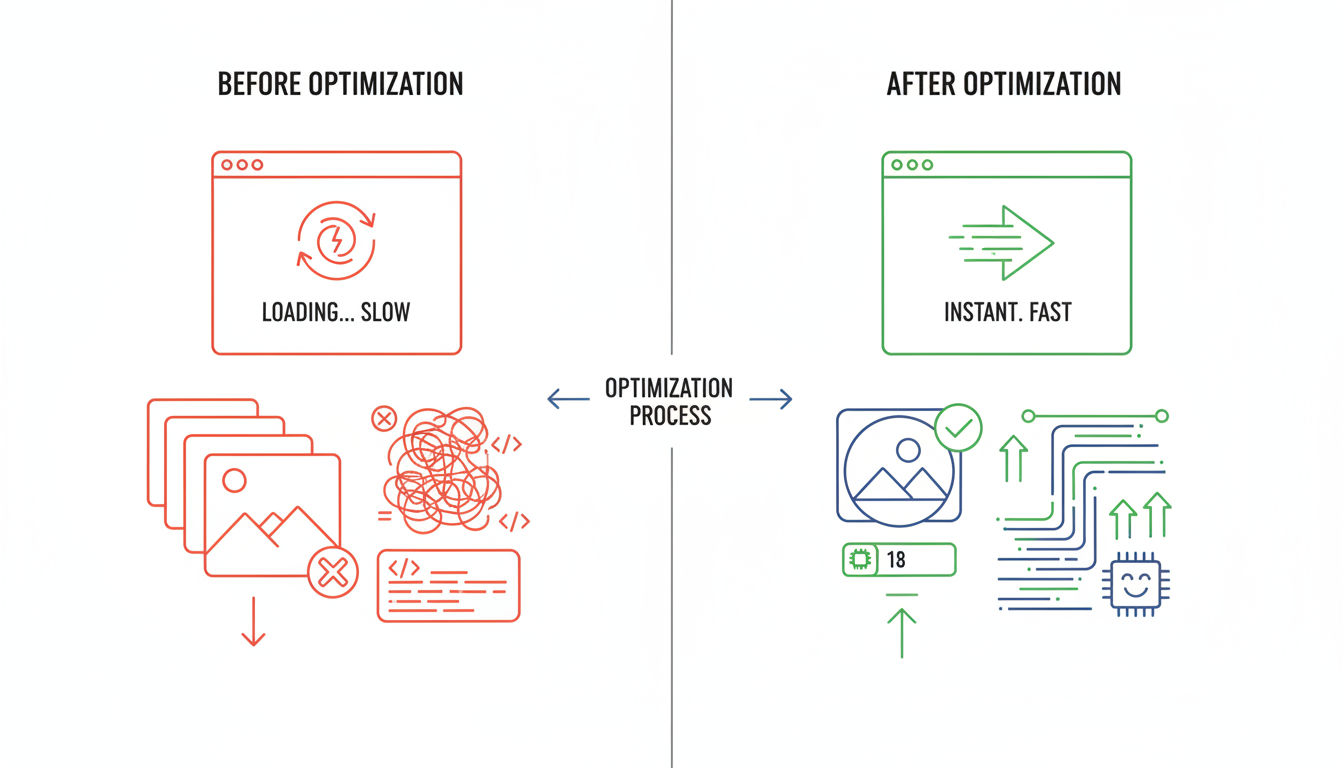
Improving Core Web Vitals requires systematic optimization across multiple areas. Prioritize changes based on their potential impact and implementation difficulty. Quick wins build momentum while you tackle more complex improvements.
Image Optimization and Lazy Loading Techniques
Compress images aggressively without visible quality loss. Tools like TinyPNG, ImageOptim, or Squoosh reduce file sizes by 50-80% while maintaining visual quality. Automated compression during upload ensures every image gets optimized without manual intervention.
Implement responsive images using srcset attributes. This HTML feature allows browsers to choose appropriate image sizes based on device capabilities and viewport dimensions. Serving a 400-pixel-wide image to mobile devices instead of a 2000-pixel desktop image dramatically reduces bandwidth consumption.
Convert images to modern formats like WebP or AVIF. These formats provide superior compression compared to JPEG and PNG. Include fallbacks for older browsers that don't support modern formats. Most modern content management systems can handle this conversion automatically.
Lazy loading defers offscreen image loading until users scroll near them. This technique prioritizes above-the-fold content, improving LCP and reducing initial page weight. Native browser lazy loading through the loading="lazy" attribute provides this functionality without JavaScript.
Prioritize critical images through preloading. The link rel="preload" tag tells browsers to fetch important images early, even before the parser discovers them. Use this technique sparingly for truly critical images like hero images or logos that affect LCP.
Code Minification and Compression
Minify CSS, JavaScript, and HTML to remove unnecessary characters. Comments, whitespace, and verbose variable names help developers but waste bandwidth. Minification typically reduces file sizes by 20-40% without changing functionality.
Enable Gzip or Brotli compression on your server. These algorithms compress text-based resources before transmission, reducing transfer sizes by 70-90%. Modern browsers automatically decompress these files. Most web servers support compression with simple configuration changes.
Combine files strategically to reduce HTTP requests. Fewer requests mean less connection overhead. However, be cautious with this approach. Combining everything into single massive files can hurt caching and increase initial load times. Balance request reduction with optimal file sizes.
Remove unused CSS and JavaScript through code splitting. Modern build tools can analyze which code each page actually uses and generate page-specific bundles. This ensures pages only load code they need, reducing file sizes and processing overhead.
Defer non-critical JavaScript loading until after initial page render. Scripts that don't affect above-the-fold content or immediate interactivity can load later without impacting user experience. This improves LCP and FID by reducing competition for resources during critical loading phases.
Content Delivery Network (CDN) Implementation
CDNs distribute your content across geographically distributed servers. When users request your pages, the CDN serves content from the nearest location. This reduces latency and improves load times, particularly for visitors far from your origin server.
Edge caching stores static resources like images, CSS, and JavaScript at CDN edge locations. These resources load from nearby servers instead of traveling from your origin server for every request. Cache hit rates above 90% dramatically reduce origin server load and improve response times.
CDN providers like Cloudflare, Amazon CloudFront, and Fastly offer additional optimization features. Image optimization, automatic format conversion, and code minification can happen at the edge, reducing origin server processing requirements and improving performance globally.
Montreal businesses serving primarily local customers still benefit from CDNs. Even local traffic routes through multiple network hops. CDN edge locations in Montreal or nearby cities reduce these hops, improving response times. Additionally, CDNs provide DDoS protection and reliability benefits beyond pure performance.
Caching Strategies and Browser Optimization
Browser caching stores resources locally on user devices. Proper cache headers tell browsers how long to keep files before requesting fresh versions. Long cache durations for static resources reduce repeat visit load times dramatically.
Server-side caching stores pre-generated page versions. WordPress caching plugins like WP Rocket or W3 Total Cache generate static HTML files from dynamic PHP pages. Serving static files eliminates database queries and PHP processing, reducing server response times by 80-90%.
Object caching stores database query results in memory. Redis or Memcached implementations keep frequently accessed data readily available without repeated database queries. This particularly benefits dynamic sites with complex queries or high traffic volumes.
Page caching at the CDN level provides the fastest possible delivery. When the CDN serves cached pages, requests never reach your origin server. This reduces load, improves reliability, and delivers content as quickly as physically possible given network constraints.
Cache invalidation strategies ensure users see updated content. Versioned file names or cache-busting query parameters force browsers to fetch new versions when files change. Balancing long cache durations with timely updates requires thoughtful implementation but delivers optimal performance and freshness.
Working with experienced developers ensures Core Web Vitals optimization gets implemented correctly. At Vohrtech, we build performance into every project from the start, avoiding the costly retrofitting many businesses face. Our portfolio demonstrates our commitment to fast, user-friendly websites that achieve excellent Core Web Vitals scores.
Conclusion
Core Web Vitals represent more than technical metrics. They quantify user experience in ways that directly impact your business success. Better scores lead to higher search rankings, increased engagement, and improved conversion rates. These benefits compound over time as your website builds positive momentum.
Optimization requires ongoing attention rather than one-time fixes. Web technologies evolve, user expectations increase, and new content and features continuously challenge performance. Regular monitoring catches issues early, before they significantly impact user experience or search rankings.
Start with measurement to understand your current baseline. Use Google's free tools to identify your biggest opportunities. Prioritize improvements that address multiple issues or affect high-traffic pages. Quick wins build confidence and demonstrate value while you tackle more complex optimizations.
Remember that perfect scores aren't necessary for success. Good scores that meet Google's thresholds provide the ranking benefits and user experience improvements your business needs. Chasing marginal improvements beyond good thresholds often delivers diminishing returns compared to investing in content quality, marketing, or other business areas.
The technical nature of Core Web Vitals optimization can feel overwhelming. Many businesses lack in-house expertise to implement necessary changes effectively. Professional web development services provide the specialized knowledge and experience needed to achieve excellent results efficiently.
If your website struggles with Core Web Vitals scores, you're not alone. Most websites have room for improvement. The key is taking action rather than accepting poor performance as inevitable. Every improvement, no matter how small, enhances user experience and moves you closer to your business goals.
Ready to improve your website's Core Web Vitals and unlock better search rankings and user experiences? Contact our team to discuss how we can optimize your website's performance. We'll analyze your current metrics, identify specific opportunities, and implement proven solutions that deliver measurable results for your business.