
Introduction
Every click matters when you're running a business online. Your website might be getting traffic, but are those visitors actually converting into customers? The truth is, beautiful design alone won't grow your business. What you need is conversion UX design—a strategic approach that turns casual browsers into paying customers.
Conversion UX design bridges the gap between aesthetics and results. It's the difference between a website that looks good and one that actually works for your business. When done right, it can dramatically increase your revenue without spending more on advertising.
Many business owners in Montreal and beyond struggle with this exact problem. They invest in a website, drive traffic to it, but watch potential customers leave without taking action. The issue isn't usually the product or service—it's the user experience.
This guide will walk you through proven conversion UX design strategies that actually work. You'll learn how to identify what's holding your website back and discover practical techniques to improve your conversion rates. We'll cover everything from basic principles to advanced optimization tactics.
Whether you're redesigning your existing site or building a new one, these strategies will help you create experiences that guide users toward taking action. You'll understand the psychology behind conversion decisions and learn how to apply data-driven insights to your design process.
By the end of this article, you'll have a clear roadmap for improving your website's performance. You'll know which elements to prioritize and how to avoid common mistakes that cost businesses thousands in lost revenue. Let's transform your website from a digital brochure into a powerful conversion machine.
Understanding Conversion UX Design
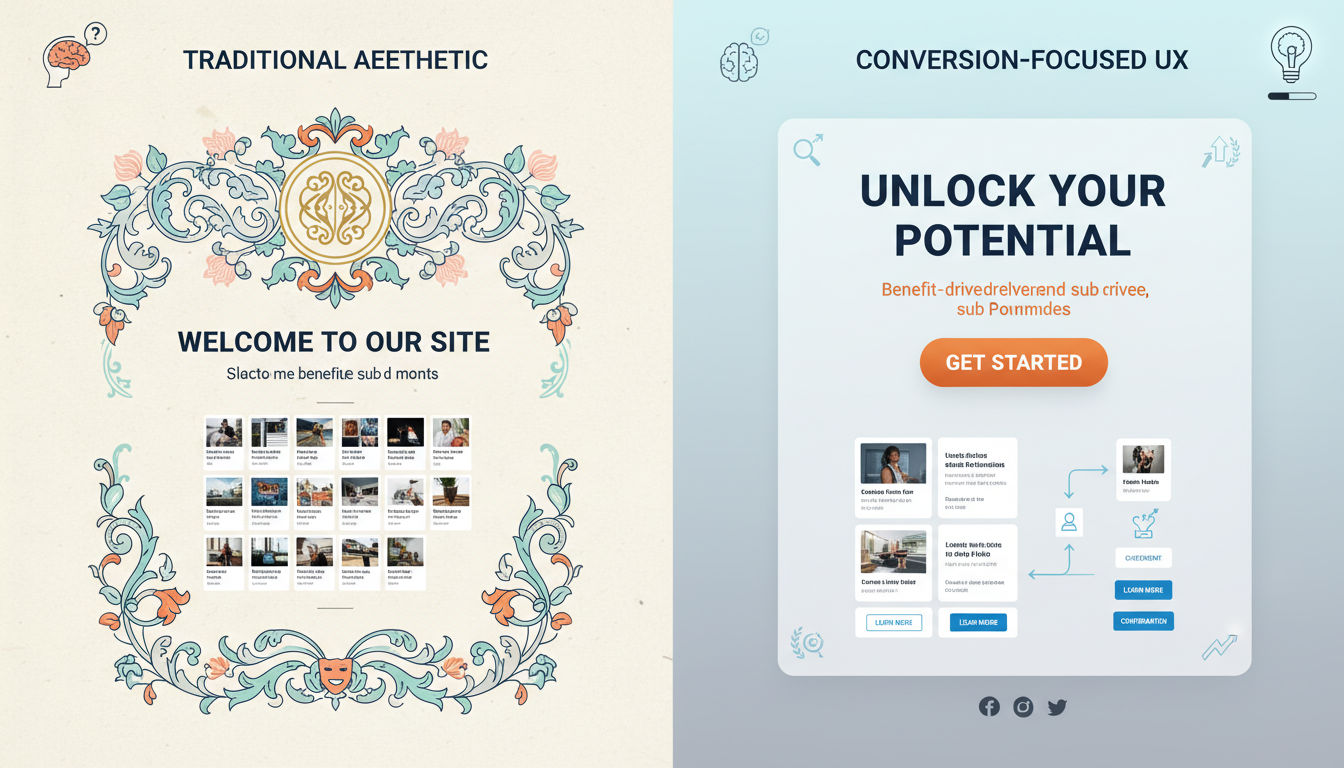
Conversion UX design is the practice of creating user experiences specifically engineered to encourage desired actions. These actions might include making a purchase, filling out a contact form, signing up for a newsletter, or downloading a resource. Unlike traditional design that focuses solely on aesthetics, conversion UX design prioritizes measurable business outcomes.
The core principle is simple: every design decision should make it easier for users to complete their goals while simultaneously achieving your business objectives. This means removing obstacles, reducing confusion, and creating clear pathways to conversion. It's about understanding what users need and delivering it in the most efficient way possible.
User experience optimization directly impacts your bottom line in measurable ways. Research shows that companies focusing on UX see conversion rate improvements of up to 400%. When users can easily find what they need and complete tasks without frustration, they're significantly more likely to convert.
Consider this: if your website converts at 2% and you increase that to 3%, you've grown conversions by 50% without spending an extra dollar on marketing. That's the power of conversion-focused design. It maximizes the value of traffic you're already getting.
The psychology behind conversion-driven design is rooted in understanding human behavior and decision-making processes. People make choices based on a combination of rational thinking and emotional responses. Your design needs to address both.
Cognitive load theory plays a crucial role here. When users face too many choices or complex interfaces, their brains become overwhelmed. This mental fatigue leads to decision paralysis and abandonment. Effective conversion UX design reduces cognitive load by simplifying choices and creating clear, obvious next steps.
Trust is another psychological factor that cannot be overlooked. Users need to feel confident that taking action is safe and beneficial. Design elements like social proof, security badges, and professional aesthetics all contribute to building this trust. When users trust your brand, they're far more willing to share information or make purchases.
Urgency and scarcity are powerful motivators when used ethically. Limited-time offers or low-stock indicators tap into our fear of missing out. However, these tactics must be genuine—false urgency destroys trust and damages your brand reputation.
The principle of reciprocity also influences conversion behavior. When you provide value upfront through helpful content, free tools, or useful resources, users feel more inclined to reciprocate by engaging with your business. This is why educational content and free trials are so effective at driving conversions.
Key Principles of UX for Conversions
Clarity and simplicity form the foundation of effective conversion design. Your users should never have to guess what to do next or struggle to understand your offering. Every page should have a clear purpose and communicate that purpose immediately.
Remove unnecessary elements that don't support conversion goals. Each component on your page should either inform the user, build trust, or guide them toward action. If something doesn't serve one of these purposes, it's creating distraction and should be eliminated.
Use plain language that your audience actually speaks. Industry jargon and complex terminology create barriers between you and potential customers. Write as if you're explaining your service to a friend who's unfamiliar with your industry.
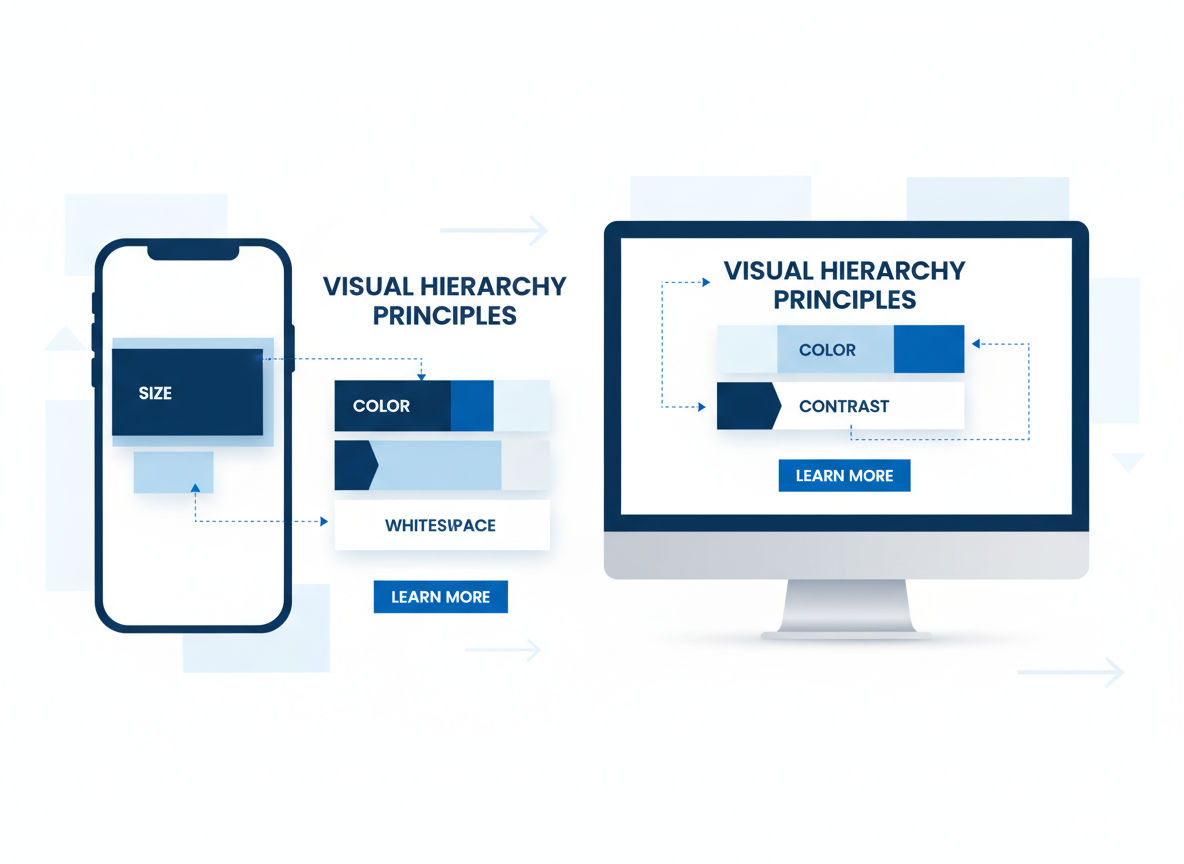
Strategic visual hierarchy directs user attention to the most important elements on your page. Your design should create a natural flow that guides eyes from one element to the next in a logical sequence. This isn't accidental—it requires deliberate planning.
Size, color, contrast, and positioning all contribute to visual hierarchy. Your most important elements—typically your value proposition and call-to-action—should be the most visually prominent. Secondary information should be visible but not competing for attention.
White space (or negative space) is a powerful tool for creating hierarchy. It gives important elements room to breathe and makes your content more digestible. Cramming too much into a small space overwhelms users and dilutes your message.
Reducing friction in the user journey means identifying and eliminating obstacles that prevent conversions. Every additional step, form field, or page load is a potential drop-off point. The goal is to make the path to conversion as smooth and effortless as possible.
Common friction points include lengthy forms, confusing navigation, slow loading times, and unclear next steps. Audit your conversion funnel to identify where users are dropping off. These drop-off points reveal where friction exists.
Progressive disclosure is an effective technique for reducing friction. Instead of overwhelming users with all information at once, reveal details gradually as they progress through the conversion process. This keeps the experience feeling manageable and less intimidating.
Building trust through design elements is essential for conversions, especially for new visitors unfamiliar with your brand. Trust signals reassure users that engaging with your business is safe and legitimate.
Professional design quality immediately signals credibility. Outdated or amateur-looking websites raise red flags and cause users to question your legitimacy. Investing in quality design is investing in trust.
Security indicators like SSL certificates, privacy policies, and secure payment badges are crucial for transactions. Display these prominently, especially near form submissions and checkout processes. Users need to know their information is protected.
Quick question
Want to turn this into a real plan?
If you want expert help with strategy, design, development, marketing, or automation — we’ll recommend the fastest path forward for your goals.
Social proof elements such as customer testimonials, case studies, client logos, and review ratings leverage the psychological principle that people trust the experiences of others. Real photos and specific details make testimonials more credible than generic praise.
A mobile-first conversion design approach is no longer optional—it's essential. More than 60% of web traffic now comes from mobile devices, and that percentage continues to grow. If your site doesn't convert well on mobile, you're losing the majority of potential customers.
Mobile-first design means designing for small screens first, then scaling up to larger displays. This approach forces you to prioritize the most essential elements because space is limited. The result is a cleaner, more focused experience across all devices.
Touch-friendly interfaces are critical for mobile conversions. Buttons and links need adequate spacing to prevent accidental taps. Form fields should be large enough to tap easily, and text should be readable without zooming. These details significantly impact mobile conversion rates.
Page speed is particularly crucial on mobile devices where connection speeds may be slower. Optimize images, minimize code, and leverage browser caching to ensure fast loading times. Even a one-second delay in page load can reduce conversions by 7%.
Essential Conversion Design Elements
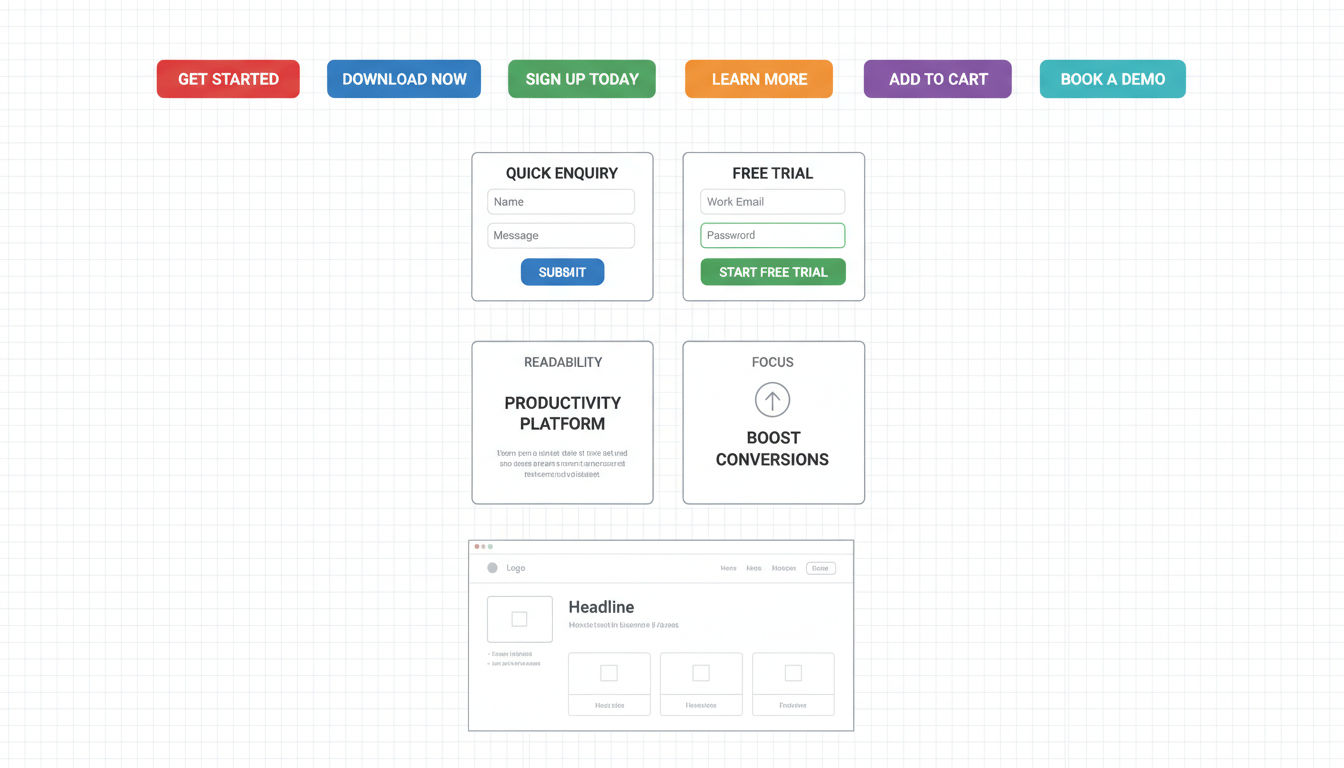
High-converting call-to-action buttons are the gateway to conversions. These buttons need to stand out visually while clearly communicating what happens when clicked. The difference between "Submit" and "Get My Free Quote" can significantly impact conversion rates.
Button design involves several critical factors. Size matters—your CTA should be large enough to notice immediately but not so large it looks awkward. Color should provide strong contrast against the background while aligning with your brand identity.
Button copy should be action-oriented and specific. Use first-person language when possible ("Start My Free Trial" rather than "Start Your Free Trial"). This subtle shift makes the action feel more personal and immediate.
Button placement follows the natural flow of information on your page. Users should encounter CTAs after they've received enough information to make a decision. Multiple CTAs throughout longer pages can capture users at different stages of readiness.
Persuasive landing page layouts follow proven patterns that guide users toward conversion. The most effective layouts present information in a logical sequence: attention-grabbing headline, value proposition, supporting details, social proof, and clear call-to-action.
Above-the-fold content remains crucial despite the myth that users don't scroll. The content visible without scrolling should immediately communicate what you offer and why it matters. Users decide within seconds whether to stay or leave.
F-pattern and Z-pattern layouts align with natural eye-scanning behaviors. F-patterns work well for text-heavy pages, while Z-patterns suit pages with less content and more visual elements. Understanding these patterns helps you position key information where users naturally look.
Directional cues like arrows, images of people looking toward CTAs, or visual lines can subtly guide user attention. These cues work on a subconscious level to direct focus toward conversion elements.
Form optimization dramatically impacts completion rates. Every field you add to a form reduces the likelihood of completion. Ask yourself whether each field is absolutely necessary—if it's not, remove it.
Multi-step forms often convert better than long single-page forms, even when asking for the same information. Breaking the process into smaller chunks makes it feel less overwhelming. Progress indicators show users how far they've come and how much remains.
Smart defaults and auto-fill capabilities reduce the effort required to complete forms. Pre-selecting the most common option or using location data to populate city and state fields removes friction from the process.
Error handling should be helpful and immediate. Inline validation that checks fields as users complete them prevents the frustration of submitting a form only to discover errors. Clear error messages explain exactly what's wrong and how to fix it.
Strategic use of whitespace prevents your design from feeling cluttered and overwhelming. Whitespace doesn't mean wasted space—it's an active design element that improves readability and focus.
Whitespace around important elements draws attention to them. A CTA button surrounded by generous whitespace naturally attracts the eye. Conversely, a button crammed between other elements gets lost in the visual noise.
Line spacing and paragraph spacing affect readability more than most people realize. Text that's too tightly packed is difficult to read, especially on mobile devices. Adequate spacing makes content more inviting and digestible.
Color psychology in conversion design influences user emotions and actions. Different colors evoke different psychological responses, and understanding these associations helps you make strategic design choices.
Red creates urgency and excitement, making it effective for clearance sales or limited-time offers. However, it can also signal danger or error, so context matters. Orange combines the energy of red with the friendliness of yellow, often working well for CTAs.
Blue conveys trust, security, and professionalism, which is why many financial institutions and tech companies use it. Green represents growth, health, and positivity, making it popular for environmental and wellness brands.
The key is maintaining sufficient contrast for readability and accessibility. Your color choices should support your brand identity while ensuring text is easy to read and important elements stand out clearly.
User Journey Mapping for Conversions
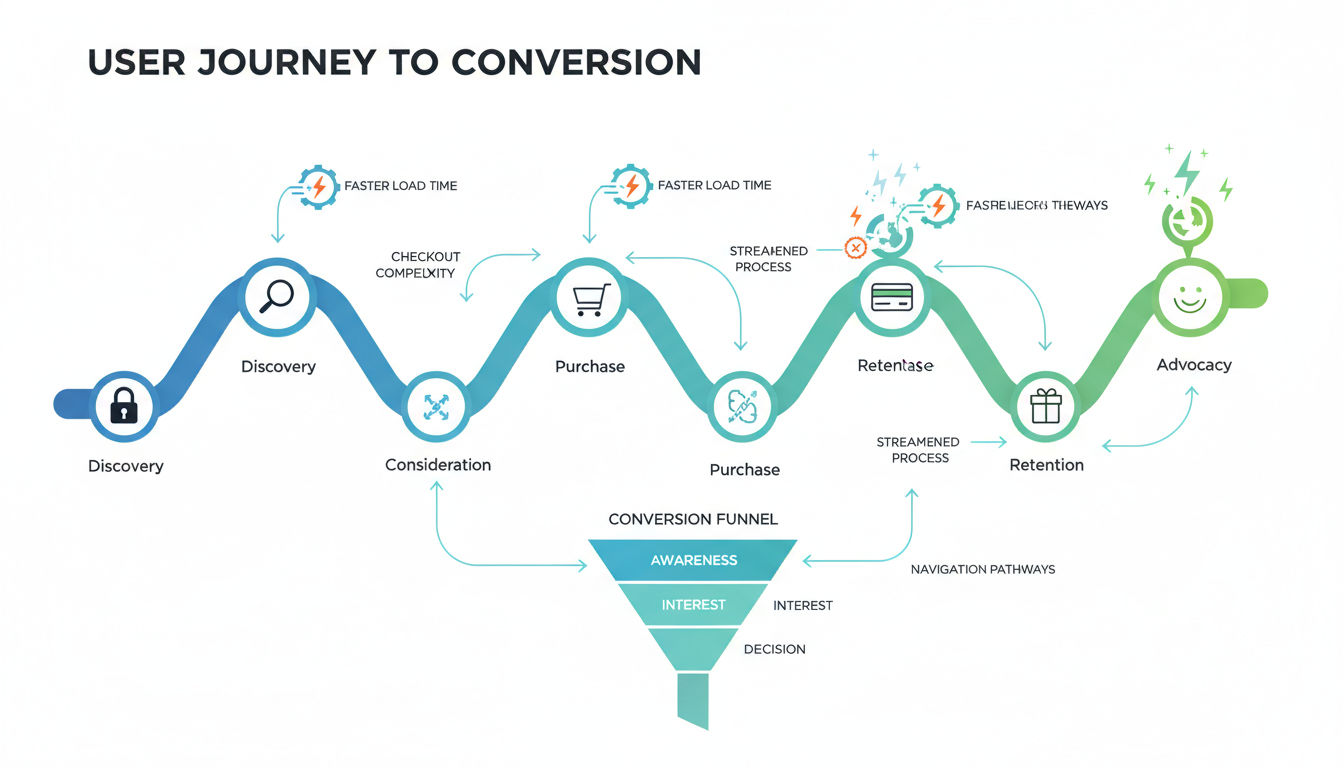
Identifying critical conversion touchpoints requires understanding the complete path users take from initial awareness to final conversion. Not all touchpoints carry equal weight—some are pivotal moments where users decide whether to continue or abandon.
Start by mapping out every interaction point in your conversion funnel. This includes landing pages, navigation clicks, form views, product pages, and checkout steps. Each represents an opportunity to either facilitate or hinder conversion.
Analytics data reveals where users are dropping off in your funnel. High exit rates on specific pages signal problems that need addressing. These bottlenecks are your highest-priority optimization opportunities because fixing them yields the greatest impact.
User behavior recordings and session replays show exactly how people interact with your site. You can watch where they hesitate, what they click, and where they get confused. This qualitative data provides context that numbers alone cannot reveal.
Eliminating barriers in the conversion funnel means removing anything that makes users pause, question, or reconsider. These barriers can be technical, psychological, or informational.
Technical barriers include slow loading pages, broken links, confusing navigation, and forms that don't work properly. These issues are often easier to identify and fix than psychological barriers, making them good starting points for optimization.
Psychological barriers involve trust concerns, unclear value propositions, or fear of commitment. Address these with trust signals, clear communication, and risk-reversal strategies like money-back guarantees or free trials.
Informational barriers occur when users lack the knowledge needed to make a decision. They might not understand your pricing, how your service works, or what makes you different from competitors. Comprehensive FAQs and clear product descriptions eliminate these barriers.
Creating seamless navigation pathways ensures users can easily find what they need without getting lost or frustrated. Your navigation should be intuitive enough that users don't have to think about how to use it.
Limit your main navigation to 5-7 items maximum. Too many options create decision paralysis and make it harder to find specific items. Group related pages under dropdown menus when necessary, but keep the structure simple.
Breadcrumb navigation helps users understand where they are within your site structure and easily backtrack if needed. This is particularly important for e-commerce sites with multiple product categories.
Internal linking within your content guides users to related information and keeps them engaged with your site. Strategic internal links can lead users deeper into your conversion funnel naturally. For instance, linking from informational content to your services page connects education with action.
Optimizing page load speeds directly impacts conversion rates. Research from Google shows that 53% of mobile users abandon sites that take longer than three seconds to load. Every additional second of load time further reduces conversions.
Image optimization is often the biggest opportunity for speed improvements. Compress images without sacrificing quality, use modern formats like WebP, and implement lazy loading so images only load as users scroll to them.
Minimize HTTP requests by combining files, reducing plugins, and eliminating unnecessary scripts. Each element on your page requires a separate request, and more requests mean slower loading times.
Content delivery networks (CDNs) serve your content from servers geographically closer to your users, reducing the physical distance data must travel. This can significantly improve load times, especially for international visitors.
Data-Driven User Experience Optimization
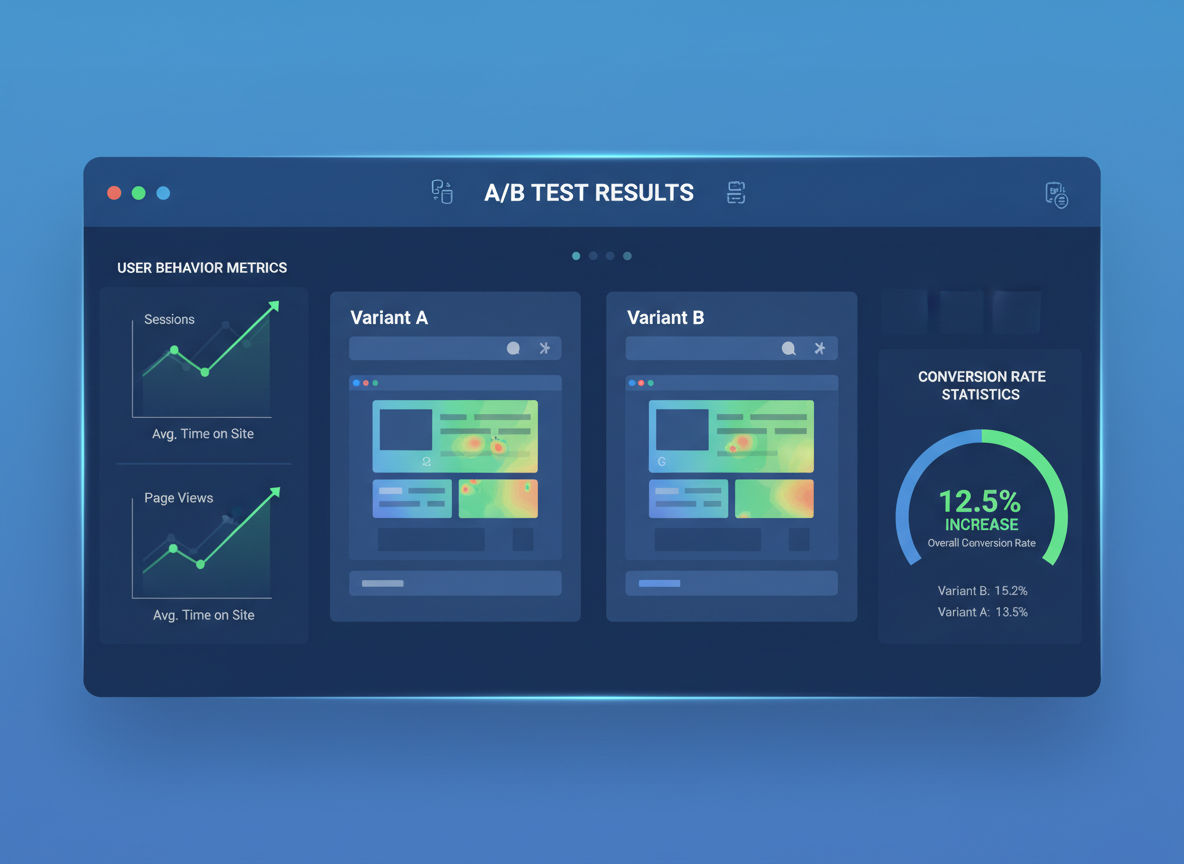
A/B testing for conversion improvements is the scientific approach to optimization. Instead of guessing what works, you test variations against each other and let real user behavior determine the winner.
Start with high-impact elements like headlines, CTAs, or page layouts. These changes typically produce the most significant results. Test one element at a time so you can clearly attribute any changes in conversion rate to the specific modification.
Statistical significance is crucial for reliable results. Running a test for too short a period or with insufficient traffic can lead to false conclusions. Most A/B testing tools calculate confidence levels automatically, but generally aim for at least 95% confidence before declaring a winner.
Document your tests and results systematically. Over time, you'll build a knowledge base of what works for your specific audience. Patterns emerge that inform future design decisions and help you understand your users better.
Heatmaps and user behavior analytics reveal how visitors actually interact with your pages. These visual representations show where users click, how far they scroll, and what elements attract or repel attention.
Click heatmaps highlight which elements users interact with most frequently. If users are clicking on non-clickable elements, it suggests confusion about your interface. If they're ignoring your CTA, it might not be prominent enough.
Scroll maps show how far down the page users typically scroll before leaving. This data helps you position important conversion elements where they'll actually be seen. If 80% of users never scroll past a certain point, critical information below that point is effectively invisible.
Movement heatmaps track cursor movement, which often correlates with eye movement. These maps reveal what users are reading and considering, even if they don't click. This insight helps you understand what captures attention and what gets ignored.
Using metrics to inform design decisions transforms optimization from art into science. The right metrics provide objective feedback about what's working and what needs improvement.
Conversion rate is the obvious primary metric, but it's not the only one that matters. Bounce rate, time on page, pages per session, and form abandonment rate all provide valuable context about user experience quality.
Segment your data to understand how different user groups behave. New versus returning visitors often exhibit different behaviors. Traffic from different sources (social media, search, email) may convert at different rates and respond to different design elements.
Set up goal tracking in Google Analytics to measure specific conversion actions. This allows you to see which pages and traffic sources contribute most to conversions, helping you allocate resources effectively.
Continuous optimization strategies recognize that conversion UX design is never truly finished. User expectations evolve, competitors improve, and new technologies emerge. Staying ahead requires ongoing testing and refinement.
Create an optimization roadmap that prioritizes improvements based on potential impact and implementation difficulty. Quick wins—high-impact changes that are easy to implement—should be tackled first to build momentum.
Regular UX audits identify new opportunities and problems that have developed over time. What worked last year might not work today. Schedule quarterly reviews of your conversion funnel to catch issues early.
Stay informed about UX trends and best practices, but don't blindly follow them. What works for other companies might not work for your specific audience. Test new approaches with your users before fully committing to them.
Common Conversion UX Design Mistakes to Avoid
Overwhelming users with too many choices is one of the most common conversion killers. Psychologist Barry Schwartz's research on "the paradox of choice" demonstrates that more options often lead to less action, not more.
When faced with too many options, users experience decision fatigue. Their brains become overwhelmed trying to evaluate all possibilities, leading to analysis paralysis. Rather than making a choice, they often make no choice at all and leave.
Limit your navigation menu items, reduce the number of CTAs per page, and streamline product offerings. If you must present many options, organize them into clear categories that make the decision process more manageable.
Focus users on one primary action per page. Supporting secondary actions are fine, but they shouldn't compete visually with your main conversion goal. This singular focus makes the decision simple and clear.
Poor mobile responsiveness remains surprisingly common despite mobile traffic dominating web usage. Sites that don't function properly on mobile devices automatically lose more than half their potential conversions.
Buttons that are too small to tap accurately frustrate mobile users. Text that requires zooming to read creates friction. Forms that are difficult to complete on small screens get abandoned. These issues seem obvious, yet many sites still suffer from them.
Next step
Ready for a quote and timeline?
Send a quick note with what you’re building, your deadline, and what success looks like — we’ll reply with clear next steps.
Horizontal scrolling on mobile devices is a critical error that makes content inaccessible. Your design should adapt fluidly to different screen sizes without requiring users to scroll sideways or pinch to zoom.
Test your site on actual mobile devices, not just desktop browsers resized to mobile dimensions. Real-world mobile testing reveals issues that emulators miss, like tap target problems or font rendering issues.
Unclear value propositions leave users confused about what you offer and why they should care. If visitors can't immediately understand what you do and how it benefits them, they won't stick around to figure it out.
Your value proposition should be visible within seconds of landing on your page. It should clearly answer three questions: What do you offer? Who is it for? Why is it better than alternatives?
Generic statements like "We provide quality service" mean nothing because everyone claims the same thing. Specific, concrete benefits resonate far more than vague promises. "We reduce your customer service costs by 30% through AI-powered automation" is infinitely more compelling than "We help your business grow."
Test your value proposition by showing your homepage to someone unfamiliar with your business for five seconds. If they can't explain what you do afterward, your message isn't clear enough.
Neglecting page speed optimization costs conversions directly and indirectly. Directly, slow pages cause user abandonment. Indirectly, slow sites rank lower in search results, reducing the traffic that reaches your conversion funnel in the first place.
Many businesses focus on adding features and content without considering the performance impact. Every plugin, script, and high-resolution image adds to load time. The cumulative effect can be devastating to conversion rates.
Regular performance audits using tools like Google PageSpeed Insights or GTmetrix identify specific issues slowing your site. These tools provide actionable recommendations for improvement, often with significant impact.
Consider the performance impact before adding new features or content. Sometimes the conversion benefit of an addition doesn't justify the speed cost. Prioritize speed as a feature in itself, not an afterthought.
Implementing Conversion-Focused UX Design
Steps to audit your current UX begin with establishing baseline metrics. You need to know where you're starting from before you can measure improvement. Document your current conversion rates, bounce rates, and other key performance indicators.
Conduct a heuristic evaluation of your site against established UX principles. Walk through your conversion funnel as a user would, noting friction points, confusing elements, or missing information. This qualitative assessment complements quantitative data.
Gather user feedback through surveys, user testing sessions, or feedback widgets on your site. Your users can tell you exactly what's frustrating or confusing them. This direct insight is invaluable for identifying problems you might not notice yourself.
Analyze your analytics data for patterns and anomalies. Look for pages with unusually high exit rates, forms with high abandonment, or unexpected user paths through your site. These data points reveal where your UX is failing.
Prioritizing improvements for maximum impact requires balancing potential benefit against implementation difficulty. The ICE framework (Impact, Confidence, Ease) provides a systematic approach to prioritization.
Rate each potential improvement on impact (how much it will increase conversions), confidence (how certain you are it will work), and ease (how simple it is to implement). Multiply or average these scores to rank opportunities.
Focus on fixing critical blockers first—issues that completely prevent conversions for some users. Broken forms, non-functional buttons, or pages that won't load on certain devices must be addressed immediately regardless of other priorities.
Quick wins build momentum and demonstrate the value of UX optimization. Implementing several easy, high-impact changes quickly shows stakeholders that this investment pays off, making it easier to secure resources for larger projects.
Working with professional web design teams accelerates your optimization efforts and helps you avoid costly mistakes. Experienced designers have seen what works across hundreds of projects and can apply those insights to your specific situation.
Professional teams bring specialized skills in user research, interface design, development, and testing. This multidisciplinary expertise ensures your conversion UX design is grounded in both aesthetic appeal and technical excellence.
At Vohrtech, we approach conversion UX design through a data-driven lens combined with creative problem-solving. Our process begins with understanding your business goals and user needs, then develops solutions that bridge the gap between them.
Collaboration between your team and design professionals produces the best results. You understand your business, customers, and industry in ways external teams cannot. Combining your domain expertise with professional design knowledge creates solutions that are both strategically sound and beautifully executed.
Look for teams that emphasize testing and measurement, not just aesthetics. Beautiful designs that don't convert are failures regardless of how good they look. The right partner focuses on measurable business outcomes, not just portfolio pieces.
Check their previous work to see if they've solved problems similar to yours. Industry experience isn't always necessary, but demonstrated success with conversion optimization is essential. Ask about their process, how they measure success, and how they handle projects that don't meet initial goals.
Conclusion
Conversion-focused UX design transforms your website from a passive presence into an active revenue generator. The strategies covered in this guide provide a comprehensive framework for creating experiences that turn visitors into customers.
Remember that clarity, simplicity, and user-centered thinking form the foundation of effective conversion design. Every element should serve a purpose, every interaction should feel effortless, and every page should guide users toward meaningful action.
Data-driven optimization ensures your design decisions are based on evidence rather than assumptions. Test continuously, measure rigorously, and iterate based on what your users actually do, not what you think they'll do.
The investment in conversion UX design pays dividends far beyond the initial implementation. Higher conversion rates mean more customers from the same traffic, better ROI on marketing spend, and sustainable business growth.
Start by auditing your current experience and identifying the highest-impact improvements. Even small changes can produce significant results when applied to the right elements. Don't let perfect be the enemy of good—implement improvements incrementally and build momentum.
If you're ready to transform your website's performance, professional guidance can accelerate your progress and help you avoid costly mistakes. Contact us to discuss how conversion-focused UX design can drive growth for your business. Your future customers are waiting for an experience that makes saying yes effortless.