
Modern businesses run on data flowing between different software systems. When your accounting software talks to your e-commerce platform, or your CRM syncs with your email marketing tool, that's API integration at work.
API integration is the process of connecting two or more applications so they can share data and functionality automatically. Instead of manually copying information between systems, APIs create digital bridges that let your software work together seamlessly.
For businesses in Montreal and beyond, proper API integration isn't just a technical nicety. It's a competitive advantage. Companies that integrate their systems effectively reduce manual data entry by up to 80%, minimize errors, and free their teams to focus on strategic work rather than repetitive tasks.
This guide walks you through the essential best practices for successful API integration projects. Whether you're a small business connecting your first third party integration or an enterprise managing complex system architectures, these principles will help you build reliable, secure, and maintainable integrations.
We'll cover everything from planning your integration strategy to implementing security measures that protect your data. You'll learn how to avoid common pitfalls that derail integration projects and discover practical testing approaches that ensure your connections work reliably.
The goal isn't to turn you into a developer overnight. Instead, you'll gain the knowledge to make informed decisions about your integration projects. You'll understand what questions to ask, what standards matter, and when it makes sense to bring in professional API development expertise.
By the end of this guide, you'll have a clear roadmap for implementing API integrations that drive real business value. You'll know how to evaluate integration opportunities, work effectively with development teams, and maintain your integrations for long-term success.
Understanding API Integration Fundamentals
Think of an API as a waiter in a restaurant. You don't go into the kitchen to cook your own meal. Instead, you tell the waiter what you want, and they bring it to you. APIs work the same way, letting applications request and receive data without needing to know how the other system works internally.
API integration connects different software applications so they can exchange information automatically. When you post to Instagram and it appears on Facebook, that's API integration. When your online store updates inventory in your warehouse management system, that's API integration too.
Common API Architecture Types
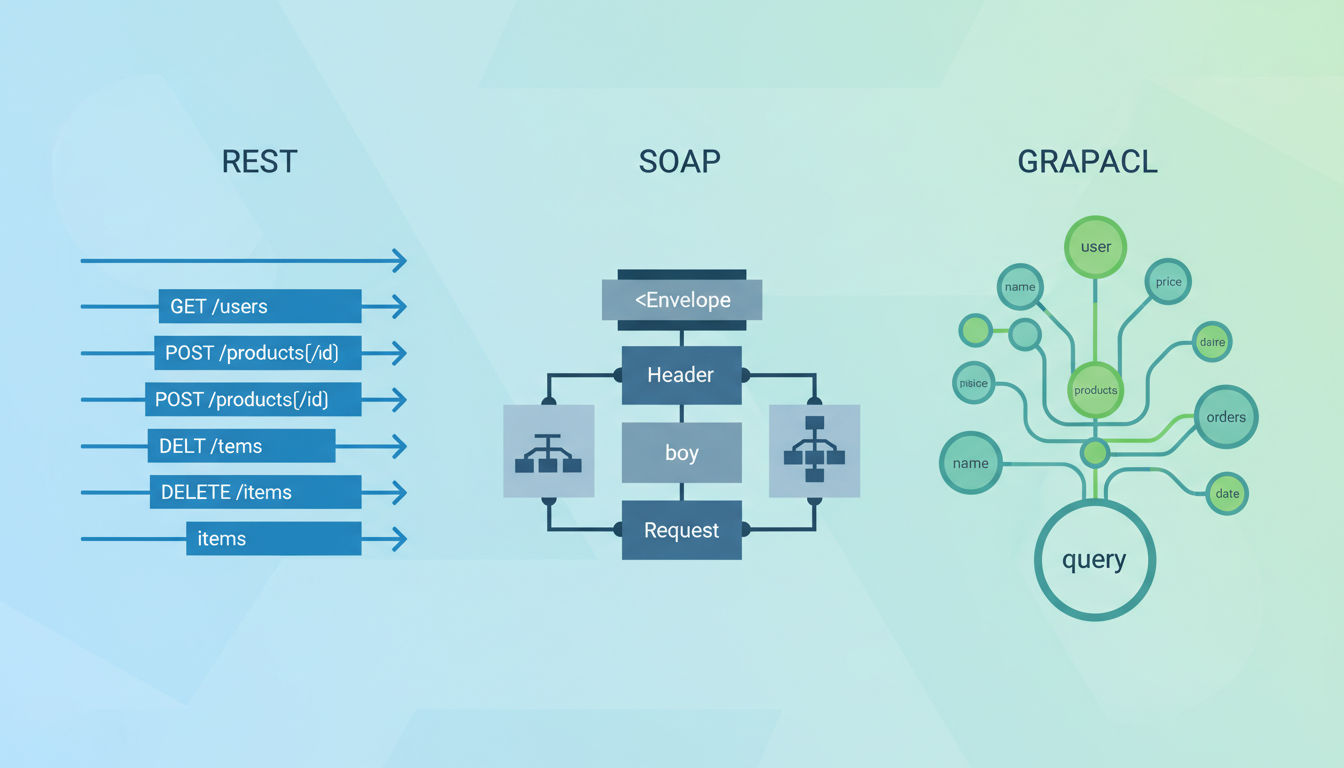
Three main types of web API architectures dominate modern development, each with distinct characteristics.
REST (Representational State Transfer) is the most popular API architecture today. REST APIs use standard HTTP methods like GET, POST, PUT, and DELETE. They're straightforward to understand and work with any programming language. Most modern web services, from Stripe to Shopify, offer REST APIs because they're flexible and scalable.
SOAP (Simple Object Access Protocol) is an older, more rigid protocol that uses XML for message formatting. While less common in new projects, SOAP remains important in enterprise environments and financial services. It offers built-in security features and strict standards that some industries require.
GraphQL is the newest architecture, developed by Facebook. Unlike REST, where you might need multiple requests to gather related data, GraphQL lets you request exactly what you need in a single query. This efficiency makes it popular for mobile apps where bandwidth matters.
The Business Value of Third Party Integration
Third party integration connects your internal systems with external services you don't control. Payment processors, shipping carriers, marketing platforms, and cloud storage services all fall into this category.
These integrations extend your capabilities without building everything from scratch. A small e-commerce business can offer the same payment options as Amazon by integrating with Stripe or PayPal. A local service company can automate appointment reminders by connecting their booking system with Twilio.
The alternative to integration is manual work. Someone copies data from one system to another, introducing delays and errors. Or worse, businesses maintain separate databases that quickly become out of sync.
When Your Business Needs API Integration
Several signs indicate it's time to consider API integration for your operations.
You're experiencing data silos where information lives in isolated systems. Your sales team can't see customer service interactions. Your marketing team manually exports lists from your CRM.
Manual data entry consumes significant staff time. Someone spends hours each week copying orders from your website into your accounting software or updating inventory counts across multiple platforms.
You're missing business opportunities because systems don't communicate. A customer places an order, but your inventory system doesn't update in real time, leading to overselling. Or your marketing automation can't trigger based on purchase behavior because the systems don't connect.
Your business is scaling and manual processes can't keep up. What worked when you had 10 orders per day breaks down at 100 orders. Integration becomes not just helpful but essential for growth.
Planning Your API Integration Strategy

Rushing into API integration without proper planning is like building a house without blueprints. You might get something standing, but it probably won't meet your needs or stand the test of time.
Start by documenting your current pain points with precision. Don't just say "our systems don't talk to each other." Identify exactly which processes involve manual work, where errors occur most frequently, and which data needs to flow between systems.
Assessing Business Requirements
Map out your data flows on paper or a whiteboard. Draw boxes for each system and arrows showing how information should move between them. This visual representation helps everyone understand what you're trying to accomplish.
Prioritize your integration needs based on business impact. Which integration would save the most time? Which would reduce the most errors? Which would improve customer experience most significantly?
Consider both immediate needs and future growth. An integration that solves today's problem but can't scale with your business will need replacement sooner than you think. Build for where you'll be in two years, not just where you are today.
Talk to the people who actually use these systems daily. Your sales team knows which CRM features they need most. Your warehouse staff understands which inventory updates matter most. Their insights prevent building integrations that look good on paper but fail in practice.
Evaluating API Documentation
Good API documentation tells you everything you need to know to integrate successfully. Poor documentation leads to frustration, delays, and failed projects.
Look for clear authentication instructions, endpoint descriptions, and example requests and responses. The best API documentation includes code samples in multiple programming languages and explains error messages you might encounter.
Test the API before committing to an integration. Most services offer sandbox or test environments where you can experiment without affecting live data. Spend time making test calls to understand how the API actually behaves.
Check the API's rate limits and usage restrictions. Some services limit how many requests you can make per hour or day. If your business needs exceed these limits, you'll need to plan accordingly or choose a different service.
Building Realistic Timelines
API integration projects take longer than most people expect. Even "simple" integrations involve testing, error handling, and edge cases that aren't obvious at first glance.
Quick question
Want to turn this into a real plan?
If you want expert help with strategy, design, development, marketing, or automation — we’ll recommend the fastest path forward for your goals.
A basic integration connecting two systems with straightforward data flows typically takes 2-4 weeks from planning to production. More complex integrations involving multiple systems, data transformations, or custom business logic can take 2-3 months or more.
Factor in time for testing and refinement. Your first version won't be perfect. You'll discover scenarios you didn't anticipate and need to adjust your approach. Budget at least 25% of your timeline for testing and fixes.
Budget considerations extend beyond development costs. Consider ongoing maintenance, monitoring tools, and potential API usage fees. Some services charge based on the number of API calls, which can add up as your business grows.
Security Best Practices for API Integration

Security isn't optional in API integration. Every connection between systems creates a potential vulnerability that attackers can exploit. Protecting your data and your customers' information must be your top priority.
A single security breach can cost small businesses an average of $200,000, according to IBM's Cost of a Data Breach Report. For many companies, that's a business-ending event. Implementing proper security measures from the start is far cheaper than dealing with a breach later.
Authentication and Authorization Methods
Authentication verifies who is making an API request. Authorization determines what that user or system is allowed to do. Both are essential, and they're not the same thing.
OAuth 2.0 is the gold standard for modern API authentication. It lets users grant limited access to their data without sharing passwords. When you "Sign in with Google" or "Connect to Facebook," you're using OAuth. It's more complex to implement than simpler methods, but it's significantly more secure.
API keys are simpler but less secure. They're essentially passwords that identify your application. Many services provide API keys for basic authentication. Treat them like passwords: never commit them to public code repositories, never send them in URLs, and rotate them periodically.
JWT (JSON Web Tokens) provide a way to securely transmit information between parties. They're compact, self-contained, and can carry user identity and permissions. Many modern APIs use JWTs for stateless authentication that scales well.
Always use different credentials for development, staging, and production environments. This separation ensures that testing doesn't accidentally affect live data and limits the damage if test credentials are compromised.
Protecting API Keys and Secrets
The most secure API integration in the world fails if your credentials leak. Developers accidentally expose API keys on GitHub thousands of times per day, and automated bots scan for these leaks constantly.
Never hardcode API keys directly in your application code. Use environment variables or secure configuration management systems instead. This approach keeps secrets out of your codebase and makes it easy to rotate credentials without changing code.
Implement secrets management solutions like HashiCorp Vault, AWS Secrets Manager, or Azure Key Vault for production systems. These tools encrypt secrets, control access, and provide audit logs showing who accessed which credentials when.
Rotate API keys regularly, especially after team members leave or if you suspect a compromise. Many security breaches happen because organizations forget to revoke access for former employees or contractors.
Data Encryption and Secure Transmission
Always use HTTPS for API communications. HTTPS encrypts data in transit, preventing attackers from intercepting sensitive information. Most modern APIs require HTTPS, but verify this before integrating with any service.
Encrypt sensitive data at rest, not just in transit. If your integration stores customer information, payment details, or other sensitive data, that information should be encrypted in your database. Even if someone gains access to your database, encrypted data remains protected.
Implement TLS 1.2 or higher for all API connections. Older protocols like SSL and early TLS versions have known vulnerabilities. Configure your systems to reject connections using outdated encryption methods.
Compliance Considerations
Different industries and regions have specific data protection requirements that affect API integration design.
GDPR (General Data Protection Regulation) applies if you handle data from European Union residents. It requires explicit consent for data collection, gives users the right to access their data, and mandates breach notifications within 72 hours. Your API integrations must support data export and deletion requests.
HIPAA (Health Insurance Portability and Accountability Act) governs healthcare data in the United States. If your integration touches protected health information, you need signed Business Associate Agreements with all service providers, encryption for data at rest and in transit, and detailed audit logs.
PCI-DSS (Payment Card Industry Data Security Standard) applies to any business that processes credit card payments. These requirements are strict: never store full credit card numbers, use tokenization when possible, and maintain detailed logs of all payment data access.
Working with a development team experienced in compliance requirements can save you significant headaches. At Vohrtech, we've helped Montreal businesses navigate these complex requirements while building integrations that meet both security and compliance standards.
API Development and Implementation Standards
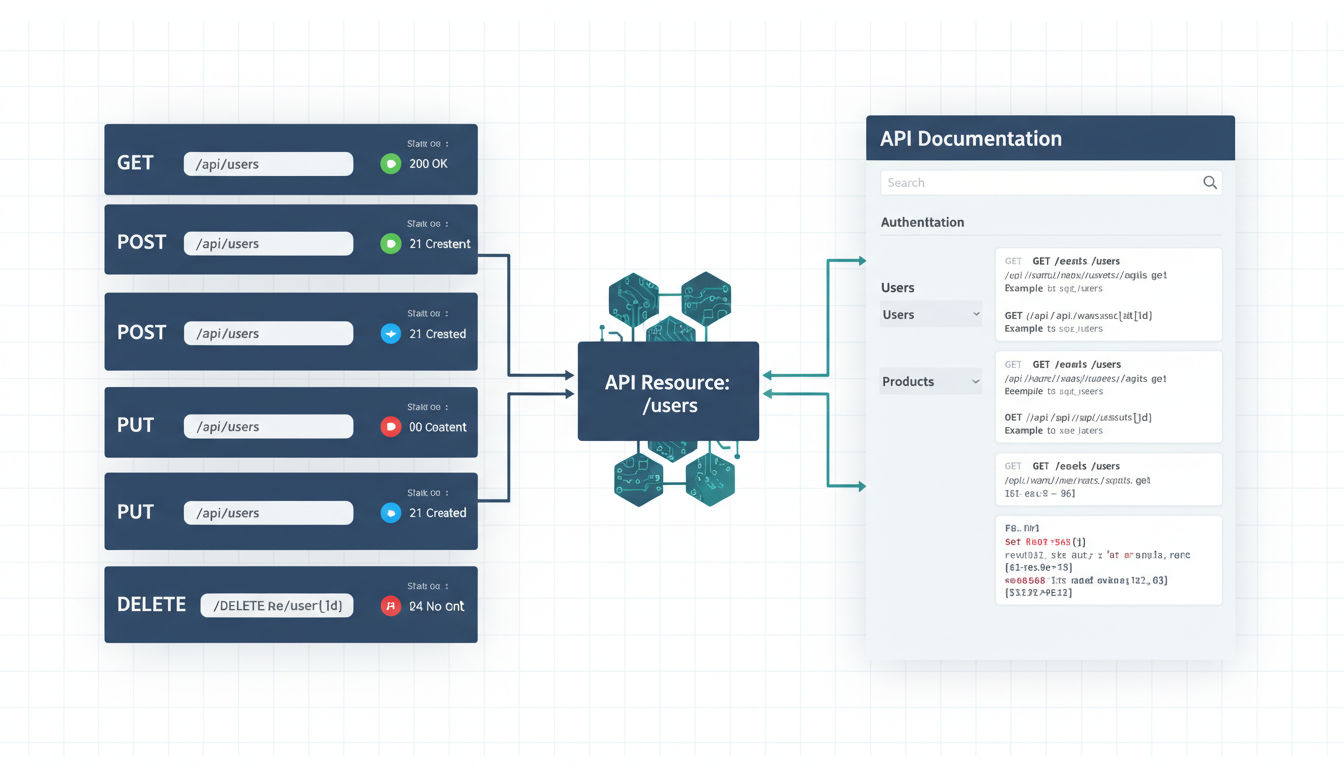
Following established standards and best practices makes your API integrations more reliable, easier to maintain, and simpler for others to understand. These principles apply whether you're consuming third-party APIs or building your own.
RESTful Design Principles
REST isn't just a buzzword. It's a set of architectural principles that make web API development more consistent and predictable.
Use HTTP methods correctly. GET requests retrieve data without changing anything. POST creates new resources. PUT updates existing resources. DELETE removes resources. PATCH makes partial updates. Following these conventions makes your API intuitive for developers who've worked with other REST APIs.
Design resource-based URLs that make sense. Use nouns, not verbs. /api/customers/123 is better than /api/getCustomer?id=123. Collections are plural (/customers), individual items are singular with an identifier (/customers/123).
Keep URLs consistent and hierarchical. Related resources should nest logically: /customers/123/orders shows all orders for customer 123. This structure makes your API self-documenting and easier to explore.
Return appropriate status codes with every response. Don't return 200 OK for every request, even errors. Use 201 for successful creation, 204 for successful deletion with no content returned, 400 for bad requests, 401 for authentication failures, 404 for not found, and 500 for server errors.
Error Handling and Status Codes
Good error handling makes the difference between an API that's frustrating to work with and one that's a pleasure to integrate.
Provide detailed error messages that help developers fix problems. Don't just return "Error 400." Explain what was wrong with the request: "Missing required field: email address" or "Invalid date format: expected YYYY-MM-DD."
Use consistent error response formats across your entire API. Every error should include an error code, a human-readable message, and ideally a link to documentation explaining the error and how to fix it.
Implement proper logging for all errors, but be careful not to log sensitive information. Log enough detail to troubleshoot issues without exposing API keys, passwords, or personal data.
Handle rate limiting gracefully. When a client exceeds rate limits, return a 429 status code and include headers indicating when they can retry. This prevents your API from being overwhelmed while giving clients clear guidance.
Versioning Strategies
APIs evolve over time. New features get added, old features get deprecated, and sometimes breaking changes become necessary. Versioning lets you make these changes without breaking existing integrations.
Include version numbers in your API URLs: /api/v1/customers or /api/v2/customers. This approach is explicit and makes it easy to run multiple versions simultaneously during transitions.
Alternatively, use header-based versioning where clients specify the version in request headers. This keeps URLs cleaner but is less visible and can be easier to overlook.
Maintain backward compatibility whenever possible. Add new fields rather than changing existing ones. Introduce new endpoints rather than changing the behavior of existing ones. This approach minimizes disruption for existing integrations.
Communicate deprecation plans clearly and well in advance. Give developers at least 6-12 months notice before removing API versions. Provide migration guides showing exactly what changes and how to update their code.
Rate Limiting and Throttling
Rate limiting protects your API from being overwhelmed by too many requests. It's essential for maintaining performance and preventing abuse.
Implement tiered rate limits based on usage patterns. Free tier users might get 100 requests per hour. Paid users might get 1,000 per hour. Enterprise customers might have custom limits based on their needs.
Use token bucket or leaky bucket algorithms for smooth rate limiting. These approaches allow brief bursts of traffic while maintaining long-term limits.
Return clear headers with every response showing the client's current rate limit status: how many requests they have remaining, when their limit resets, and what their total limit is.
Documentation Requirements
Comprehensive documentation isn't optional. It's the difference between an API that gets adopted and one that gets abandoned.
Document every endpoint with clear descriptions, required parameters, optional parameters, example requests, and example responses. Show what success looks like and what errors clients might encounter.
Include code examples in multiple programming languages. Not everyone uses the same tools, and seeing working examples in their preferred language dramatically reduces integration time.
Provide interactive documentation using tools like Swagger or Postman. Let developers make test requests directly from your documentation to see how the API responds.
Keep documentation synchronized with your actual API. Outdated documentation is worse than no documentation because it wastes developers' time and creates confusion.
Testing and Quality Assurance
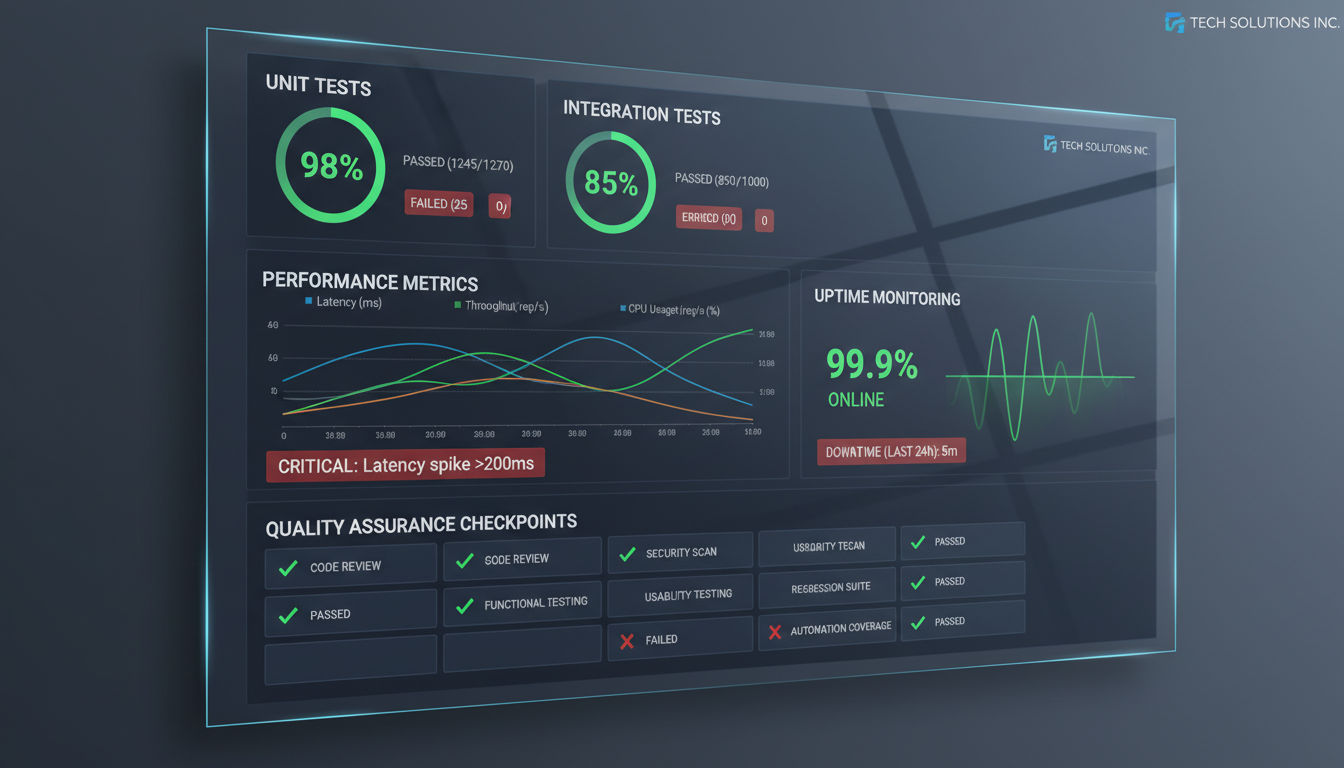
Testing isn't just about finding bugs. It's about building confidence that your API integration works correctly under all conditions. Skipping testing is like driving without insurance: everything seems fine until something goes wrong.
A study by the Consortium for IT Software Quality found that poor software quality cost US organizations $2.08 trillion in 2020. Much of that cost comes from bugs that reach production because of inadequate testing.
Unit Testing for API Endpoints
Unit tests verify that individual components of your integration work correctly in isolation. They're fast to run and quick to write, making them your first line of defense against bugs.
Test each API endpoint independently. Verify that it handles valid input correctly, returns appropriate status codes, and formats responses as expected. Mock external dependencies so tests run quickly and don't depend on third-party services being available.
Test error conditions as thoroughly as success conditions. What happens if required parameters are missing? What if parameters are the wrong type? What if the database connection fails? Your tests should cover these scenarios.
Aim for high code coverage, but don't obsess over hitting 100%. Focus on testing critical paths and complex logic. A well-tested 80% is better than a poorly-tested 100%.
Run unit tests automatically on every code change. Continuous integration tools like GitHub Actions, GitLab CI, or Jenkins can run your test suite and alert you immediately when something breaks.
Integration Testing Strategies
Integration tests verify that different components of your system work together correctly. They catch issues that unit tests miss, like data format mismatches or authentication problems.
Test the complete data flow from end to end. If you're integrating your e-commerce platform with your inventory system, test the entire process: order placed, inventory decremented, notification sent, accounting updated.
Use realistic test data that covers common scenarios and edge cases. Test with large datasets, not just a handful of records. Test with special characters in text fields. Test with dates at month and year boundaries.
Implement contract testing to verify that your integration matches the API provider's specifications. Tools like Pact let you define contracts that both parties agree to, catching breaking changes early.
Test against sandbox environments provided by third party integration partners. This approach lets you test realistic scenarios without affecting production data or incurring real charges.
Load and Performance Testing
Load testing reveals how your integration performs under stress. It's not enough for your integration to work with one user. It needs to work when hundreds or thousands of users hit it simultaneously.
Simulate realistic traffic patterns. Don't just send constant requests at maximum rate. Real traffic has peaks and valleys, sudden spikes, and quiet periods. Your tests should reflect this reality.
Identify performance bottlenecks before they affect users. Is your database query slow? Is the third-party API rate limiting you? Does memory usage grow over time? Load tests expose these issues.
Test failure scenarios under load. What happens when the external API is slow or unresponsive? Does your system queue requests gracefully or crash? How long does recovery take after an outage?
Set performance benchmarks and monitor them over time. If response times gradually increase with each release, something is wrong. Catch performance regressions before they reach production.
Monitoring API Health and Uptime
Testing doesn't end when code reaches production. Continuous monitoring ensures your integration keeps working as expected.
Implement health check endpoints that verify all integration dependencies are working. These endpoints should test database connections, external API availability, and any other critical services.
Use uptime monitoring services like Pingdom, UptimeRobot, or StatusCake to alert you immediately when endpoints become unavailable. Configure alerts to escalate if issues aren't resolved quickly.
Monitor API response times and set alerts for degraded performance. A sudden increase in response time often indicates problems before complete failures occur.
Track error rates and investigate spikes immediately. A sudden increase in 500 errors or timeouts signals problems that need attention.
Common API Integration Challenges and Solutions
Even well-planned API integrations encounter challenges. Understanding common problems and their solutions helps you respond quickly when issues arise.
Dealing with API Changes and Deprecations
Third-party APIs change. Providers add features, fix bugs, and occasionally introduce breaking changes. Sometimes they deprecate entire API versions, forcing you to update or lose functionality.
Subscribe to API provider newsletters and follow their developer blogs. Most responsible API providers announce changes well in advance. Staying informed gives you time to plan updates rather than scrambling when something breaks.
Implement comprehensive logging that captures API requests and responses. When something stops working, these logs help you identify whether the problem is on your side or the provider's side.
Build abstraction layers between your application and external APIs. Instead of calling external APIs directly throughout your code, create wrapper functions or classes. When the external API changes, you only need to update one place.
Next step
Ready for a quote and timeline?
Send a quick note with what you’re building, your deadline, and what success looks like — we’ll reply with clear next steps.
Maintain test suites that run against external APIs regularly. Automated tests catch breaking changes quickly, often before they affect production systems. Some teams run these tests daily to catch issues early.
Managing Third Party Integration Dependencies
Your integration is only as reliable as its weakest dependency. When a third-party service goes down, your integration stops working, even if your code is perfect.
Implement circuit breakers that prevent cascading failures. If an external API becomes unresponsive, your circuit breaker stops sending requests temporarily rather than overwhelming the failing service. After a cooldown period, it tries again.
Design for graceful degradation. What can your application still do when an integration is unavailable? Can you queue requests for later processing? Can you provide limited functionality? Don't let one failed integration bring down your entire system.
Have fallback options when possible. If your primary payment processor is down, can you switch to a backup? If your shipping rate API is unavailable, can you provide estimated rates based on historical data?
Monitor third-party service status pages and integrate them into your alerting system. Many providers publish status pages showing current issues. Automated monitoring of these pages helps you distinguish between your problems and theirs.
Handling Data Synchronization Issues
Keeping data synchronized across multiple systems is harder than it seems. Network issues, timing problems, and conflicting updates all create synchronization challenges.
Implement idempotent operations wherever possible. Idempotent means you can safely repeat an operation multiple times without changing the result. If you send the same "create order" request twice, only one order should be created.
Use unique identifiers consistently across systems. When syncing customer data between your CRM and email marketing platform, use the same customer ID in both systems. This prevents duplicate records and makes troubleshooting easier.
Handle conflicts with clear rules. What happens when the same record is updated in two systems simultaneously? Define which system wins or implement more sophisticated conflict resolution based on timestamps or business rules.
Consider event-driven architectures for real-time synchronization. Instead of polling for changes periodically, systems can publish events when data changes. Other systems subscribe to these events and update immediately.
Troubleshooting Connection Failures
Connection failures are inevitable. Networks are unreliable, servers restart, and services experience downtime. Your integration needs to handle these failures gracefully.
Implement retry logic with exponential backoff. When a request fails, wait a short time and try again. If it fails again, wait longer. This pattern prevents overwhelming a recovering service while giving transient failures time to resolve.
Set appropriate timeout values. Don't wait indefinitely for responses. If an API doesn't respond within a reasonable timeframe (typically 30-60 seconds), consider the request failed and handle it accordingly.
Log enough information to diagnose problems but not so much that logs become overwhelming. Include timestamps, request IDs, endpoint URLs, and error messages. Exclude sensitive data like API keys or personal information.
Create runbooks documenting common issues and their solutions. When a connection failure occurs at 2 AM, having clear documentation of troubleshooting steps helps resolve issues quickly.
Many businesses in Montreal and beyond have found that working with experienced developers prevents these common challenges from becoming major problems. Professional teams have seen these issues before and know how to design integrations that handle them gracefully.
Conclusion and Next Steps
API integration transforms how businesses operate. What once required manual data entry, duplicate work, and constant reconciliation now happens automatically. Your systems communicate seamlessly, data flows where it's needed, and your team focuses on strategic work rather than administrative tasks.
The best practices covered in this guide provide a foundation for successful integration projects. Start with clear planning that identifies business requirements and evaluates API capabilities. Implement robust security measures that protect your data and maintain compliance. Follow development standards that make your integrations maintainable and reliable. Test thoroughly to catch issues before they affect users. And prepare for common challenges with proven solutions.
Essential Practices Recap
Security must be your top priority. Use proper authentication methods, protect API keys, encrypt data in transit and at rest, and maintain compliance with relevant regulations. A security breach can cost far more than implementing proper protections from the start.
Follow established standards for API development. RESTful design principles, proper error handling, versioning strategies, and comprehensive documentation make your integrations more reliable and easier to maintain. These practices pay dividends throughout the integration's lifetime.
Testing and monitoring ensure your integration keeps working correctly. Unit tests, integration tests, load tests, and continuous monitoring catch issues early. Problems discovered in testing cost far less to fix than problems discovered by users.
Plan for challenges before they occur. API changes, dependency failures, synchronization issues, and connection problems are inevitable. Designing for these scenarios from the start makes your integration resilient and reliable.
When to Seek Professional Help
Not every business needs to build integration expertise in-house. For many organizations, working with experienced developers is more cost-effective than learning through trial and error.
Consider professional API integration services when your project involves complex business logic, multiple system integrations, or strict compliance requirements. Experienced teams have encountered these challenges before and know how to navigate them efficiently.
Professional developers bring more than technical skills. They understand business requirements, communicate clearly with non-technical stakeholders, and deliver solutions that solve real problems rather than just implementing technical specifications.
At Vohrtech, we've helped businesses throughout Montreal and beyond implement API integrations that drive real business value. We focus on understanding your unique needs and delivering solutions that work reliably while remaining maintainable as your business grows.
Getting Started
Begin by documenting your current processes and identifying integration opportunities. Where does manual work slow your team down? Where do errors occur most frequently? Which systems need to share data?
Evaluate potential integration partners. Review their API documentation, test their sandbox environments, and verify they meet your security and compliance requirements. Choose services that align with your needs and budget.
Start small with a pilot project. Choose one integration that will deliver clear business value without excessive complexity. Learn from this experience before tackling more ambitious projects.
Build or partner strategically. Some businesses benefit from developing internal integration expertise. Others find that partnering with experienced developers delivers better results faster. Consider your timeline, budget, and long-term needs when making this decision.
Whether you're just starting to explore API integration or looking to improve existing integrations, the principles in this guide will help you build connections that drive business efficiency. Take the time to plan properly, implement security best practices, and test thoroughly. Your investment in doing things right from the start will pay dividends for years to come.
Ready to discuss your integration needs? Contact us to learn how we can help transform your business operations through strategic API integration. Or explore our portfolio of successful projects to see how we've helped other businesses solve similar challenges.